
DJ Icons Font – Free Download (OTF, TTF, SVG)

About DJ Icons
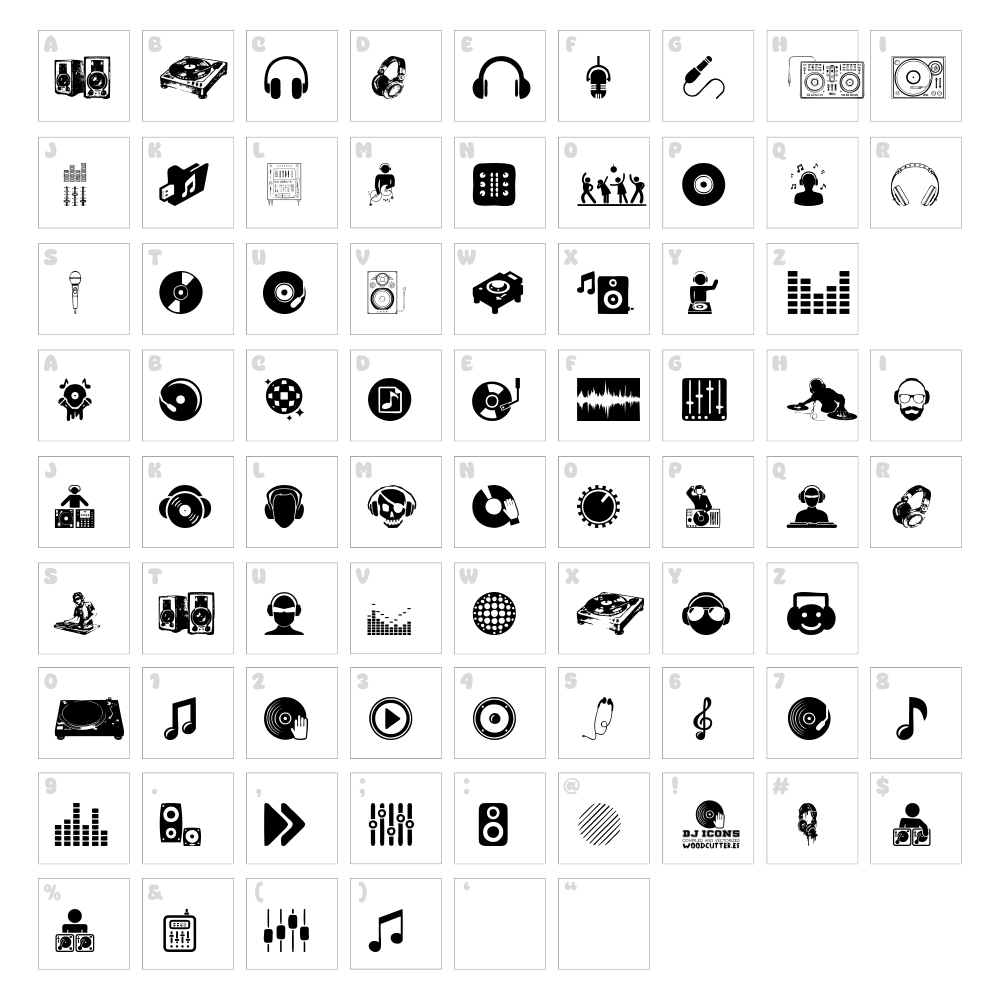
DJ Icons is a vibrant dingbat font designed by Woodcutter that celebrates music culture and electronic entertainment. This playful typeface features a collection of custom music-themed glyphs, turntables, headphones, and party symbols rendered in a bold, modern style. Each character is crafted with clean lines and confident strokes that convey energy and movement. DJ Icons brings instant personality to any project that needs a soundtrack of visual flair.
Best Uses for DJ Icons
DJ Icons excels in music-related branding, event posters, and nightlife marketing materials where visual impact matters most. This font is perfect for Cricut projects like custom vinyl decals, t-shirt designs, and merchandise celebrating DJs and electronic music culture. It also works wonderfully in app interfaces, playlist covers, podcast artwork, and social media graphics for music-forward brands and creators.
What Fonts Pair Well With DJ Icons?
Pair DJ Icons with Montserrat for modern, clean headlines that balance the playful dingbats. Playfair Display offers elegant contrast for editorial layouts mixing music theme elements with sophisticated typography. For a casual, friendly combination, try Poppins, which echoes contemporary music design trends while keeping text highly legible.
License & Commercial Use
DJ Icons is 100% free for commercial use, including logo design, print collateral, digital advertising, website projects, mobile applications, and merchandise production. You may use this font to create branded assets, sell designed products, and deploy across all commercial platforms without restriction. Please credit Woodcutter as the original designer. However, you cannot resell, redistribute, or relicense the font files themselves.
Frequently Asked Questions
Is DJ Icons free for commercial use?
Yes, DJ Icons is completely free for commercial use. You can use it for logos, business branding, print materials, digital products, merchandise, and any revenue-generating project without paying licensing fees.
What file formats does DJ Icons come in?
DJ Icons is available in standard font formats including OTF (OpenType) and TTF (TrueType), compatible with Windows, Mac, and most design software including Adobe Creative Suite, Canva, Cricut Design Space, and Silhouette Studio.
What fonts pair well with DJ Icons?
DJ Icons pairs beautifully with sans-serif fonts like Montserrat and Poppins for balanced layouts, or with serif options like Playfair Display for editorial designs that need visual contrast between decorative icons and body copy.
Can I use DJ Icons in Cricut Design Space?
Yes, once installed on your computer, DJ Icons will appear in Cricut Design Space and other cutting software. You can create custom vinyl decals, iron-on transfers, and layered cut files using the music-themed glyphs for personalized projects.
How to Install DJ Icons
- Download the DJ Icons font file from VectorDad.com to your computer.
- Unzip the downloaded file to extract the font file(s).
- Double-click the font file (.otf or .ttf) to open the font preview window.
- Click the "Install" button in the preview window to add the font to your system.
- Restart your design software and DJ Icons will appear in your available fonts list.
Use DJ Icons With VectorDad Tools
Transform DJ Icons into custom word art with the VectorDad Word Art Generator, perfect for creating unique Cricut SVG projects and vinyl decal designs with music-themed text effects. Bend and curve your DJ Icons typography using the Curved Text Generator to design circular logos, circular decals, and eye-catching banner artwork for music events and promotions.


