
Southern Font – Free Download (OTF, TTF, SVG)

About Southern
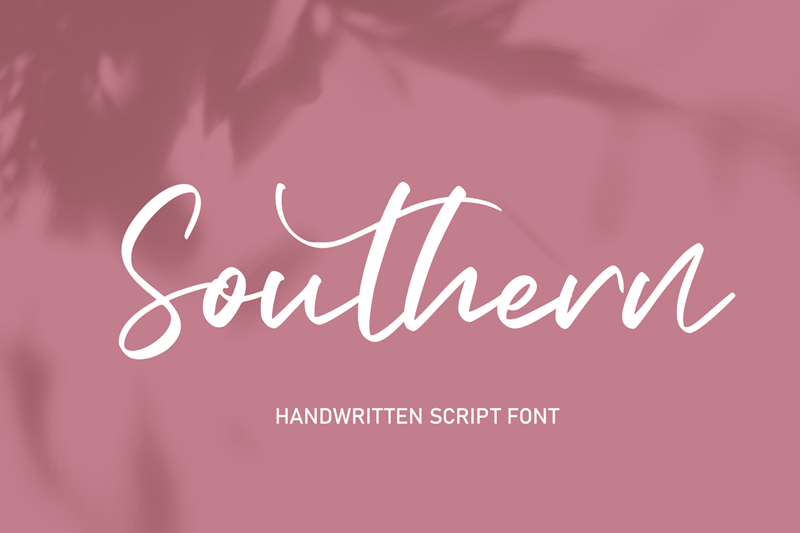
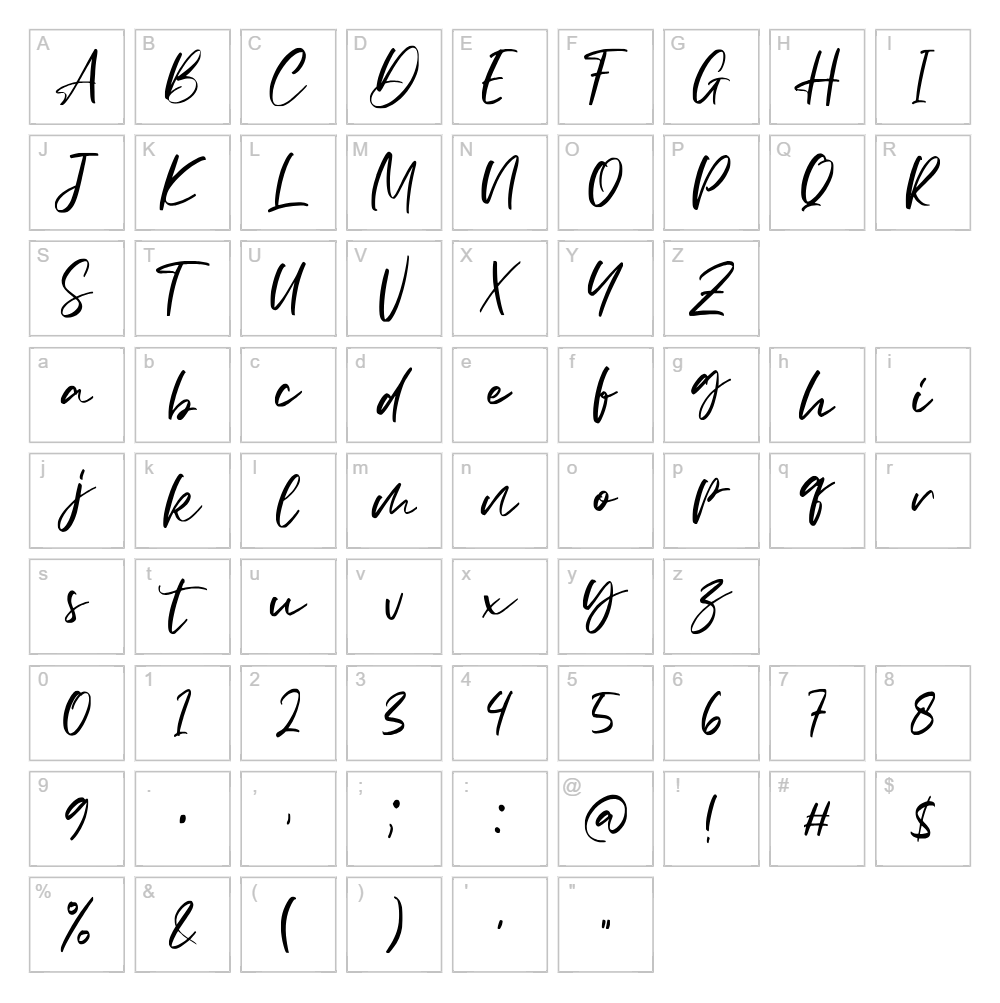
Southern is a flowing, elegant handwritten script font designed by Alit Design that captures the charm of natural pen strokes with a contemporary twist. Its smooth, connected letterforms and organic rhythm create a warm, approachable aesthetic that feels both personal and polished. The font's generous curves and consistent baseline make it ideal for designs that need to balance personality with professionalism. Southern stands out for its versatility, working equally well in bold headlines or delicate accent text without losing its distinctive character.
Best Uses for Southern
Southern excels in branding, logo design, and packaging where a handcrafted yet refined touch is desired. It's perfect for Cricut cutting projects, vinyl decals, wedding invitations, greeting cards, and t-shirt designs that call for a personal, human-made quality. The font also works beautifully in editorial layouts, signage, social media graphics, and digital products where creative professionals want to add warmth and distinction to their visual identity.
What Fonts Pair Well With Southern?
Southern pairs beautifully with clean, modern sans-serif fonts like Poppins or Montserrat from Google Fonts, which provide strong contrast and balance in headlines and body text combinations. For a softer pairing, Playfair Display works well to complement Southern's elegance while maintaining visual hierarchy.
License & Commercial Use
Southern is 100% free for commercial use, meaning you can use it in logos, branding materials, printed products, digital designs, websites, applications, and merchandise without restriction or payment. You may create t-shirts, vinyl decals, Cricut projects, packaging, signage, and any other commercial work with complete freedom. Credit to Alit Design is appreciated but not required. However, you may not resell, redistribute, or repackage the font files themselves.
Frequently Asked Questions
Is Southern free for commercial use?
Yes, Southern is completely free for commercial use. You can use it in logos, print materials, merchandise, digital products, and any business-related projects without paying a license fee or seeking permission.
What file formats does Southern come in?
Southern is available in standard font formats including OTF and TTF, which work with all major operating systems, design software, and devices. Both formats are included in the download package.
What fonts pair well with Southern?
Southern pairs beautifully with clean sans-serif fonts like Poppins, Montserrat, and Roboto for contrast. For a more elegant combination, try pairing it with serif fonts like Playfair Display or Lora to create balanced, sophisticated layouts.
Is Southern suitable for Cricut projects?
Absolutely. Southern's clear, connected letterforms and smooth curves make it excellent for Cricut cutting machines. It cuts cleanly at various sizes and looks fantastic on vinyl decals, iron-on transfers, and custom t-shirts.
How to Install Southern
- Download the Southern font file from VectorDad in OTF or TTF format.
- Unzip the downloaded folder to access the font file(s).
- Double-click the font file to open the font preview window.
- Click the "Install" button to add Southern to your system fonts.
- Restart your design application, and Southern will be available in your font menu alongside all other installed fonts.
Use Southern With VectorDad Tools
Create stunning custom designs with Southern using the VectorDad Word Art Generator, which lets you instantly convert text into editable SVG files perfect for Cricut projects. Take your designs further with the Curved Text Generator to bend and shape Southern text along custom paths for unique vinyl decals and cutting projects.


