
Regi Font – Free Download (OTF, TTF, SVG)

About Regi
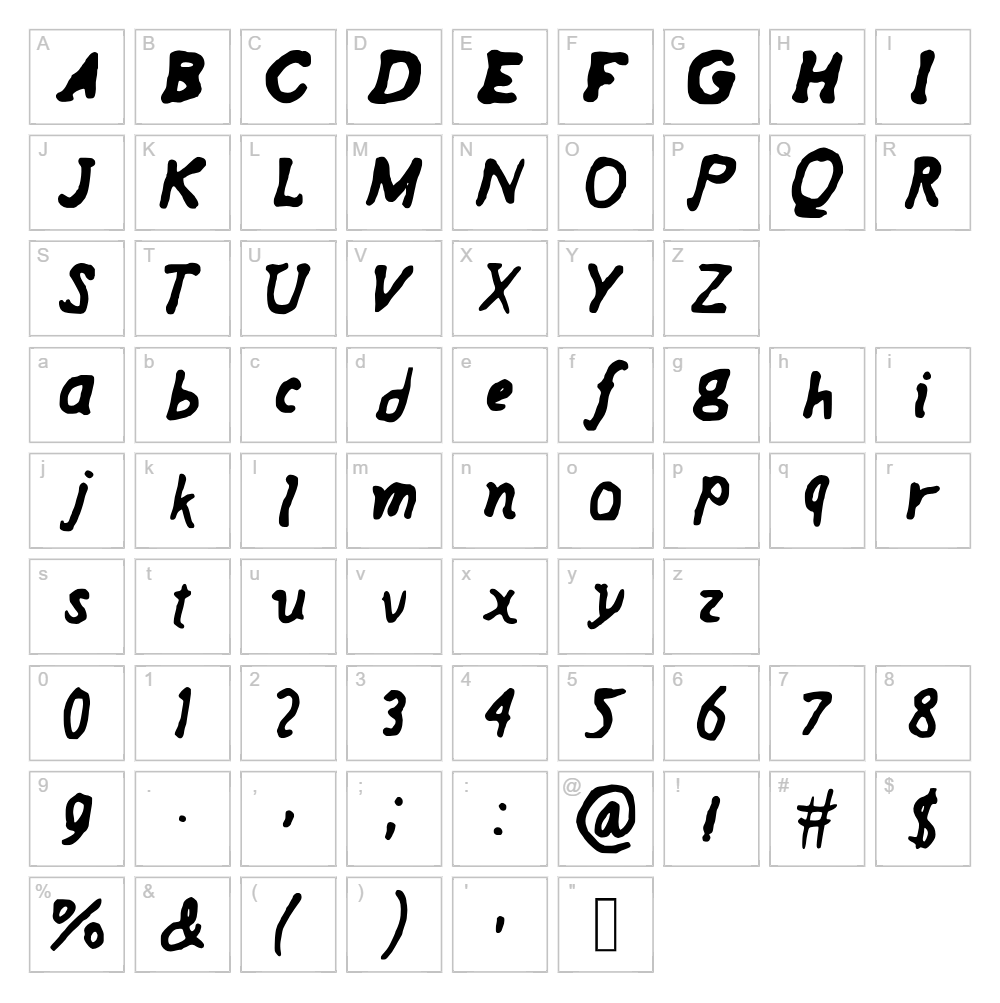
Regi is a flowing handwritten script font created by designer Peng Yiliang that captures the organic, natural feel of pen-on-paper lettering. With its smooth, connected strokes and elegant curves, Regi brings a personal, approachable touch to any creative project. The letterforms are carefully crafted to maintain legibility while preserving the spontaneous character of handwriting. This unique balance makes Regi an excellent choice for designers seeking authentic personality without sacrificing readability.
Best Uses for Regi
Regi excels in branding projects, social media graphics, and personalized greeting cards where a human touch is valued over rigid formality. It's perfect for Cricut crafts, vinyl decals, t-shirt designs, and packaging that aim to convey warmth and authenticity. This font also works beautifully in wedding invitations, blog headers, and editorial layouts where a sophisticated yet friendly voice is desired.
What Fonts Pair Well With Regi?
Regi pairs wonderfully with clean sans-serif fonts like Poppins or Inter from Google Fonts, which provide a modern counterbalance to its flowing script nature. For a more sophisticated pairing, combine Regi with the serif font Playfair Display, which complements its elegant aesthetic while adding classic elegance to headlines and body copy.
License & Commercial Use
Regi is 100% free for commercial use, meaning you can use it in logos, branding materials, print publications, digital content, websites, mobile apps, and merchandise without restrictions. You may use Regi for client work, business packaging, advertising campaigns, and any revenue-generating project. When using the font, please provide credit to designer Peng Yiliang. However, you are not permitted to resell, redistribute, or repackage the font files themselves.
Frequently Asked Questions
Is Regi free for commercial use?
Yes, Regi is completely free for commercial use. You can use it in logos, packaging, print materials, websites, apps, merchandise, and any other commercial project without licensing fees or restrictions.
What file formats does Regi come in?
Regi is available in standard font formats including TTF (TrueType) and OTF (OpenType), which are compatible with Windows, Mac, and most design software including Adobe Creative Suite, Cricut Design Space, and web applications.
What fonts pair well with Regi?
Regi pairs beautifully with modern sans-serifs like Poppins and Inter for contrast, or with classic serifs like Playfair Display for elegance. The key is combining Regi's flowing script with fonts that have clear, distinct personalities to create visual hierarchy.
Can I use Regi in Cricut projects?
Absolutely! Regi works perfectly in Cricut Design Space for vinyl decals, t-shirt designs, and other craft projects. You can also convert it to SVG using the VectorDad tools to create custom word art and curved text designs.
How to Install Regi
- Download the Regi font file from VectorDad.com to your computer.
- Unzip the downloaded folder to access the font file (.ttf or .otf).
- Double-click the font file to open the font preview window.
- Click the "Install" button to add Regi to your system fonts.
- Regi is now available in all your design applications, including Cricut Design Space, Adobe apps, and web-based tools.
Use Regi With VectorDad Tools
Take your Regi designs to the next level by using the VectorDad Word Art Generator to create stunning custom word art for your Cricut projects. For even more creative possibilities, try the Curved Text Generator to wrap Regi's elegant script along curved paths, perfect for vinyl decals, labels, and artistic designs.


