
Stanley Font – Free Download (OTF, TTF, SVG)

About Stanley
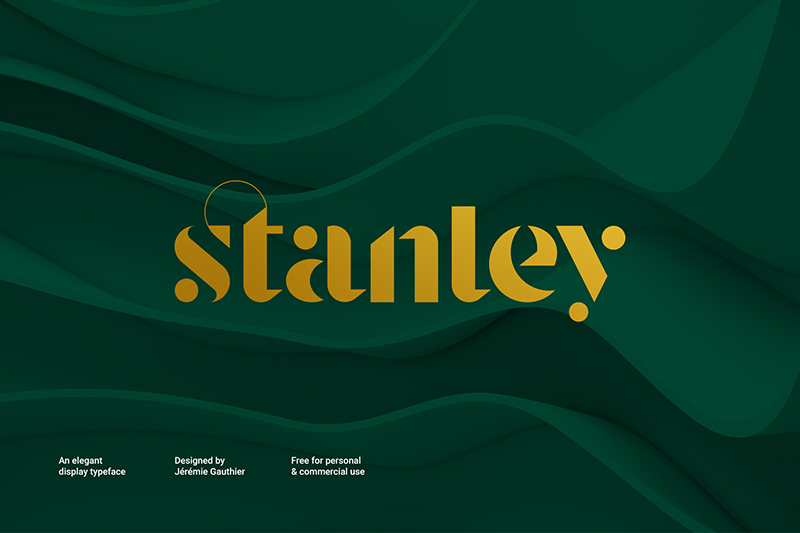
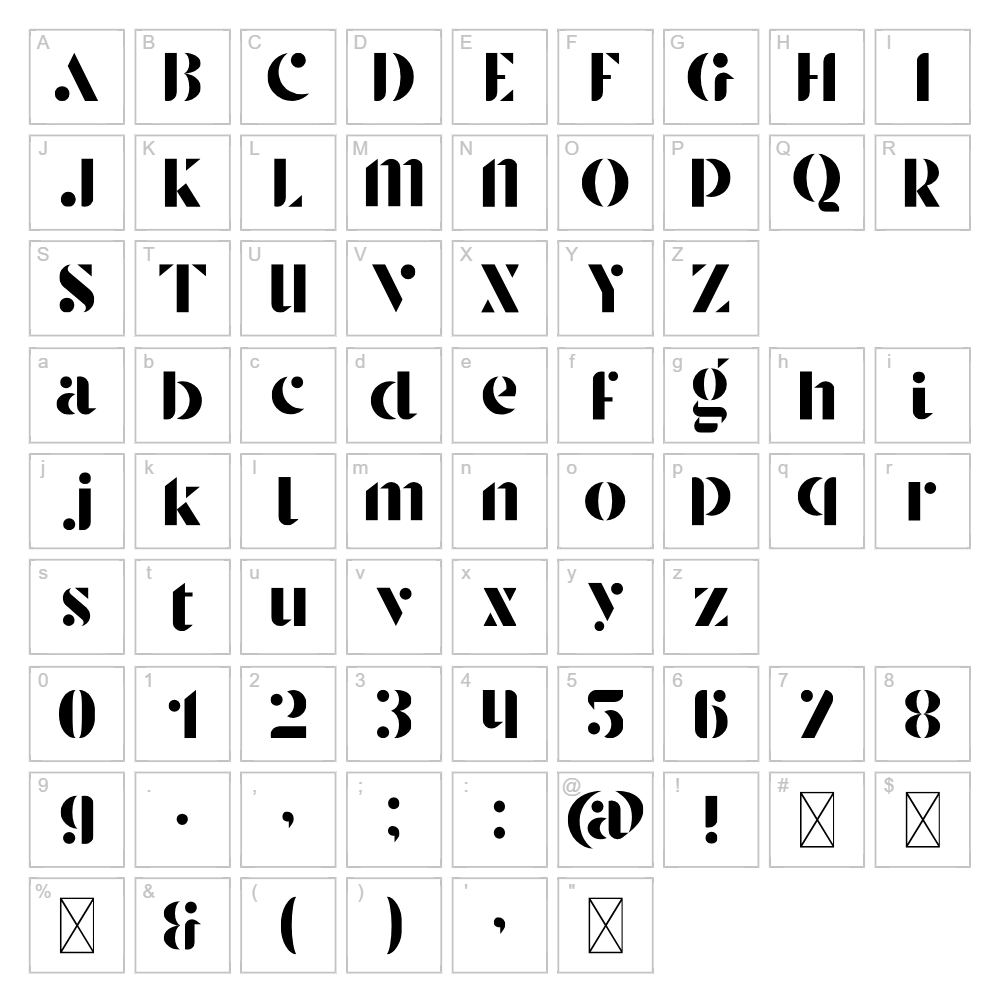
Stanley is a bold, geometric sans-serif font designed by Jérémie Gauthier that combines clean lines with a distinctive modern character. The typeface features uniform stroke weights and sharp angles that give it a confident, industrial aesthetic perfect for contemporary design work. Its structured letterforms maintain excellent readability while delivering a striking visual impact across all sizes. Stanley's versatility makes it equally at home in minimalist branding or eye-catching display applications.
Best Uses for Stanley
Stanley excels in logo design, branding systems, and corporate identity projects where a strong, professional presence is needed. The font is ideal for Cricut vinyl decals, t-shirt designs, signage, and poster work that demands visual impact from a distance. Its clean geometry also works beautifully for modern editorial layouts, web headlines, and digital advertising campaigns.
What Fonts Pair Well With Stanley?
Stanley pairs excellently with Roboto, a geometric sans-serif that complements its modern sensibility, or Lora, a serif font that provides elegant contrast for editorial designs. For a softer pairing, consider Open Sans, which balances Stanley's boldness with approachable warmth while maintaining contemporary appeal.
License & Commercial Use
Stanley is 100% free for commercial use, including logo design, branding, print materials, digital publications, websites, mobile applications, and merchandise production. You may use Stanley in client projects, business ventures, and revenue-generating work without restriction or licensing fees. Proper credit to designer Jérémie Gauthier is appreciated. However, reselling or redistributing the font files themselves is not permitted under the free license.
Frequently Asked Questions
Is Stanley free for commercial use?
Yes, Stanley is completely free for commercial use. You can use it in logos, branding, print projects, digital media, websites, applications, and merchandise without any licensing fees or restrictions.
What file formats does Stanley come in?
Stanley is available in standard font formats including TTF (TrueType) and OTF (OpenType), compatible with Windows, Mac, and Linux systems as well as design software like Adobe Creative Suite, Cricut Design Space, and Silhouette Studio.
What fonts pair well with Stanley?
Stanley pairs beautifully with Roboto for a modern tech look, Lora for editorial elegance, or Open Sans for approachable professionalism. Choose based on your design's tone—geometric pairs for contemporary work, serif pairs for traditional layouts.
Can I use Stanley for Cricut and vinyl cutting projects?
Absolutely. Stanley's bold, geometric design makes it perfect for Cricut vinyl decals, iron-on transfers, and engraving projects. The font's clear letterforms cut cleanly and maintain legibility even at smaller sizes.
How to Install Stanley
- Download the Stanley font file from VectorDad in your preferred format (TTF or OTF).
- Unzip the downloaded file to access the font file.
- Double-click the Stanley font file to open the font preview window.
- Click the "Install" button to add Stanley to your system font library.
- Stanley is now available in all your design applications—restart your software if it was open during installation.
Use Stanley With VectorDad Tools
Transform Stanley into stunning word art graphics using the VectorDad Word Art Generator, perfect for creating eye-catching vinyl decal designs and Cricut projects. Take your creativity further with the Curved Text Generator to bend and warp Stanley text along custom paths for unique, professional-grade SVG designs.
Make Your Own Font
Like the look of Stanley but want letters in your own style? Draw or trace each character as an SVG, then turn the set into an installable .ttf font with our free font creator. It runs in your browser, with no signup.


