
Gutter Font – Free Download (OTF, TTF, SVG)

About Gutter
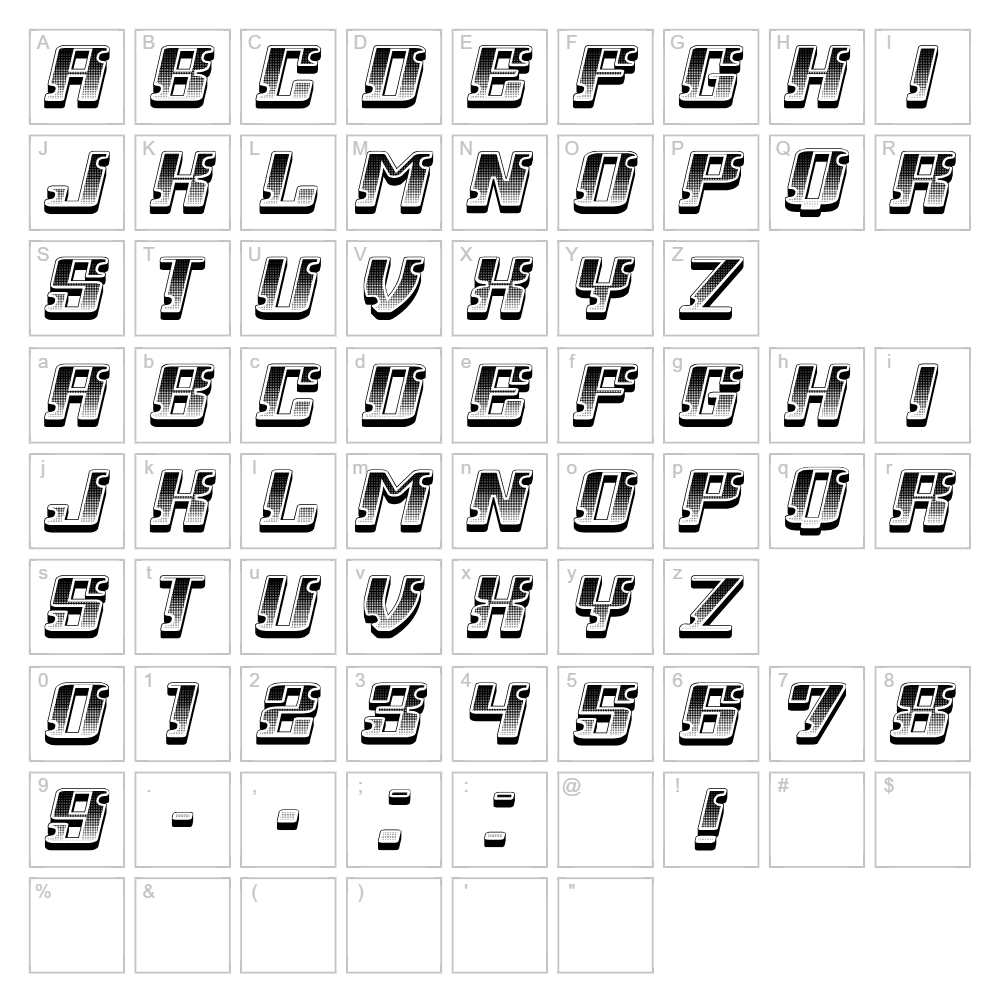
Gutter is a bold and distinctive typeface designed by Vladimir Nikolic that combines industrial strength with contemporary flair. Its thick, angular letterforms and dramatic stroke variations create a striking visual presence perfect for designs that demand attention. The font's gutsy character is defined by its raw energy and geometric precision, making it stand out in any creative project. What sets Gutter apart is its ability to convey both power and sophistication simultaneously, whether applied at large or small scales.
Best Uses for Gutter
Gutter excels in logo design, branding, poster design, and headline typography where impact matters most. It's particularly effective for vinyl decals, t-shirt graphics, and Cricut cutting projects that require bold, readable letterforms. The font also works beautifully for music and entertainment promotion, packaging design, and editorial spreads that call for an edgy, modern aesthetic.
What Fonts Pair Well With Gutter?
Gutter pairs excellently with Roboto, a clean and modern sans-serif that balances its boldness with neutrality. Playfair Display, an elegant serif option, creates sophisticated contrast when used for secondary text or accents. For a complementary sans-serif pairing, Open Sans provides readability and approachability that softens Gutter's aggressive presence.
License & Commercial Use
Gutter is 100% free for commercial use, including logos, branding, print materials, digital designs, websites, mobile apps, and merchandise production. You may use this font in any commercial project without purchasing a license or seeking permission. Attribution to designer Vladimir Nikolic is appreciated but not required. The only restriction is that you cannot resell, redistribute, or repackage the font files themselves as a commercial product.
Frequently Asked Questions
Is Gutter free for commercial use?
Yes, Gutter is completely free for commercial use. You can use it in logos, packaging, merchandise, digital products, and any other commercial project without restrictions or licensing fees.
What file formats does Gutter come in?
Gutter is available in standard font formats including TTF (TrueType) and OTF (OpenType), compatible with Windows, Mac, and most design software including Adobe Creative Suite, Cricut Design Space, and web applications.
What fonts pair well with Gutter?
Gutter pairs well with Roboto for a modern tech look, Playfair Display for elegant contrast, and Open Sans for accessible readability. These complementary fonts balance Gutter's bold character without competing for attention.
Can I use Gutter for Cricut projects?
Absolutely. Gutter works great for Cricut cutting projects, vinyl decals, and SVG designs. Its bold, clean strokes cut precisely and maintain legibility even at smaller sizes, making it ideal for crafting applications.
How to Install Gutter
- Download the Gutter font file from VectorDad to your computer.
- Unzip the downloaded folder to access the font files.
- Double-click the TTF or OTF font file to open the font preview window.
- Click the "Install" button to add Gutter to your system fonts.
- Restart your design software, and Gutter will be available in your font menu across all applications.
Use Gutter With VectorDad Tools
Enhance your Gutter designs with the VectorDad Word Art Generator, which lets you create instant SVG word art perfect for Cricut cutting and vinyl projects. Try the Curved Text Generator to bend Gutter text along custom paths, adding dynamic curves and circular arrangements to your designs.


