
Contour Generator Font – Free Download (OTF, TTF, SVG)

About Contour Generator
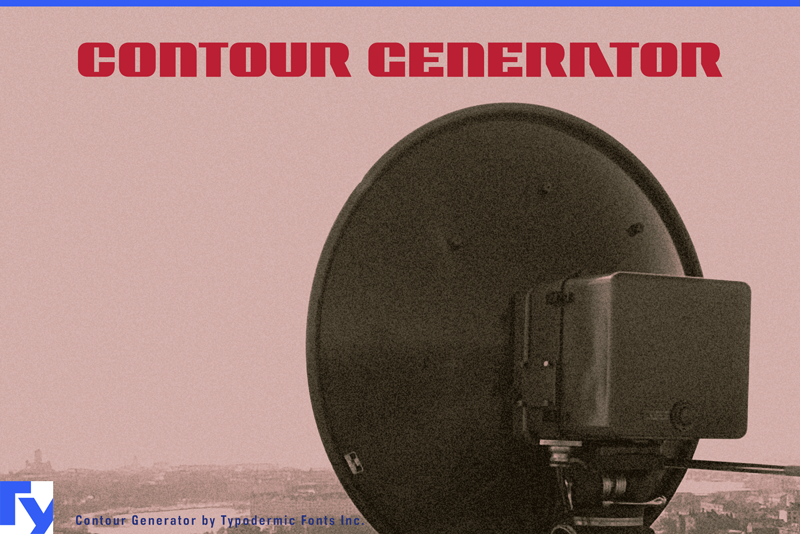
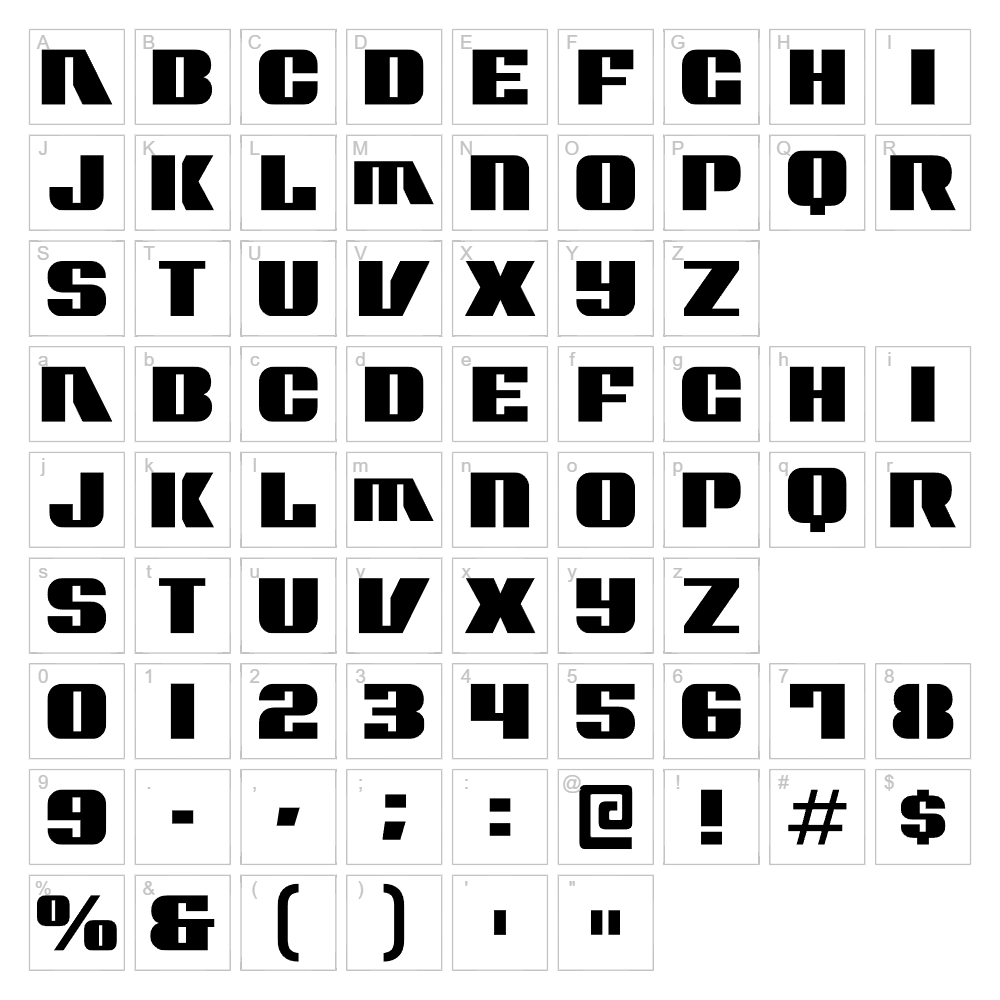
Contour Generator is a striking geometric display font designed by Typodermic Fonts that combines sleek, angular letterforms with a distinctly modern technological aesthetic. The font features bold, outlined strokes that create a sharp, architectural quality perfect for designs demanding visual impact and precision. Its contoured style gives each character a three-dimensional appearance while maintaining excellent legibility at various sizes. This font excels at commanding attention in contemporary branding and digital environments where a futuristic, cutting-edge vibe is desired.
Best Uses for Contour Generator
Contour Generator is ideal for tech-forward logos, sci-fi themed projects, and modern branding initiatives where you need bold visual presence. It works exceptionally well for Cricut vinyl decals, t-shirt designs, signage, poster design, and digital graphics that benefit from its geometric precision. The font's strong character also makes it a standout choice for gaming aesthetics, product packaging, and any creative project requiring a contemporary, high-tech appearance.
What Fonts Pair Well With Contour Generator?
Contour Generator pairs beautifully with clean, minimalist sans-serif fonts like Roboto or Montserrat from Google Fonts, which balance its boldness with functional simplicity. For a more refined approach, consider pairing it with Lato, another Google Fonts option, which provides elegant counterpoint to Contour Generator's angular intensity while maintaining modern sensibility.
License & Commercial Use
Contour Generator is 100% free for commercial use, allowing you to create logos, branded materials, print collateral, digital designs, web graphics, mobile applications, and merchandise without licensing restrictions. You may use this font for client work, business branding, merchandise production, and any commercial project. The only requirement is to credit Typodermic Fonts as the designer. Reselling or redistributing the font files themselves is not permitted—always direct others to VectorDad or the official Typodermic Fonts source.
Frequently Asked Questions
Is Contour Generator free for commercial use?
Yes, absolutely. Contour Generator is licensed for unlimited commercial use, including logos, packaging, merchandise, and client projects. Simply credit Typodermic Fonts as the designer.
What file formats does Contour Generator come in?
Contour Generator is available in standard font formats including TrueType (TTF) and OpenType (OTF), ensuring compatibility with Windows, Mac, and creative software like Adobe Creative Suite and Cricut Design Space.
What fonts pair well with Contour Generator?
Roboto, Montserrat, and Lato are excellent pairings. These Google Fonts options provide clean, modern counterpoints to Contour Generator's bold geometric character while maintaining design cohesion.
Can I use Contour Generator for Cricut projects?
Yes, Contour Generator works beautifully in Cricut Design Space for vinyl decals, t-shirt designs, and other cut projects. The font's strong outlines ensure crisp, precise cuts at any size.
How to Install Contour Generator
- Download Contour Generator from VectorDad.com
- Unzip the downloaded file to access the font files
- Double-click the font file (.TTF or .OTF) to open the font installer
- Click the "Install" button to add the font to your system
- Restart your creative software and Contour Generator will be available in your font menu
Use Contour Generator With VectorDad Tools
Maximize Contour Generator's impact by using the VectorDad Word Art Generator, which instantly converts your text into scalable SVG designs perfect for Cricut projects and digital cutting. Combine it with the Curved Text Generator to wrap Contour Generator text along custom paths, creating dynamic, professional layouts for logos and design compositions.


