
Garland Font – Free Download (OTF, TTF, SVG)

About Garland
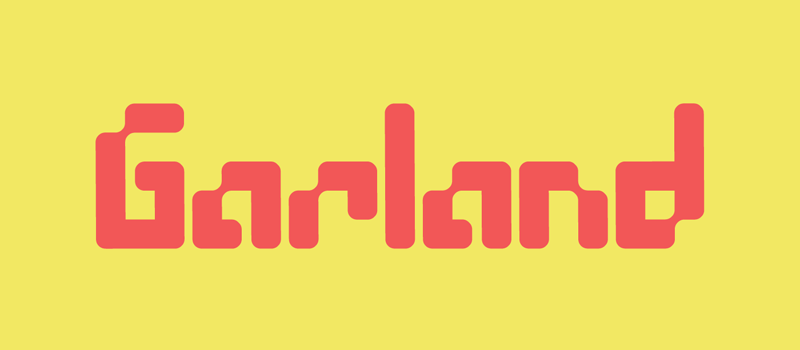
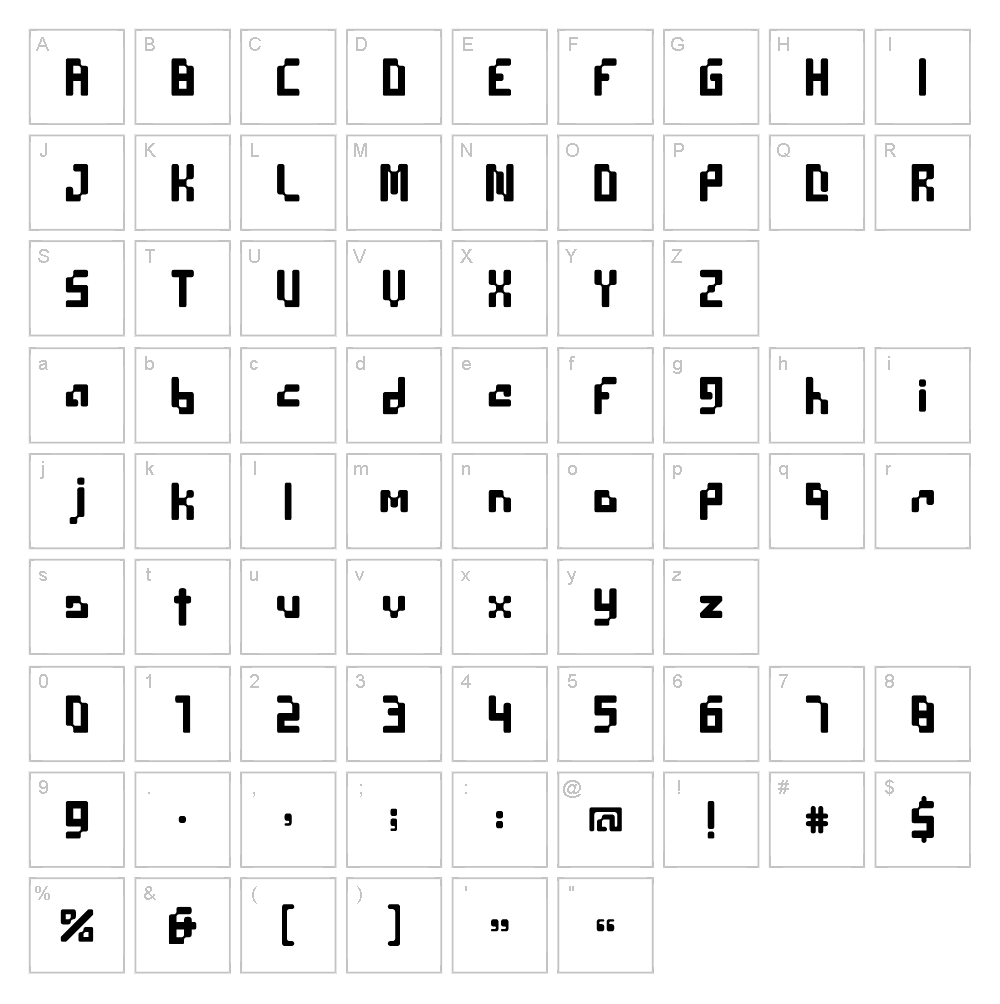
Garland is a striking techno font designed by Erik Getzel that combines geometric precision with a futuristic aesthetic. The typeface features clean, angular letterforms with consistent stroke weight, creating a modern and industrial appearance ideal for contemporary design work. Its structured design evokes technology and innovation while maintaining excellent readability across various sizes. Garland's versatile character set makes it a go-to choice for designers seeking bold, forward-thinking typography.
Best Uses for Garland
Garland excels in tech-focused branding, digital interfaces, and gaming projects where a modern, edgy look is essential. This font works beautifully for logo design, poster artwork, merchandise graphics, and vinyl decal projects for Cricut machines. It's equally effective for editorial headlines, product packaging, and web design where a contemporary techno aesthetic strengthens visual impact.
What Fonts Pair Well With Garland?
Garland pairs exceptionally well with Roboto, a clean sans-serif that complements its geometric nature while offering excellent legibility for body text. For contrast, pair it with Playfair Display, a stylish serif that balances Garland's industrial edge with elegance. Another strong pairing is Open Sans, which provides a softer, accessible counterpoint without competing for attention.
License & Commercial Use
Garland is 100% free for commercial use, permitting you to use the typeface in logos, branding materials, printed publications, digital products, web projects, mobile applications, and merchandise without licensing fees. You may create designs, graphics, and products for client work and commercial sale while using Garland. Attribution to designer Erik Getzel is appreciated but not required. However, reselling or redistributing the font files themselves is not permitted.
Frequently Asked Questions
Is Garland free for commercial use?
Yes, Garland is completely free for commercial use. You can use it in logos, branding, print materials, digital designs, web projects, and merchandise without any licensing restrictions or fees.
What file formats does Garland come in?
Garland is available in standard font formats compatible with both Mac and Windows systems, including TTF and OTF formats for seamless installation and use across design applications.
What fonts pair well with Garland?
Garland pairs beautifully with Roboto for a clean, modern pairing, Playfair Display for elegant contrast, and Open Sans for a softer, more accessible alternative. These combinations work well for headlines, subheadings, and body text hierarchies.
Can I use Garland for Cricut vinyl decal projects?
Absolutely! Garland's bold, geometric letterforms translate excellently to vinyl decals and Cricut cutting projects. The font's consistent stroke weight ensures clean cuts and professional-looking results whether you're creating custom apparel, home décor, or personalized gifts.
How to Install Garland
- Download the Garland font file from VectorDad.com to your computer.
- Unzip the downloaded folder to access the font file.
- Double-click the font file (TTF or OTF) to open the font preview window.
- Click the "Install" button to add Garland to your system fonts.
- Restart your design applications, and Garland will be available in all font menus.
Use Garland With VectorDad Tools
Create custom word art designs with Garland using the VectorDad Word Art Generator, perfect for generating SVG files ready for Cricut projects. Transform your text into curved designs with the Curved Text Generator to add dynamic dimension to vinyl decals, t-shirt designs, and decorative projects.


