
Lead Font – Free Download (OTF, TTF, SVG)

About Lead
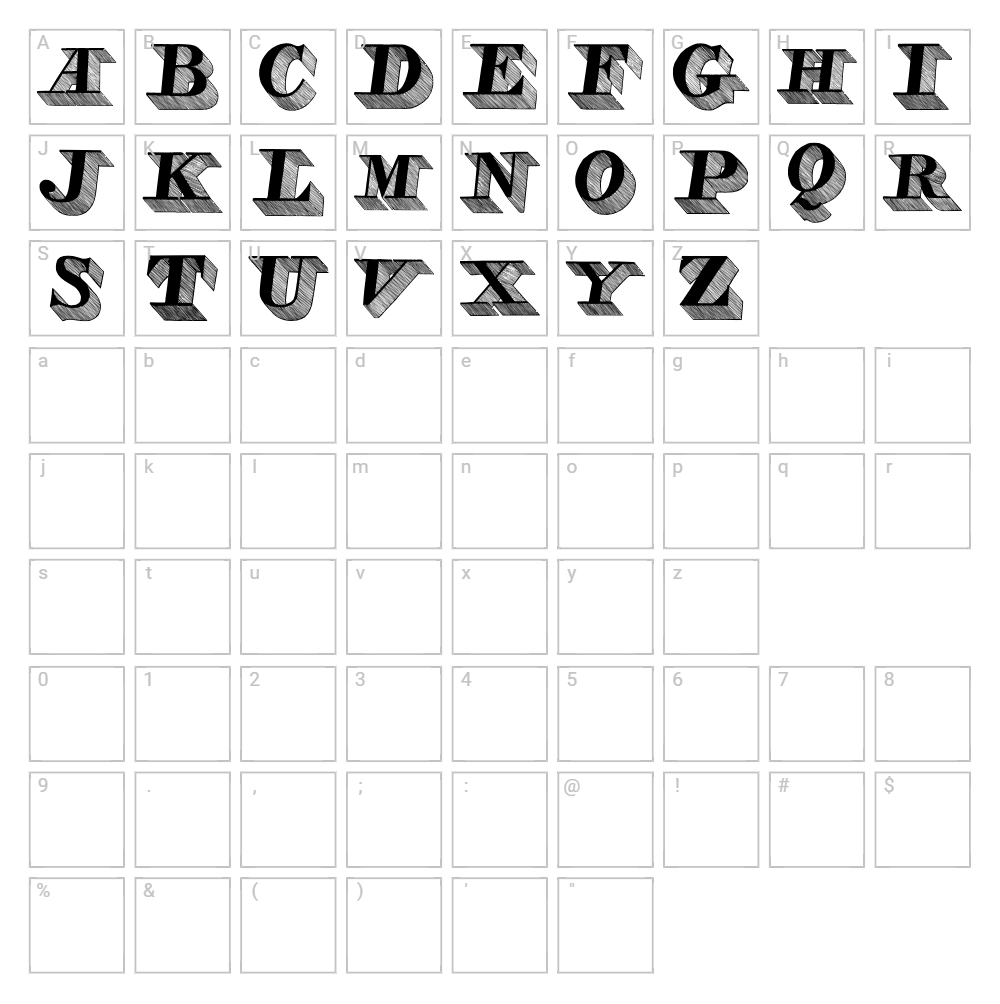
Lead is a striking retro display font designed by imagex that captures the bold, geometric spirit of vintage typography. With its clean, structured letterforms and confident stroke weight, this font evokes nostalgia while maintaining modern appeal. The design features a distinctly retro character that works beautifully in contemporary applications seeking a throwback aesthetic. Lead's personality shines brightest when used at larger sizes, where its unique proportions and stylistic details become truly memorable.
Best Uses for Lead
Lead excels in headline design, logo creation, and branding projects that demand visual impact and personality. It's perfect for t-shirt designs, vinyl decals, and Cricut projects where retro flair adds character to finished pieces. This font also works wonderfully for poster design, album artwork, vintage-inspired packaging, and editorial layouts that require a bold, eye-catching display typeface.
What Fonts Pair Well With Lead?
Lead pairs beautifully with Roboto, a clean sans-serif that provides balance and readability for body copy. For a more sophisticated pairing, combine it with Lora, a traditional serif that grounds bold headline work with elegance. Another excellent match is Open Sans, which complements Lead's retro charm with modern simplicity across web and print applications.
License & Commercial Use
Lead is available for personal use and permits commercial applications including logo design, print advertising, digital marketing, web projects, mobile applications, and merchandise production. You may use Lead freely in client work, business branding, and revenue-generating projects. Always credit imagex as the designer when possible. However, you cannot resell, redistribute, or relicense the font files themselves—they must be downloaded directly from VectorDad or the original source.
Frequently Asked Questions
Is Lead free for commercial use?
Lead is available for personal use. Please verify the current license terms on the font download page, as licensing can vary. Always check the original designer's specifications before using in commercial projects.
What file formats does Lead come in?
Lead is typically available in standard font formats including TTF (TrueType) and OTF (OpenType). These formats work across Windows, Mac, and most design applications including Adobe Creative Suite, Canva, and Cricut Design Space.
What fonts pair well with Lead?
Lead pairs well with modern sans-serifs like Roboto and Open Sans, which provide clean body text contrast. For a more elegant approach, try pairing it with serif fonts like Lora to balance its retro boldness with classic sophistication.
Can I use Lead for Cricut projects and vinyl decals?
Yes, Lead works wonderfully for Cricut cutting projects and vinyl decal design. Its bold, geometric letterforms cut cleanly and maintain excellent definition at various sizes, making it ideal for heat transfer vinyl, adhesive decal projects, and other Cricut applications.
How to Install Lead
- Download the Lead font file from VectorDad.com to your computer.
- Unzip or extract the downloaded folder to access the font files.
- Double-click the font file (TTF or OTF) to open the font preview window.
- Click the "Install" button to add Lead to your system fonts.
- Restart your design applications, and Lead will be available in all font menus.
Use Lead With VectorDad Tools
Transform Lead into stunning word art using the VectorDad Word Art Generator, perfect for creating eye-catching Cricut SVG projects with custom text effects. Enhance your designs further with the Curved Text Generator to bend and shape Lead along curved paths for dynamic, professional-quality vinyl and cutting projects.


