
Imbroglio Font – Free Download (OTF, TTF, SVG)

About Imbroglio
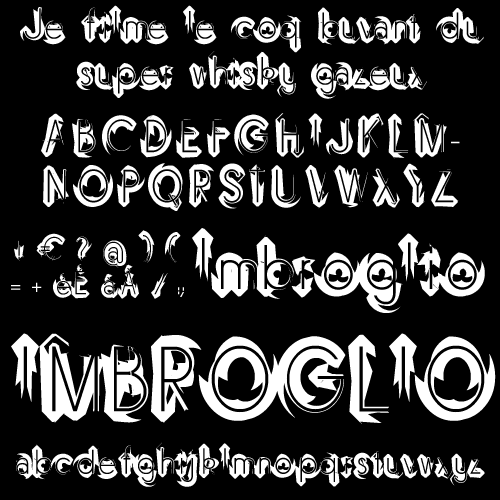
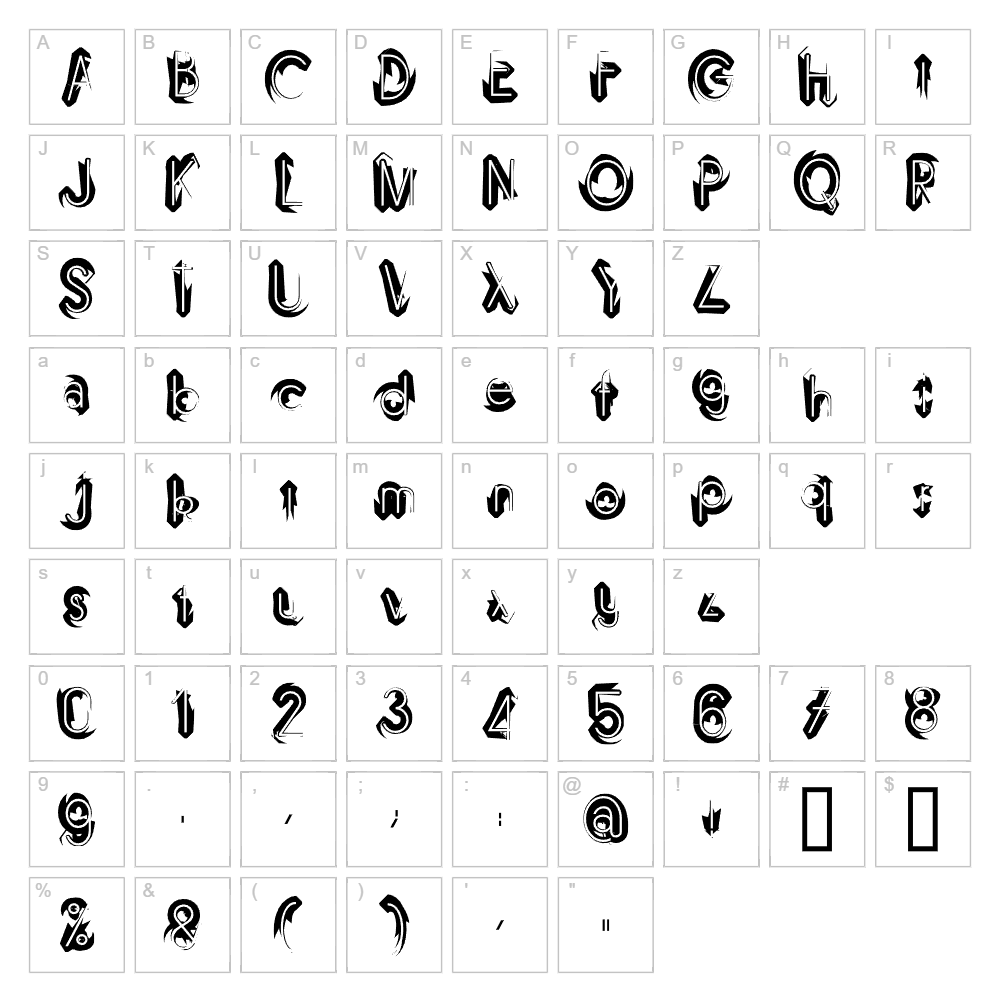
Imbroglio is a distorted display font designed by Luc Mahler that brings an artistic, chaotic energy to any design project. With heavily warped letterforms and irregular stroke weights, this typeface creates a deliberately imperfect, hand-drawn aesthetic that stands out from polished conventional fonts. The playful distortion gives Imbroglio a creative, experimental mood perfect for designers seeking a distinctive visual voice. Its unconventional structure makes it ideal for statements where authenticity and edge matter more than formal refinement.
Best Uses for Imbroglio
Imbroglio shines in creative branding, artistic poster design, album artwork, and eye-catching social media graphics where personality trumps readability. This font works beautifully for vinyl decals, Cricut crafting projects, and custom merchandise like t-shirts and hoodies that demand visual impact. It's also excellent for editorial design, comic book lettering, and any project where intentional distortion adds character and charm.
What Fonts Pair Well With Imbroglio?
Pair Imbroglio with clean, minimal sans-serif fonts to balance its distorted energy. Montserrat or Open Sans (both available on Google Fonts) provide excellent contrast and readability for body text alongside Imbroglio headlines. For a more sophisticated pairing, try Lora, a classic serif font that grounds Imbroglio's artistic chaos with timeless elegance.
License & Commercial Use
Imbroglio is free for commercial use, making it available for logos, packaging design, print collateral, digital marketing, web projects, mobile apps, and merchandise production. You may use this font in any professional or commercial project without additional licensing fees. When using Imbroglio commercially, credit to designer Luc Mahler is appreciated. However, reselling or redistributing the font files themselves is not permitted under the license agreement.
Frequently Asked Questions
Is Imbroglio free for commercial use?
Yes, Imbroglio is completely free for commercial projects. You can use it in logos, branding, merchandise, digital products, and print materials without purchasing additional licenses.
What file formats does Imbroglio come in?
Imbroglio is available in standard font formats including TTF (TrueType) and OTF (OpenType), ensuring compatibility with Windows, Mac, and design software like Adobe Creative Suite, Cricut Design Space, and Silhouette Studio.
What fonts pair well with Imbroglio?
Montserrat, Open Sans, and Lora are excellent pairings. The clean geometry of Montserrat and Open Sans balances Imbroglio's distortion, while Lora adds sophisticated serif contrast for upscale branding applications.
Can I use Imbroglio for Cricut and vinyl cutting projects?
Absolutely. Imbroglio works beautifully with Cricut machines for custom vinyl decals, heat-transfer designs, and cut-file projects. Its bold, distinctive letterforms translate well to physical media and create striking results.
How to Install Imbroglio
- Download the Imbroglio font file from VectorDad.com to your computer.
- Unzip the folder to extract the font file (usually a .ttf or .otf file).
- Double-click the font file to open the font preview window.
- Click the Install button to add Imbroglio to your system fonts.
- Restart your design applications, and Imbroglio will be available in all font menus.
Use Imbroglio With VectorDad Tools
Create stunning word art and custom Cricut SVG files using Imbroglio with the VectorDad Word Art Generator, which instantly converts your text into scalable vector designs. For even more creative possibilities, try the Curved Text Generator to bend and warp Imbroglio letters along custom paths for unique vinyl decal and t-shirt designs.


