
Ambawang Signature Font – Free Download (OTF, TTF, SVG)

About Ambawang Signature
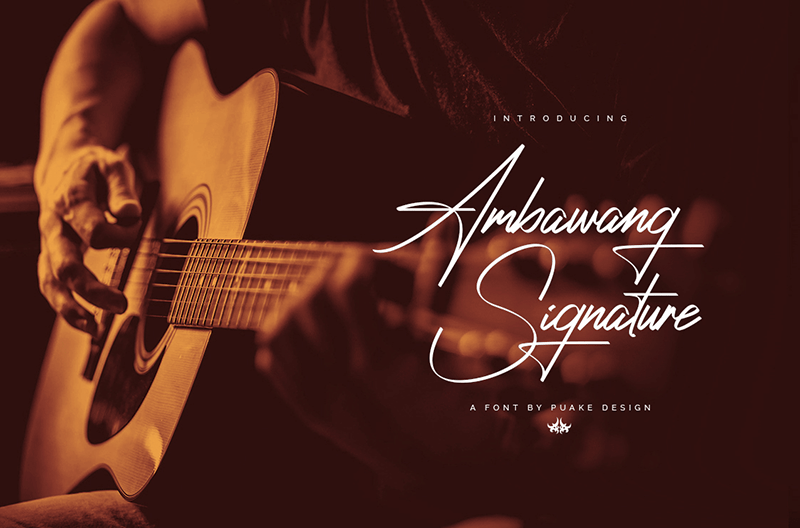
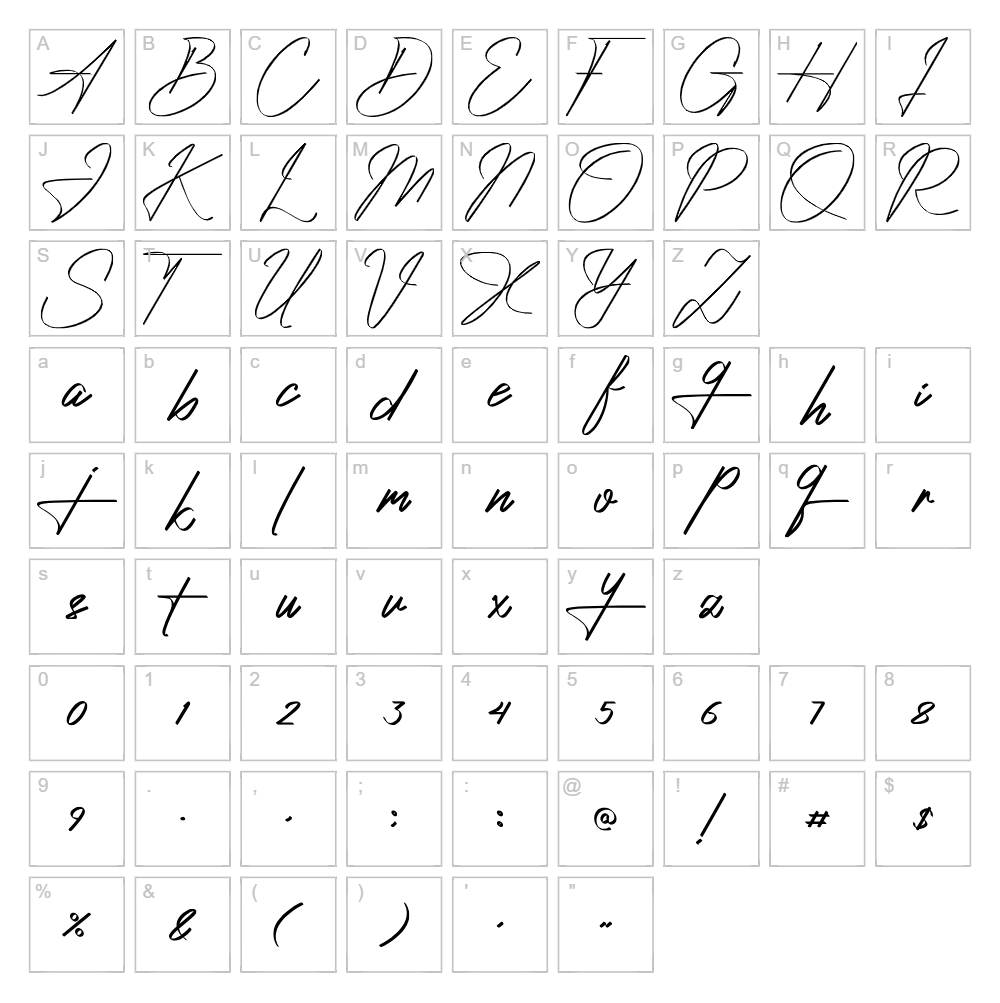
Ambawang Signature is a flowing handwritten script font designed by Shena Sejati that captures the natural elegance of authentic pen lettering. With smooth, connected strokes and organic curves, this typeface conveys a personal, intimate quality that feels both contemporary and timeless. The letterforms exhibit subtle variations in weight and angle, mimicking the authentic character of genuine handwriting. Perfect for designers seeking a genuine signature feel without the limitations of actual handwritten text, Ambawang Signature brings warmth and personality to any project.
Best Uses for Ambawang Signature
Ambawang Signature excels in personal branding, wedding invitations, greeting cards, and intimate editorial layouts where authenticity matters. It's ideal for Cricut crafters creating custom vinyl decals, personalized gifts, and decorative signage. The font also works beautifully in logo design, packaging, social media graphics, and any project that benefits from a handcrafted, human touch.
What Fonts Pair Well With Ambawang Signature?
Ambawang Signature pairs beautifully with clean, minimal sans-serif fonts that provide contrast. Try pairing it with Montserrat or Poppins from Google Fonts for a modern, balanced look, or combine it with Playfair Display for a more elegant, editorial aesthetic.
License & Commercial Use
Ambawang Signature is available for both personal and commercial use. You may use this font to create logos, print materials, digital designs, web projects, mobile applications, merchandise, and more without licensing restrictions. Commercial projects such as client work, branded campaigns, and product packaging are all permitted. You must provide credit to designer Shena Sejati when possible. However, redistributing, reselling, or repackaging the font files themselves is not permitted.
Frequently Asked Questions
Is Ambawang Signature free for commercial use?
Yes. Ambawang Signature is free for both personal and commercial projects, including logos, branding, packaging, merchandise, and client work. Attribution to Shena Sejati is appreciated but not always required.
What file formats does Ambawang Signature come in?
Ambawang Signature is available in standard font file formats compatible with Windows, Mac, and design applications. Common formats include TTF (TrueType) and OTF (OpenType), depending on the download source.
What fonts pair well with Ambawang Signature?
Ambawang Signature pairs well with clean, geometric sans-serifs like Montserrat and Poppins for contemporary designs, or with elegant serifs like Playfair Display for upscale, editorial projects. The contrast between script and sans-serif creates visual hierarchy.
Can I use Ambawang Signature for custom Cricut vinyl decals?
Absolutely. Ambawang Signature is perfect for Cricut projects, including personalized vinyl decals, custom signage, and decorative cuts. The flowing letterforms translate beautifully to vinyl applications and look stunning on home decor items.
How to Install Ambawang Signature
- Download the Ambawang Signature font file from VectorDad or your preferred font source.
- Unzip the downloaded file to access the font files if they're in a compressed folder.
- Double-click the font file (usually a .ttf or .otf file) to open the font preview window.
- Click the Install button to add the font to your system library.
- Open or restart your design application, and Ambawang Signature will appear in your font menu.
Use Ambawang Signature With VectorDad Tools
Create stunning handwritten designs instantly with the VectorDad Word Art Generator, which lets you input text in Ambawang Signature and download it as a ready-to-cut SVG file for Cricut. For curved, circular text effects, use the Curved Text Generator to bend Ambawang Signature around paths, perfect for custom designs and professional vinyl projects.


