
Nothing You Could Say Font – Free Download (OTF, TTF, SVG)

About Nothing You Could Say
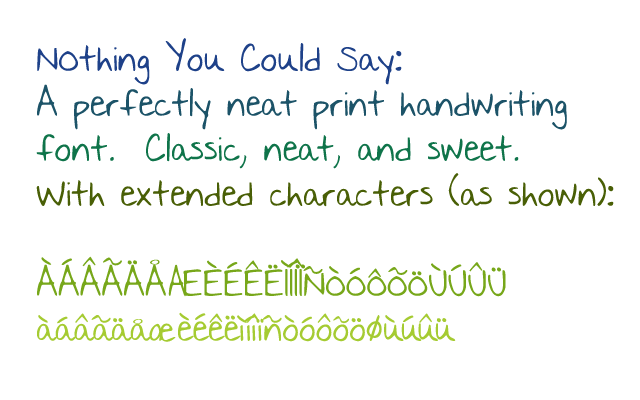
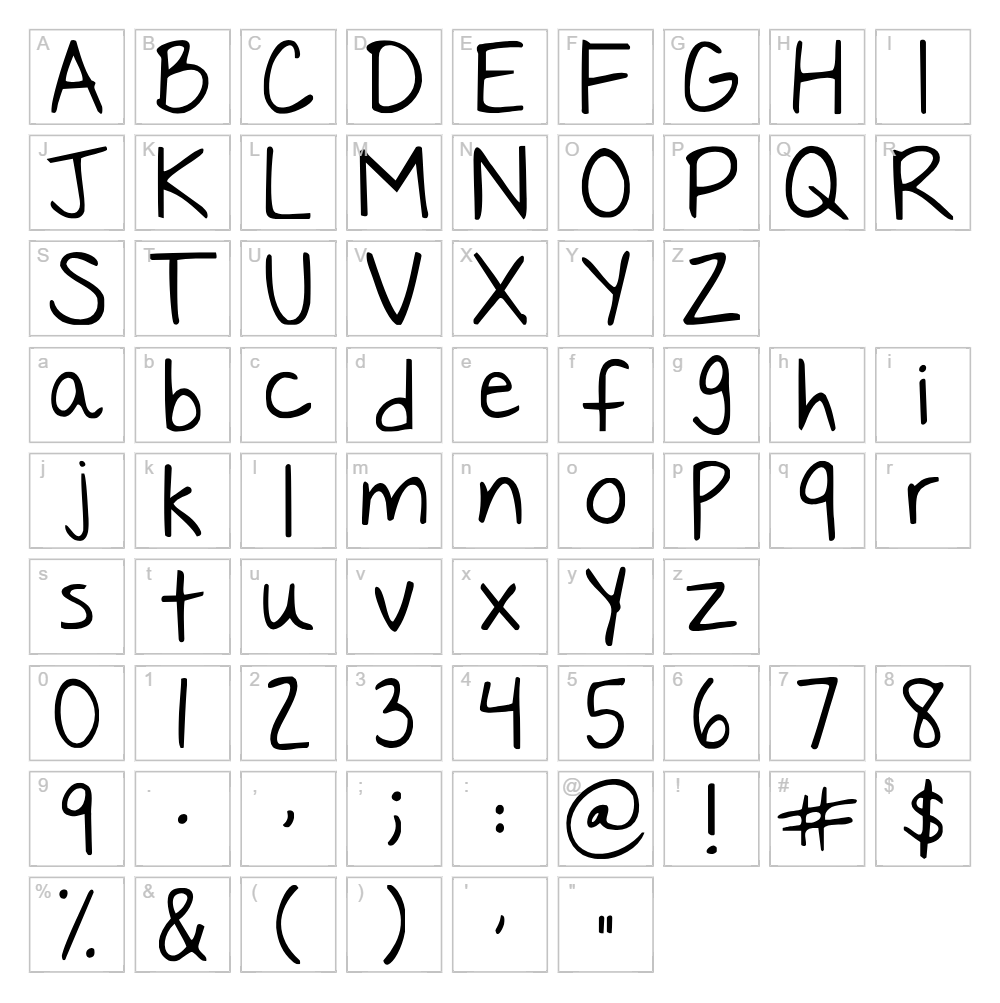
Nothing You Could Say is a charming handwritten script font designed by Kimberly Geswein that captures the natural flow of casual pen lettering. The font features organic, slightly uneven letterforms with a warm, approachable personality that feels genuinely personal and authentic. Each character maintains consistent stroke weight while preserving the spontaneous quality of hand-drawn typography. This balance makes it ideal for projects that need personality without sacrificing readability.
Best Uses for Nothing You Could Say
Nothing You Could Say excels in personal projects, greeting cards, handmade stationery, and informal branding applications. The font is perfect for Cricut cutting projects, vinyl decals, custom t-shirt designs, and scrapbooking layouts. It also works beautifully for social media graphics, wedding invitations, and any creative project where a genuine, handwritten aesthetic enhances the visual appeal.
What Fonts Pair Well With Nothing You Could Say?
Nothing You Could Say pairs wonderfully with clean sans-serif fonts like Montserrat or Open Sans from Google Fonts for contemporary contrast. For a softer pairing, try Lora, a elegant serif font that complements the script's warmth without competing for attention. These combinations work especially well in mixed-type designs where you need both emphasis and legibility.
License & Commercial Use
Nothing You Could Say is free for both personal and commercial use, allowing you to incorporate the font into logos, business branding, print materials, digital designs, web projects, mobile applications, and merchandise. You may create and sell products using this font—from custom apparel to personalized home goods. The only restriction is that you cannot resell or redistribute the font file itself. Always credit Kimberly Geswein as the designer when appropriate.
Frequently Asked Questions
Is Nothing You Could Say free for commercial use?
Yes, Nothing You Could Say is completely free for commercial use. You can use it in business logos, branded materials, merchandise, print products, and digital projects without any licensing fees or restrictions.
What file formats does Nothing You Could Say come in?
Nothing You Could Say is available in standard font formats including TrueType (.ttf) and OpenType (.otf) files, making it compatible with Windows, Mac, and most design applications including Cricut Design Space.
What fonts pair well with Nothing You Could Say?
Montserrat and Open Sans (both available on Google Fonts) provide excellent modern contrast when paired with Nothing You Could Say. For softer pairings, Lora offers an elegant serif complement that maintains visual harmony without overshadowing the script.
Can I use Nothing You Could Say in Cricut Design Space?
Yes, once installed on your computer, Nothing You Could Say will automatically appear in Cricut Design Space and is fully compatible with cutting projects. Use the VectorDad Word Art Generator to create outlined SVG versions optimized for Cricut cutting.
How to Install Nothing You Could Say
- Download the Nothing You Could Say font file from VectorDad.com
- Unzip the downloaded folder to access the font file
- Double-click the font file (.ttf or .otf) to open the font preview window
- Click the "Install" button to add the font to your system
- Restart your design applications—Nothing You Could Say will now appear in your font menu
Use Nothing You Could Say With VectorDad Tools
Maximize Nothing You Could Say's potential with the VectorDad Word Art Generator, which converts your text into ready-to-cut SVG outlines for Cricut projects. Try the Curved Text Generator to bend Nothing You Could Say along custom paths and create professional-quality curved text designs for custom apparel and vinyl decals.


