Peachy Mochi Font – Free Download (OTF, TTF, SVG)

About Peachy Mochi
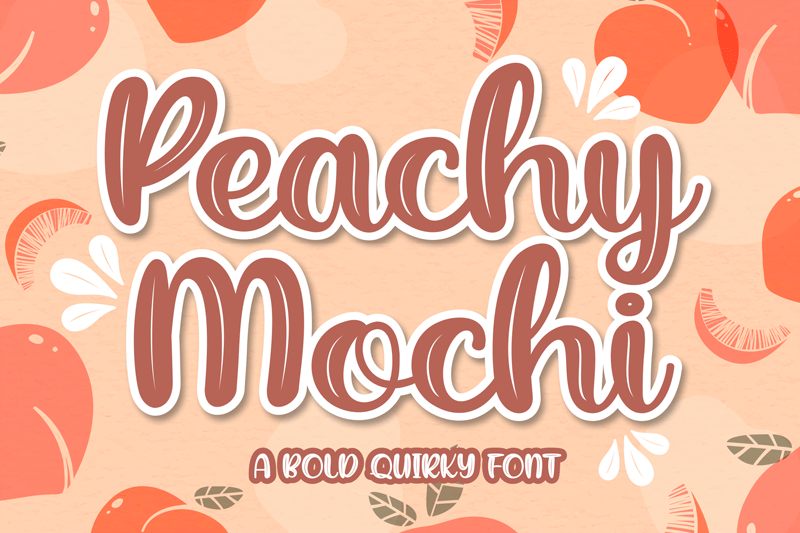
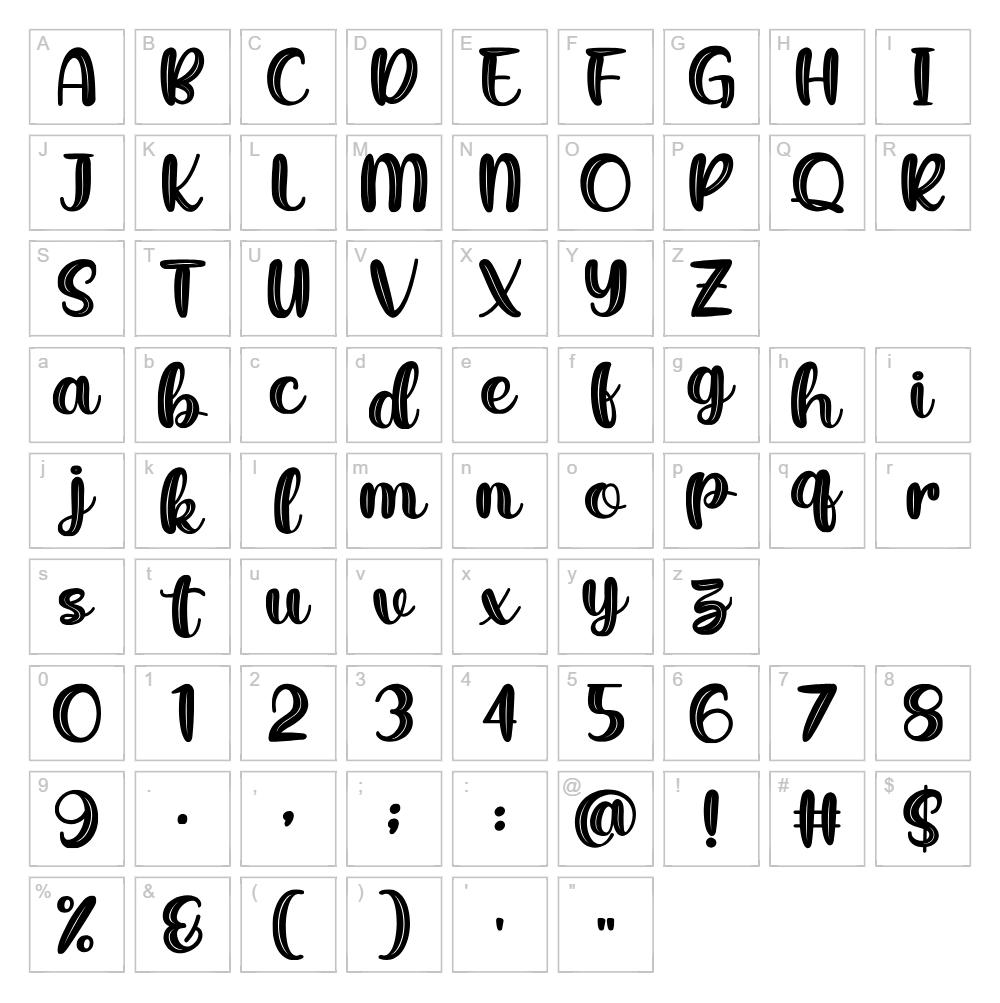
Peachy Mochi is a charming and playful script font designed by Awansenja Type that brings a soft, rounded aesthetic to any creative project. With its smooth, flowing letterforms and gentle curves, this typeface exudes a friendly and approachable mood perfect for designs that need warmth and personality. The font's organic strokes and delicate proportions create a modern yet whimsical feel that stands out without overwhelming the viewer. What makes Peachy Mochi unique is its balanced blend of elegance and casual charm, making it equally suitable for sophisticated branding or fun, informal applications.
Best Uses for Peachy Mochi
Peachy Mochi excels in designs that call for a welcoming, contemporary touch, making it ideal for logo design, social media graphics, and personal branding projects. Its playful nature makes it perfect for custom t-shirt designs, vinyl decal projects for Cricut crafters, and handmade product packaging. The font also works beautifully for greeting cards, digital invitations, children's book illustrations, and any creative endeavor that benefits from its signature soft and approachable character.
What Fonts Pair Well With Peachy Mochi?
To balance Peachy Mochi's flowing, rounded script style, pair it with clean, modern sans-serif typefaces. Poppins from Google Fonts works wonderfully as a complementary sans-serif, providing geometric simplicity that lets Peachy Mochi shine as a display font. For a more elegant pairing, consider Lora, a serif font that adds sophistication while maintaining visual harmony. Another excellent choice is Inter, a contemporary sans-serif that offers neutrality and readability for body text while Peachy Mochi commands attention as a headline or accent font.
License & Commercial Use
Peachy Mochi is available as a free for personal use font created by Awansenja Type. For commercial projects, you must check the current license terms on the designer's official repository or contact Awansenja Type directly for extended licensing rights. If commercial use is permitted under your license agreement, you may use Peachy Mochi in logos, print materials, digital designs, web projects, mobile applications, and merchandise production. Proper attribution to Awansenja Type is appreciated. However, reselling or redistributing the font files themselves is strictly prohibited under all circumstances.
Frequently Asked Questions
Is Peachy Mochi free for commercial use?
Peachy Mochi is designated as free for personal use. For commercial applications, you should verify the current license terms with Awansenja Type or check their official repository to determine if a commercial license is available or required.
What file formats does Peachy Mochi come in?
Peachy Mochi is typically available in standard font formats including TrueType (.ttf) and OpenType (.otf), which are compatible with Windows, Mac, and most design software including Adobe Creative Suite and free alternatives like GIMP and Inkscape.
What fonts pair well with Peachy Mochi?
Peachy Mochi pairs beautifully with clean sans-serif typefaces like Poppins and Inter, or elegant serifs like Lora. These pairings create balanced, professional designs where Peachy Mochi functions as an eye-catching display font. See Section 3 for detailed pairing recommendations.
Can I use Peachy Mochi for Cricut and vinyl cutting projects?
Yes! Peachy Mochi works wonderfully for Cricut projects, vinyl decals, and heat transfer applications. Its rounded, flowing letterforms cut cleanly and look stunning on custom t-shirts, home décor items, and personalized gifts. The font's smooth curves make it ideal for vinyl cutting without delicate, hard-to-weed details.
How to Install Peachy Mochi
- Download the font file from the font source and save it to your computer.
- Unzip the folder if the file is compressed (.zip), extracting all font files to a convenient location.
- Double-click the font file (.ttf or .otf) to open the font preview window.
- Click the "Install" button to add Peachy Mochi to your system font library.
- Restart your design applications and Peachy Mochi will appear in your font list, ready to use across all programs.
Use Peachy Mochi With VectorDad Tools
Transform Peachy Mochi into stunning SVG designs using the VectorDad Word Art Generator, which lets you create custom text graphics perfect for Cricut cutting and digital projects. For curved text effects and artistic lettering, try the Curved Text Generator to bend and shape Peachy Mochi's playful letterforms into unique, professional-quality designs.