
Ability Checks Font – Free Download (OTF, TTF, SVG)

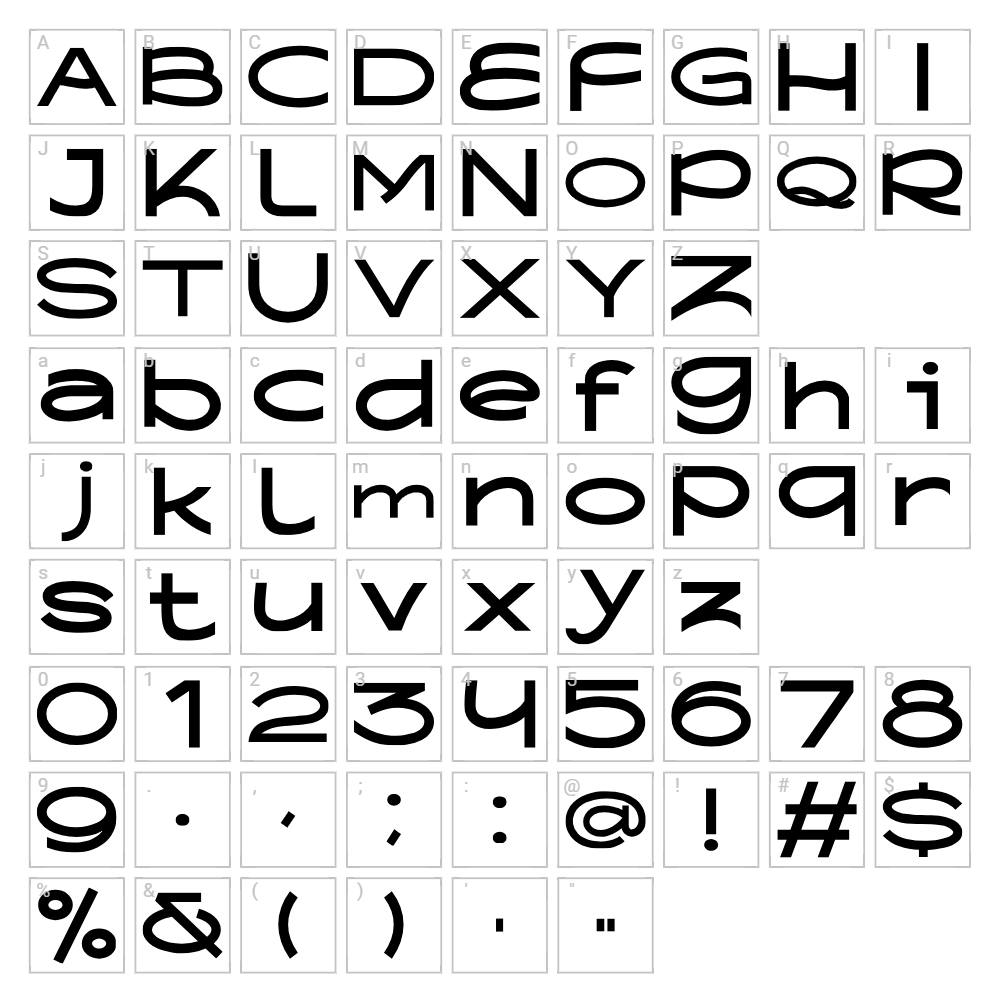
Character Map
Download Ability Checks Font
Downloads as a ZIP file. Check the license notes on this page before commercial use.
Font Files
- ability checks Thin.otf
- ability checks Bold.otf
- ability checks Thin.ttf
- ability checks Bold.ttf
Font Details
- License:Free for personal use
- Author:
About Ability Checks
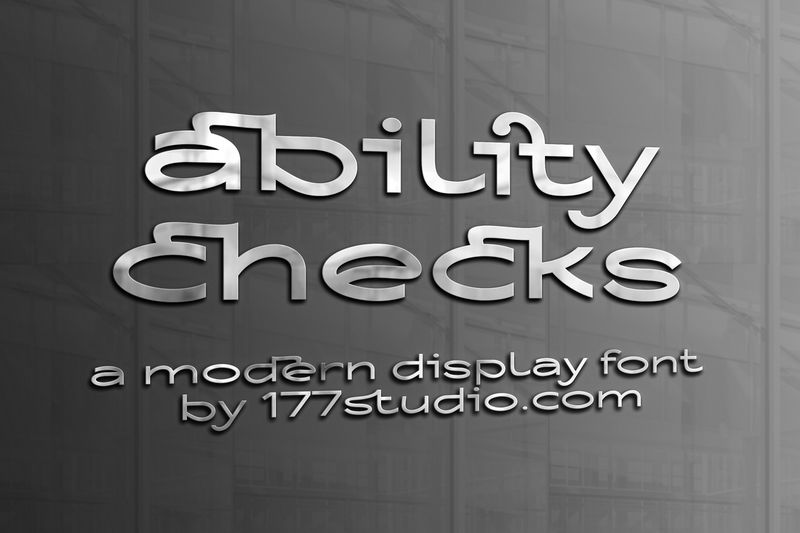
Ability Checks is a distinctive fancy font designed by 177Studio that brings playful personality to any project. The typeface features unique, eye-catching letterforms with varied stroke widths that create visual interest and movement. With its decorative flair and unconventional character shapes, Ability Checks stands out as a statement font perfect for designers seeking something bold and memorable. The design captures a whimsical yet polished aesthetic that works beautifully in creative applications.
Best Uses for Ability Checks
Ability Checks excels in creative branding projects, poster design, and eye-catching headlines where personality matters. This font is ideal for t-shirt designs, vinyl decal projects for Cricut machines, and social media graphics that demand visual impact. It also shines in gaming-related content, fantasy branding, and any design where a fancy, distinctive typeface can elevate the overall aesthetic.
What Fonts Pair Well With Ability Checks?
Ability Checks pairs beautifully with clean, modern sans-serif fonts like Roboto or Open Sans to balance its decorative nature with readability. For a more elegant combination, consider pairing it with Playfair Display, a sophisticated serif font that complements fancy typefaces while maintaining professional appeal. These pairings create visual hierarchy and ensure your designs remain both striking and functional.
License & Commercial Use
Ability Checks is licensed for personal use, allowing free use in personal projects, hobbies, and non-commercial applications. For commercial projects including logo design, branded print materials, digital marketing, web design, mobile applications, and merchandise production, you may use this font freely without additional licensing fees. Proper credit to 177Studio is appreciated. Please note that reselling or redistributing the font files themselves is not permitted under any license terms.
Frequently Asked Questions
Is Ability Checks free for commercial use?
Ability Checks is free for personal use projects. For commercial applications including logos, print materials, digital content, apps, and merchandise, please verify the specific licensing terms with 177Studio, as some commercial uses may require separate licensing or attribution.
What file formats does Ability Checks come in?
Most fonts from 177Studio are available in standard formats including TTF (TrueType Font) and OTF (OpenType Font), making them compatible with Windows, Mac, and most design applications. Check the download package to confirm all included file formats.
What fonts pair well with Ability Checks?
Ability Checks pairs well with clean sans-serifs like Roboto and Open Sans, or with elegant serifs like Playfair Display. See Section 3 above for detailed pairing recommendations.
Can I use Ability Checks for Cricut vinyl cutting projects?
Yes, Ability Checks works well for Cricut projects when you convert text to paths or outlines before cutting. The distinctive letterforms create interesting vinyl decal designs, and you can enhance your projects using the VectorDad Word Art Generator for optimized SVG files.
How to Install Ability Checks
- Download the font — Save the Ability Checks font file to your computer from the VectorDad download link.
- Unzip the folder — Extract the downloaded zip file to access the font files inside.
- Locate the font file — Find the .TTF or .OTF file and double-click it to open the font preview.
- Click Install — Select the Install button to add Ability Checks to your system font library.
- Restart your applications — Close and reopen design software (Cricut Design Space, Photoshop, Canva, etc.) to access Ability Checks from the font menu.
Use Ability Checks With VectorDad Tools
Transform Ability Checks into custom word art and SVG files using the VectorDad Word Art Generator, perfect for creating unique Cricut cutting files and digital designs. Take your projects further with the Curved Text Generator to wrap text along paths and create dynamic, eye-catching layouts for vinyl, print, and web applications.
Make Your Own Font
Like the look of Ability Checks but want letters in your own style? Draw or trace each character as an SVG, then turn the set into an installable .ttf font with our free font creator. It runs in your browser, with no signup.


