
Autograf Font – Free Download (OTF, TTF, SVG)

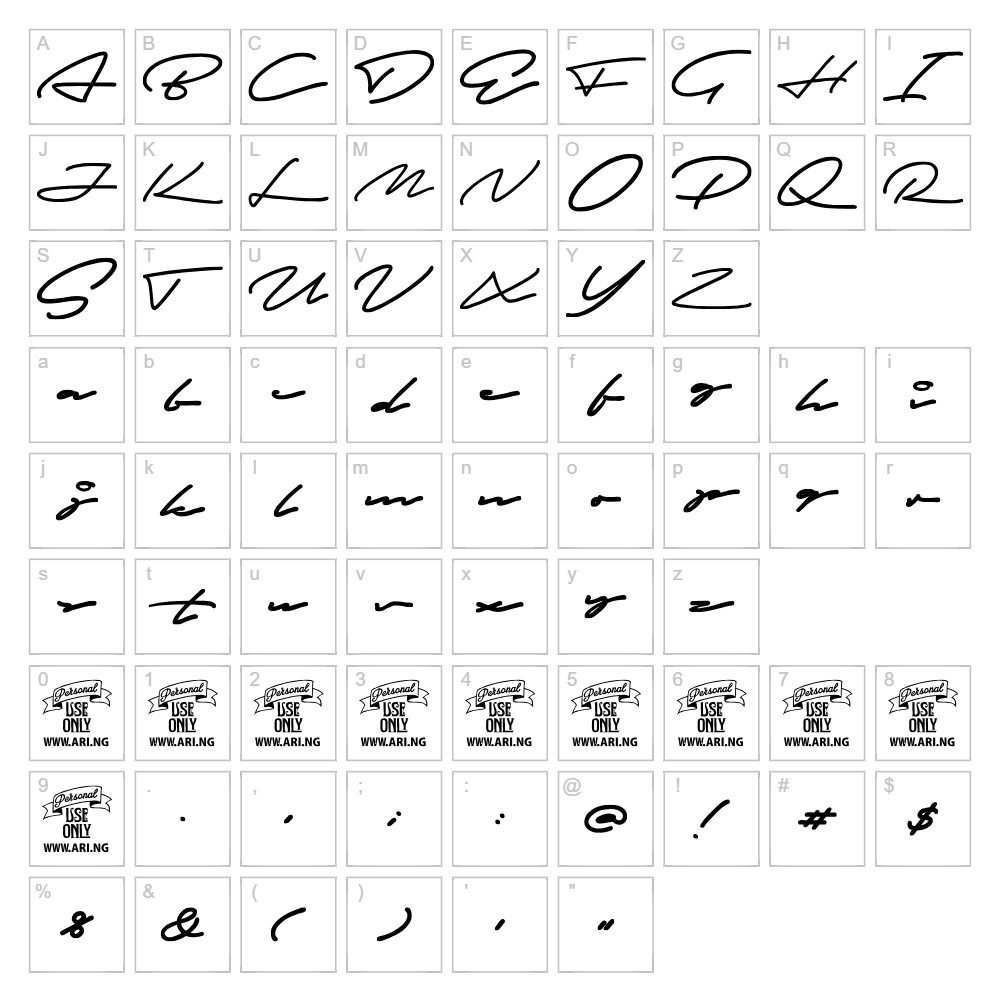
Character Map
Download Autograf Font
Downloads as a ZIP file. Check the license notes on this page before commercial use.
Font Files
- Autograf_PersonalUseOnly.ttf
Font Details
- License:Free for personal use
- Author:
About Autograf
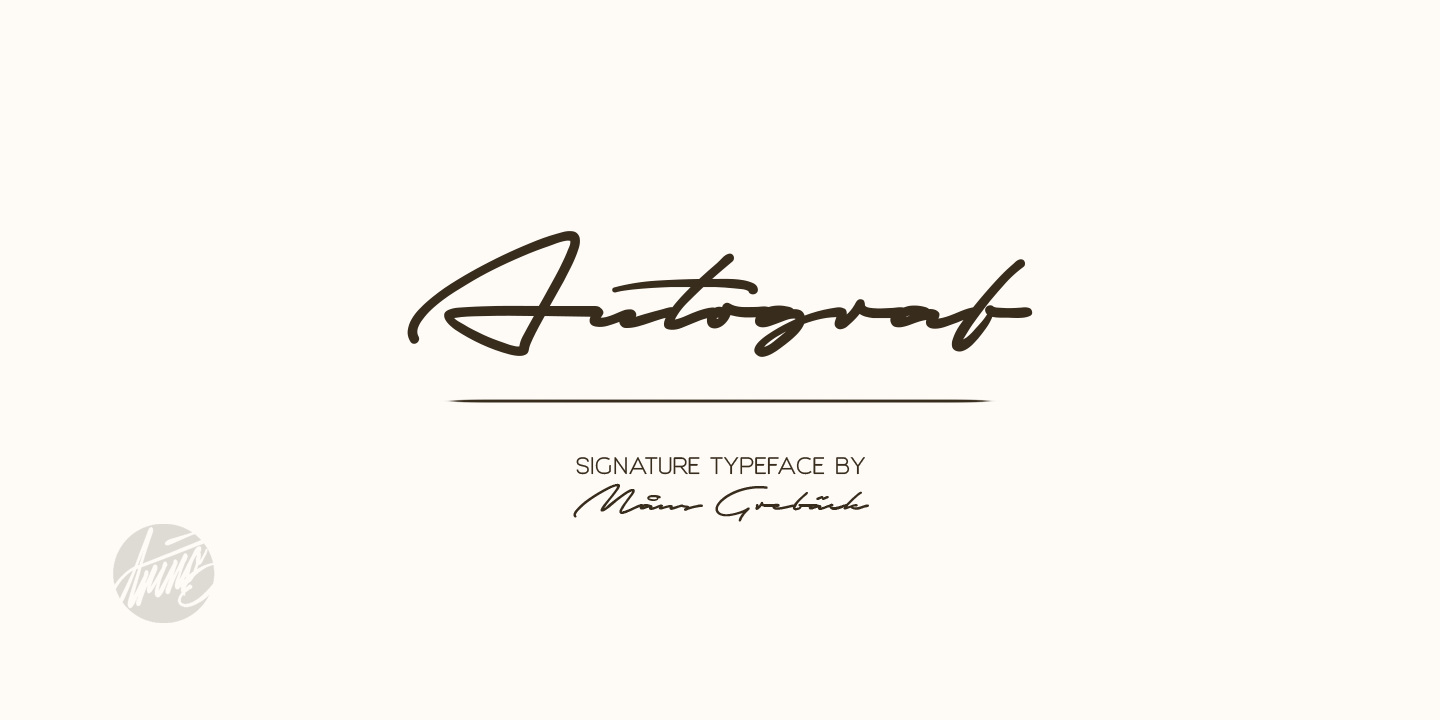
Autograf is a charming handwritten script font created by designer Mans Greback that captures the natural flow and spontaneity of authentic pen-to-paper writing. With its organic stroke variations and relaxed letterforms, this font evokes a personal, approachable aesthetic perfect for projects seeking warmth and human touch. The irregular baseline and subtle quirks in letter construction give Autograf a genuinely handcrafted appearance without sacrificing legibility. Whether you're designing invitations, branding materials, or creative projects, Autograf brings an authentic, friendly character that mass-produced typefaces simply cannot replicate.
Best Uses for Autograf
Autograf shines in creative projects where personality matters: greeting cards, handwritten-style logos, wedding invitations, personal branding, and social media graphics all benefit from its genuine handwritten charm. This font works exceptionally well for Cricut crafters creating vinyl decals, t-shirt designs, and personalized gifts that need authentic character. Editorial designs, thank-you notes, packaging, and lifestyle branding are also excellent applications where Autograf's warm, personal voice elevates the overall design impact.
What Fonts Pair Well With Autograf?
For a balanced, professional design, pair Autograf with clean sans-serif fonts like Montserrat or Open Sans to let the script stand out while maintaining readability for body text and headlines. If you prefer a more elegant combination, Lora, a refined serif font, complements Autograf's organic style beautifully for upscale branding or editorial work. All three pairing options are available free on Google Fonts, making them accessible choices for both print and digital projects.
License & Commercial Use
Autograf is available for both personal and commercial use, making it a valuable asset for professional designers and creative entrepreneurs. You are permitted to use Autograf in logos, branding materials, printed products, digital designs, web projects, mobile applications, merchandise, and all commercial deliverables. Attribution to Mans Greback is appreciated but not strictly required. However, you may not resell, redistribute, or repackage the font files themselves—always direct clients and collaborators to the original source for their own downloads.
Frequently Asked Questions
Is Autograf free for commercial use?
Yes, Autograf is free for both personal and commercial projects. You can use it in logos, branding, merchandise, print materials, digital products, and web designs without licensing fees. Credit to Mans Greback is appreciated as a gesture of respect to the designer.
What file formats does Autograf come in?
Autograf is available in standard font formats including TTF (TrueType) and OTF (OpenType), compatible with Windows, macOS, and most creative software including Adobe Creative Suite, Cricut Design Space, and Silhouette Studio.
What fonts pair well with Autograf?
Montserrat and Open Sans are excellent sans-serif companions for contrast and readability, while Lora offers an elegant serif pairing for upscale projects. All three are free on Google Fonts and balance beautifully with Autograf's handwritten personality.
Can I use Autograf for Cricut and vinyl cutting projects?
Absolutely. Autograf's clear letterforms and consistent stroke weight make it ideal for vinyl decals, T-shirt designs, and other Cricut cutting projects. Use the VectorDad Word Art Generator to create cut-ready designs instantly, then import directly into Cricut Design Space.
How to Install Autograf
- Download the font file — Visit the Autograf font page and click the download button to save the file to your computer.
- Unzip the archive — Extract the font files from the ZIP folder to a location you can easily access.
- Double-click the font file — Open the TTF or OTF file to launch your system's font preview window.
- Click the Install button — Confirm installation to add Autograf to your system's font library permanently.
- Access in your applications — Autograf is now available in Adobe Creative Suite, Cricut Design Space, Microsoft Office, and all other design software on your computer.
Use Autograf With VectorDad Tools
Transform Autograf into stunning Cricut-ready designs using the VectorDad Word Art Generator, which lets you type custom text and instantly create SVG files optimized for cutting. For curved text effects and circular lettering designs, the Curved Text Generator pairs perfectly with Autograf to unlock creative layout possibilities for labels, logos, and personalized projects.
Make Your Own Font
Like the look of Autograf but want letters in your own style? Draw or trace each character as an SVG, then turn the set into an installable .ttf font with our SVG to TTF font maker. It runs in your browser, with no signup.


