
Boho Font – Free Download (OTF, TTF, SVG)

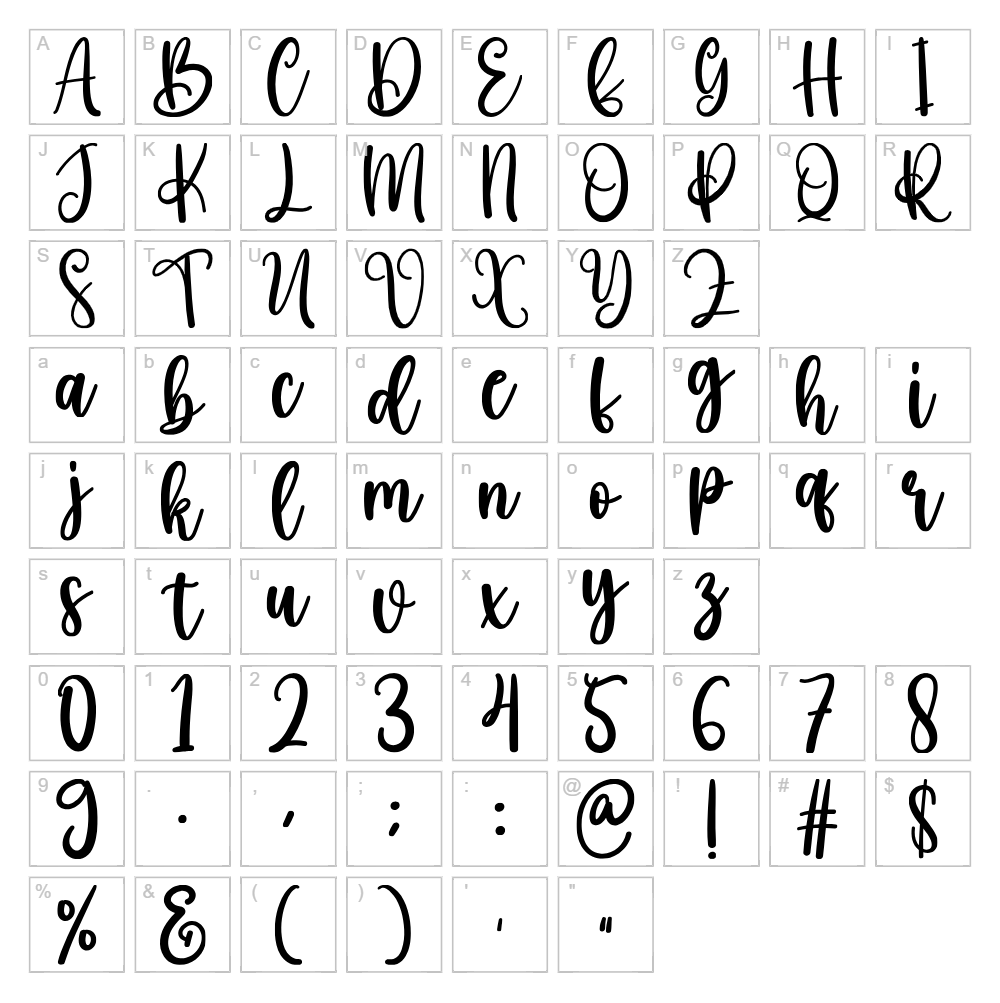
Character Map
Download Boho Font
Downloads as a ZIP file. Check the license notes on this page before commercial use.
Font Files
- Boho.otf
Font Details
- License:Free for personal use
- Author:
About Boho
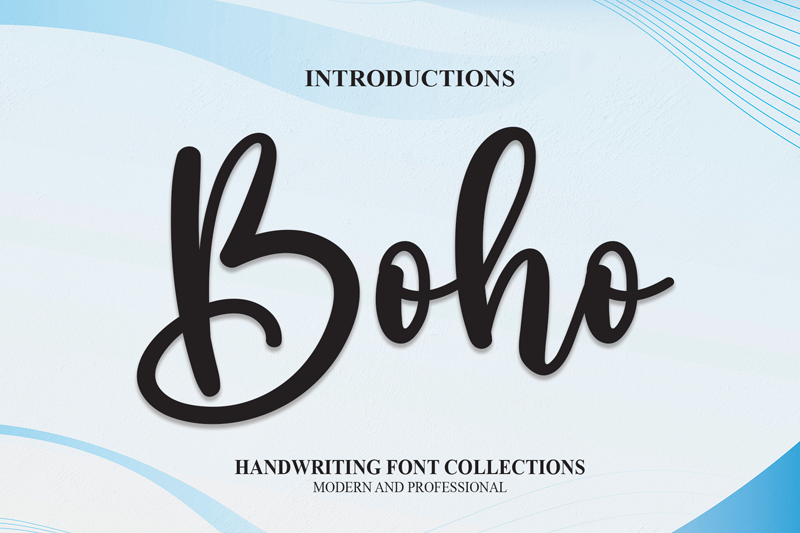
Boho is a charming handwritten script font created by Scratchones that captures the free-spirited essence of bohemian design. With its organic, flowing letterforms and natural stroke variations, this typeface radiates warmth and creativity while maintaining excellent readability even at smaller sizes. The font's casual yet refined character makes it equally at home in artistic layouts and modern branding projects. Boho's relaxed personality brings an authentic, artisanal touch to any design that needs a personal, human-crafted feel.
Best Uses for Boho
Boho is ideal for creative branding projects, including logos, packaging labels, and handmade product design. This font shines in t-shirt designs, vinyl decals, and Cricut craft projects where its playful character can stand out. It's also perfect for social media graphics, wedding stationery, and lifestyle branding that wants to convey authenticity and artistic sensibility.
What Fonts Pair Well With Boho?
Boho pairs beautifully with complementary typefaces that balance its organic energy. Consider pairing it with Lato or Montserrat for clean, modern sans-serif contrast, or with Merriweather if you need a serif option that maintains a warm, approachable tone. These combinations work especially well in design layouts where Boho serves as a headline or accent font.
License & Commercial Use
Boho is free for personal use and is also available for commercial projects. You may use this font for logo design, print materials, digital publications, website graphics, mobile applications, merchandise, and packaging without purchasing a license. When using Boho commercially, credit to Scratchones is appreciated. However, you may not resell or redistribute the font files themselves, and the original font files must remain unmodified.
Frequently Asked Questions
Is Boho free for commercial use?
Yes, Boho is free for commercial use. You can use it in logos, branding, print projects, websites, apps, and merchandise without needing a commercial license. Please credit Scratchones when possible.
What file formats does Boho come in?
Boho is available in standard font formats including TTF (TrueType) and OTF (OpenType), which work across Windows, macOS, and design software like Adobe Creative Suite, Canva, and Cricut Design Space.
What fonts pair well with Boho?
Boho works well with clean sans-serifs like Lato or Montserrat, and with warm serifs like Merriweather. These pairings create nice contrast while maintaining a cohesive, modern aesthetic. See Section 3 for detailed pairing suggestions.
Can I use Boho for Cricut projects?
Absolutely! Boho is perfect for Cricut crafts. You can install it on your computer and use it directly in Cricut Design Space, or generate SVG files with the VectorDad Word Art Generator and Curved Text Generator to create custom designs with precise control.
How to Install Boho
- Download the Boho font file from VectorDad and save it to your computer.
- Unzip the downloaded folder to reveal the font file(s).
- Double-click the font file (TTF or OTF) to open the font preview window.
- Click Install to add Boho to your system fonts.
- Restart your design application, and Boho will appear in your font list and be ready to use.
Use Boho With VectorDad Tools
Create stunning Cricut-ready designs with Boho using the VectorDad Word Art Generator, which instantly converts your text into customizable SVG graphics. For designs that wrap around shapes or follow curved paths, try the Curved Text Generator to make professional-looking curved text perfect for vinyl decals, t-shirt designs, and creative crafts.
Make Your Own Font
Like the look of Boho but want letters in your own style? Draw or trace each character as an SVG, then turn the set into an installable .ttf font with our SVG to TTF font maker. It runs in your browser, with no signup.


