
Canva Font – Free Download (OTF, TTF, SVG)

Character Map
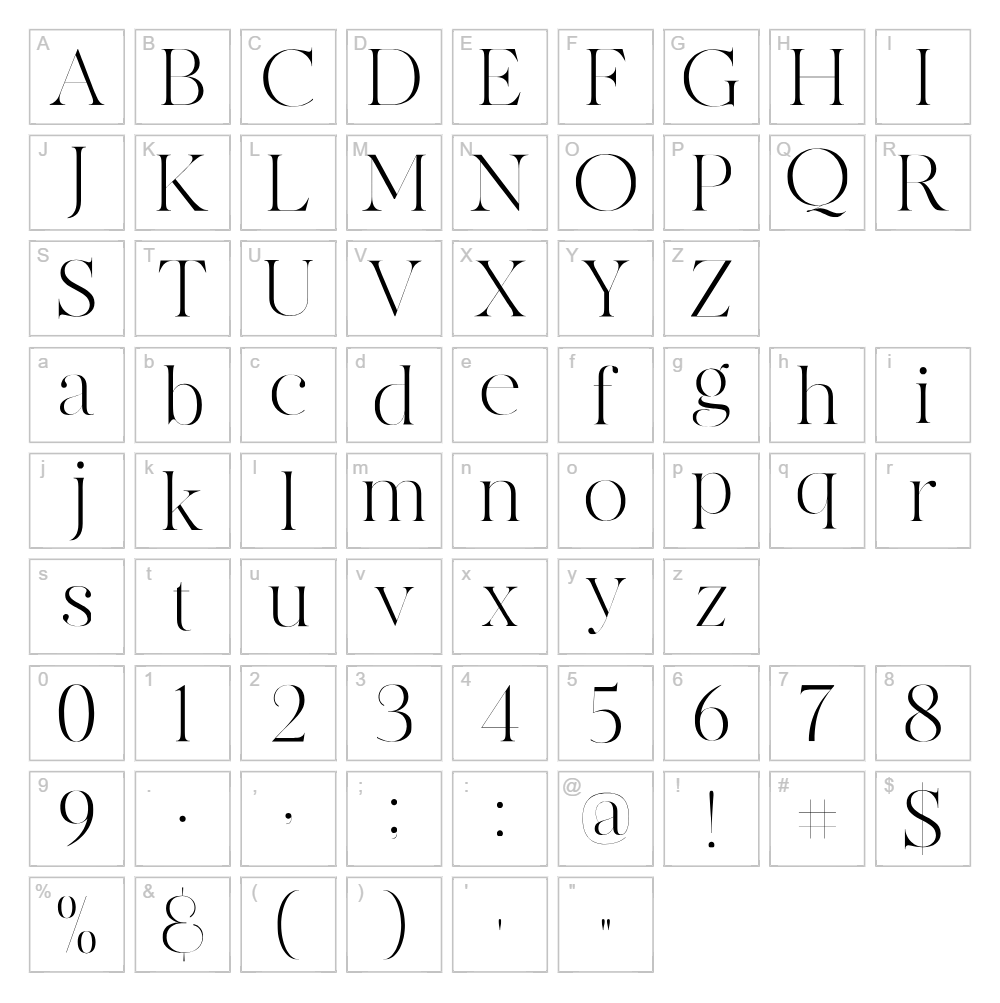
Font Files
- MADE Canvas Black PERSONAL USE.otf
- MADE Canvas Light PERSONAL USE.otf
- MADE Canvas Regular PERSONAL USE.otf
Font Details
- License:Free for personal use
- Author:
About Canva
Canva is a clean and versatile serif typeface designed by MadeType that brings timeless elegance to contemporary design projects. With its balanced stroke weight and refined letterforms, this font strikes a perfect balance between classic sophistication and modern accessibility. The font's straightforward geometry and legible proportions make it equally at home in both display and body text applications. Its straightforward charm has made it a go-to choice for designers seeking a reliable serif that doesn't compromise on personality.
Best Uses for Canva
Canva excels in branding, editorial design, and professional print materials where a touch of refined elegance is needed without excessive ornamentation. This font works beautifully for logos, book covers, magazines, and signage—particularly in fashion, lifestyle, and luxury brands. It's also a solid choice for Cricut vinyl projects, greeting cards, and personalized merchandise where legibility and visual appeal are equally important.
What Fonts Pair Well With Canva?
Canva pairs exceptionally well with clean sans-serif typefaces that provide visual contrast:
- Roboto — A modern sans-serif that balances Canva's serif warmth with contemporary simplicity
- Lato — A humanist sans-serif offering friendly contrast while maintaining sophistication
- Playfair Display — Another serif option for all-serif designs that need refined hierarchy
License & Commercial Use
Canva is licensed for both personal and commercial use, meaning you can freely use this font for logos, branding, print materials, digital designs, web projects, mobile apps, and merchandise without requiring additional permission or payment. When using Canva in professional projects, credit to MadeType is appreciated but not mandatory. However, reselling, redistributing, or repackaging the font files themselves is strictly prohibited under the license terms.
Frequently Asked Questions
Is Canva free for commercial use?
Yes, Canva is available for both personal and commercial use at no cost. You can use it in logos, print design, digital media, apps, websites, and merchandise without restrictions or additional licensing fees.
What file formats does Canva come in?
Canva is typically available in standard font formats such as TTF (TrueType), OTF (OpenType), and sometimes WOFF for web use. Check the download package to confirm which formats are included for your specific needs.
What fonts pair well with Canva?
Canva works best alongside clean sans-serif fonts like Roboto, Lato, or Open Sans for contrast, or with other refined serifs like Playfair Display for cohesive all-serif layouts. See the font pairing section above for detailed recommendations.
Can I use Canva for Cricut projects?
Absolutely. Canva works perfectly with Cricut machines for vinyl decals, iron-on designs, and cut projects. Use the VectorDad Word Art Generator to convert text into SVG files optimized for Cricut Design Space.
How to Install Canva
- Download the Canva font file from VectorDad in your preferred format (TTF or OTF).
- Unzip the downloaded folder to access the font file(s).
- Double-click the font file to open the font preview window.
- Click the Install button to add Canva to your system fonts.
- Restart your design applications (Adobe Suite, Canva, Procreate, etc.) and Canva will appear in your font menu.
Use Canva With VectorDad Tools
Transform your Canva text into ready-to-cut SVG files using the VectorDad Word Art Generator, perfect for Cricut projects and vinyl cutting. For curved or circular text designs, the Curved Text Generator lets you bend Canva letterforms along a path for unique, professional-looking results.
Make Your Own Font
Like the look of Canva but want letters in your own style? Draw or trace each character as an SVG, then turn the set into an installable .ttf font with our SVG to TTF converter. It runs in your browser, with no signup.


