
Distraught Font – Free Download (OTF, TTF, SVG)

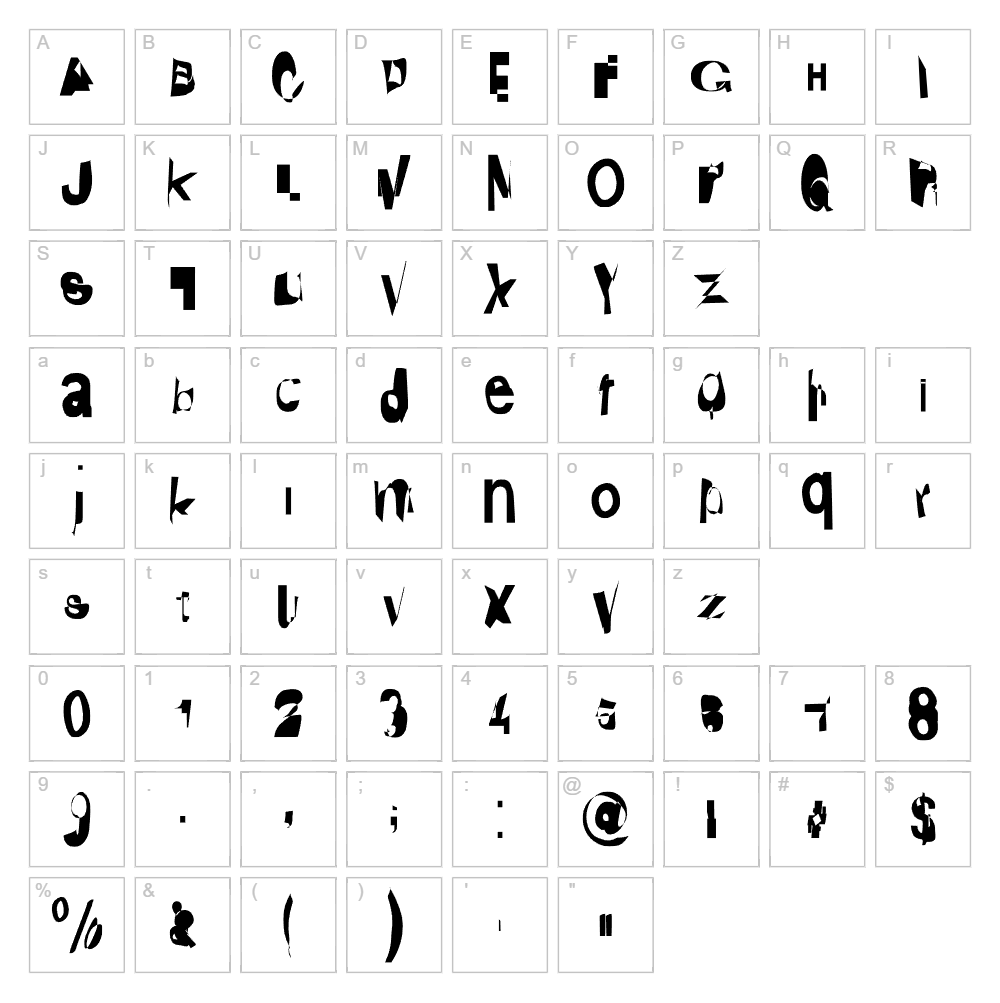
Character Map
Download Distraught Font
Downloads as a ZIP file. Check the license notes on this page before commercial use.
Font Files
- Distraught.otf
- DistraughtIta.otf
Font Details
- License:Free for personal use
- Author:
About Distraught
Distraught is a boldly distorted display font by KineticPlasma Fonts that thrives on visual chaos and creative disruption. Its irregular letterforms feature fragmented strokes and jagged edges that create an unsettling, energetic presence on the page. The erratic character construction gives it a rebellious, punk-rock aesthetic perfect for designs that demand attention and break conventional rules. This public domain typeface transforms any composition into something provocative and unforgettable.
Best Uses for Distraught
Distraught excels in eye-catching poster design, album artwork, and horror-themed branding where visual impact trumps readability. It's ideal for t-shirt graphics, vinyl decal projects, and Cricut craft designs that need an edgy, alternative attitude. Use it sparingly in headlines, logos, and promotional materials where the distorted aesthetic reinforces your brand's bold or unconventional messaging.
What Fonts Pair Well With Distraught?
Balance Distraught's chaotic energy with clean, structured typefaces. Pair it with Roboto (Google Fonts) for modern contrast, Lora (Google Fonts) for sophisticated serif balance, or Open Sans (Google Fonts) for accessible readability in supporting text and body copy.
License & Commercial Use
Distraught is available under the public domain license, making it completely free for commercial use without restrictions. You may use this font to create logos, print materials, digital designs, websites, mobile applications, and merchandise for paying clients or your own business ventures. Credit to KineticPlasma Fonts is appreciated but not required. You may not resell or redistribute the font files themselves as a standalone product.
Frequently Asked Questions
Is Distraught free for commercial use?
Yes. Distraught is in the public domain, so you can use it freely for any commercial project—logos, branded merchandise, client work, websites, apps, and more—without paying licenses or asking permission.
What file formats does Distraught come in?
Distraught is available in standard font formats including TTF (TrueType) and OTF (OpenType), compatible with Windows, Mac, and most design software including Adobe Creative Suite, Cricut Design Space, and Canva.
What fonts pair well with Distraught?
Distraught pairs best with clean, minimal sans-serif fonts like Roboto or Open Sans, or elegant serifs like Lora. These combinations balance the chaotic distorted style with readable, professional supporting text.
Can I use Distraught for Cricut and vinyl cutting projects?
Absolutely. Distraught works perfectly in Cricut Design Space and other cutting software for vinyl decals, t-shirt designs, and craft projects. Its bold, defined strokes cut cleanly and maintain visual impact at any size.
How to Install Distraught
- Download the Distraught font file from VectorDad in TTF or OTF format.
- Unzip the downloaded folder to access the individual font files.
- Double-click the font file to open the font preview window on your computer.
- Click Install to add Distraught to your system fonts library.
- Restart your design application, and Distraught will appear in your font menu ready to use.
Use Distraught With VectorDad Tools
Elevate your Distraught designs with the VectorDad Word Art Generator, which transforms your text into ready-to-cut SVG files perfect for Cricut projects. Create stunning curved text effects with the Curved Text Generator to add dynamic dimension to your distorted typography.
Make Your Own Font
Like the look of Distraught but want letters in your own style? Draw or trace each character as an SVG, then turn the set into an installable .ttf font with our free font creator. It runs in your browser, with no signup.
Similar Fonts
If you like Distraught, you may also like these free fonts:


