
Freshman Font – Free Download (OTF, TTF, SVG)

Character Map
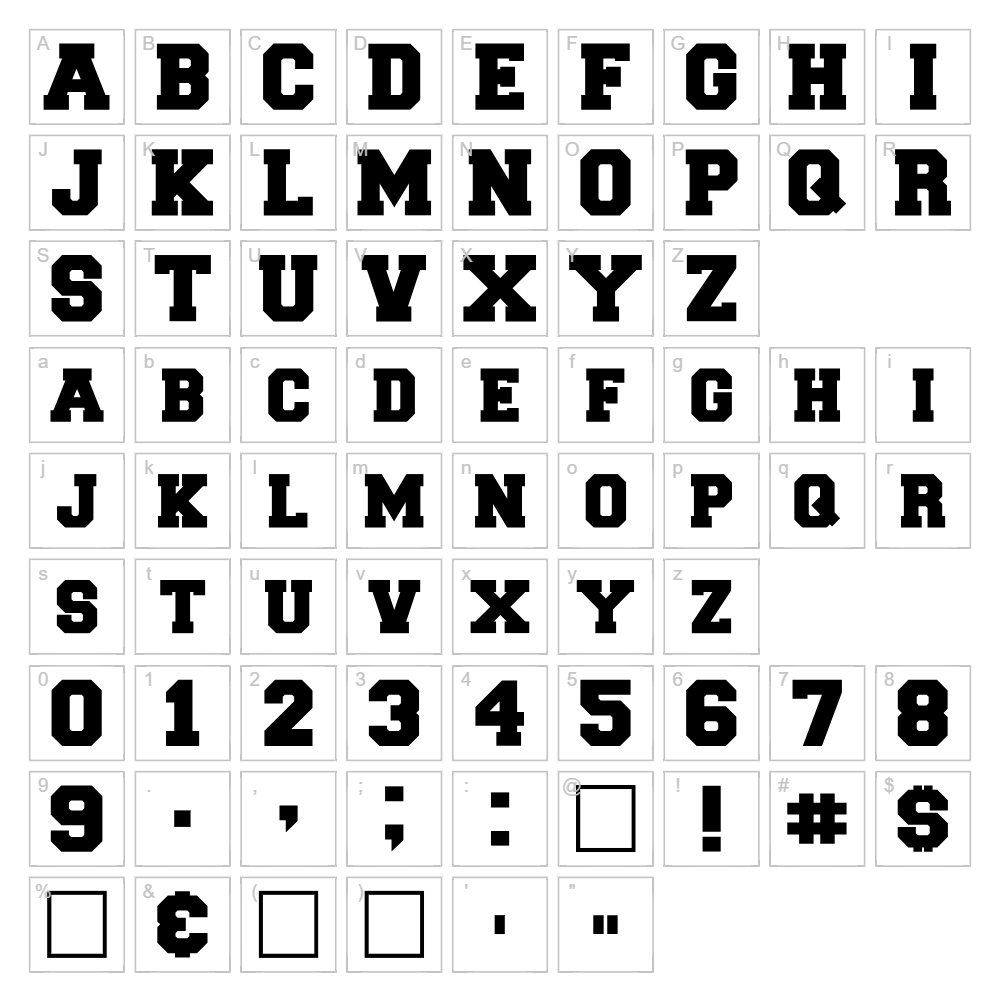
Download Freshman Font
Downloads as a ZIP file. Check the license notes on this page before commercial use.
Font Files
Font Files
- Freshman.ttf
Font Details
- License:Free for personal use
- Author:
About Freshman
Freshman is a bold, eye-catching display font created by designer William Boyd that captures the spirit of classic vintage typography with modern appeal. Its strong, geometric letterforms and confident stroke weight give it a distinctly old-school character that feels both nostalgic and contemporary. The font exudes a playful yet professional energy, making it ideal for designs that demand personality and presence. What sets Freshman apart is its versatility—it works equally well for serious branding as it does for lighthearted creative projects.
Best Uses for Freshman
Freshman excels in logo design, vintage-inspired branding, and eye-catching headline work where impact matters. This font is perfect for t-shirt graphics, vinyl decals, and Cricut cutting projects that need bold visual presence. It also shines in retro poster design, album artwork, event signage, and any editorial application where you want type to be a statement piece rather than subtle background text.
What Fonts Pair Well With Freshman?
Freshman pairs beautifully with Lato, a clean, modern sans-serif that provides excellent contrast for body text and supporting information. For a more classic feel, combine it with Merriweather, a graceful serif that balances Freshman's boldness with sophisticated elegance. If you prefer an ultra-minimal companion, Inter offers neutral readability that lets Freshman remain the focal point of your design.
License & Commercial Use
Freshman is 100% free for commercial use, which means you can confidently use it in logos, branding systems, printed materials, digital designs, websites, mobile applications, and merchandise without licensing restrictions. Commercial projects—including client work, product packaging, advertising, and business collateral—are all explicitly permitted. Proper credit to designer William Boyd is appreciated but not required. The only restriction is that you cannot resell or redistribute the font file itself as a standalone product.
Frequently Asked Questions
Is Freshman free for commercial use?
Yes, absolutely. Freshman is licensed for full commercial use, including logos, print design, web projects, applications, merchandise, and client work. No paid license needed.
What file formats does Freshman come in?
Freshman is available in standard font formats including TTF (TrueType) and OTF (OpenType), compatible with Windows, Mac, and most design software including Adobe Creative Suite, Cricut Design Space, and Silhouette Studio.
What fonts pair well with Freshman?
Lato, Merriweather, and Inter all complement Freshman beautifully. See the Font Pairing section above for detailed recommendations on when and why to use each combination.
Does Freshman work well for Cricut projects?
Yes, Freshman's bold, geometric strokes make it excellent for cutting and vinyl applications. The consistent letter weight ensures clean cuts without thin, fragile areas that might break during the cutting process.
How to Install Freshman
- Download the Freshman font file from VectorDad.com to your computer.
- Unzip the downloaded folder to reveal the font file (usually .ttf or .otf format).
- Double-click the font file to open the font preview window.
- Click Install to add Freshman to your system fonts.
- Restart your design applications and Freshman will be available in your font menu across all programs.
Use Freshman With VectorDad Tools
Take Freshman to the next level with the VectorDad Word Art Generator, which lets you create stunning, ready-to-cut SVG designs in seconds—perfect for Cricut projects and vinyl applications. Combine it with the Curved Text Generator to bend and warp Freshman text along custom paths, adding dynamic dimension to your creative work.
Make Your Own Font
Like the look of Freshman but want letters in your own style? Draw or trace each character as an SVG, then turn the set into an installable .ttf font with our SVG to TTF converter. It runs in your browser, with no signup.
Similar Fonts
If you like Freshman, you may also like these free fonts:


