
Master Circle Font – Free Download (OTF, TTF, SVG)

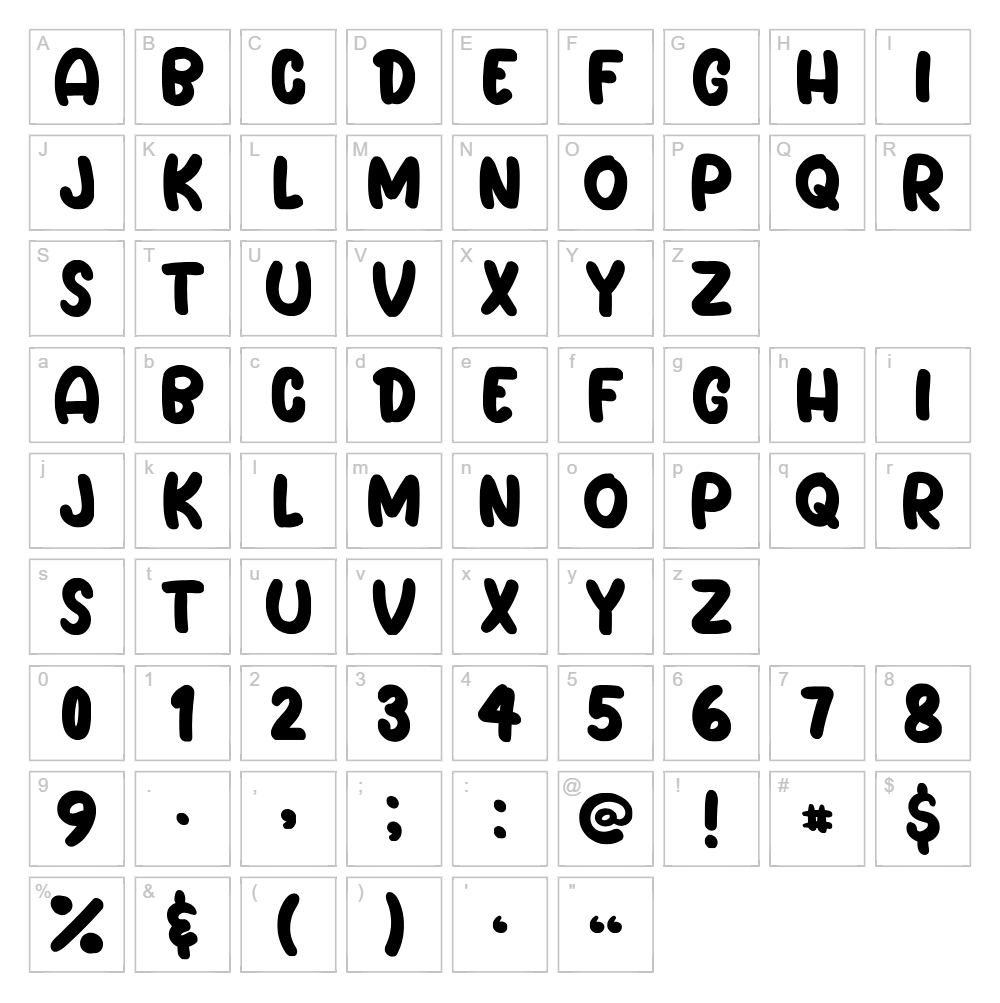
Character Map
Download Master Circle Font
Downloads as a ZIP file. Check the license notes on this page before commercial use.
Font Files
- Circle.otf
Font Details
- License:Free for personal use
- Author:
About Master Circle
Master Circle is a playful, cartoon-inspired typeface designed by Erik Studio that brings a whimsical, rounded charm to any creative project. Its smooth, flowing letterforms feature uniformly soft curves and consistent stroke weight, giving the font a friendly, approachable personality. The design walks the line between bold and elegant, making it equally at home in children's illustrations, greeting cards, or modern branding applications. Master Circle's distinctive circular geometry sets it apart as a versatile display font that commands attention without sacrificing readability.
Best Uses for Master Circle
Master Circle excels in projects that call for playful, inviting aesthetics—think custom t-shirt designs, vinyl decal cutting with Cricut machines, greeting cards, and social media graphics. Its cartoon sensibility makes it ideal for children's book covers, party invitations, and branded merchandise where personality and warmth matter. The font also works beautifully for logo design, custom signage, and poster artwork where a bold yet friendly visual voice will resonate with your audience.
What Fonts Pair Well With Master Circle?
Master Circle's rounded character pairs exceptionally well with clean, minimalist sans-serif fonts like Poppins or Montserrat, which provide visual balance and improve readability in body text. For a more playful, cohesive design system, try pairing it with Quicksand, another rounded typeface that shares a similar friendly aesthetic but works beautifully as a secondary display font or subheading choice.
License & Commercial Use
Master Circle is free for personal and commercial use. This means you can use the font in logos, branding projects, print materials, digital designs, websites, mobile applications, and merchandise without purchasing a commercial license. Attribution to Erik Studio is appreciated but not required. However, you may not resell, redistribute, or repackage the font files themselves—the font must always remain free for end users.
Frequently Asked Questions
Is Master Circle free for commercial use?
Yes. Master Circle is free for both personal and commercial projects, including logo design, merchandise, digital publishing, and web use. You do not need to purchase an additional license for commercial work.
What file formats does Master Circle come in?
Master Circle is available in standard font formats including OTF (OpenType) and TTF (TrueType), making it compatible with Windows, macOS, and most design software including Adobe Creative Suite, Affinity, Procreate, and Cricut Design Space.
What fonts pair well with Master Circle?
Poppins, Montserrat, and Quicksand are excellent pairings. See the Font Pairing section above for detailed recommendations on how to layer Master Circle with complementary typefaces in your designs.
Can I use Master Circle in Cricut Design Space?
Absolutely. After installing Master Circle on your computer, it will automatically appear in Cricut Design Space's font library. You can use it to create custom vinyl decals, t-shirt designs, and other cutting projects without any additional steps.
How to Install Master Circle
- Download the Master Circle font file from VectorDad to your computer.
- Unzip the downloaded folder to extract the font files.
- Double-click the font file (usually named MasterCircle.ttf or MasterCircle.otf).
- Click Install in the font preview window that appears.
- Restart your design applications (Photoshop, Cricut Design Space, etc.) and Master Circle will be available in your font menu.
Use Master Circle With VectorDad Tools
Take your Master Circle designs to the next level using the VectorDad Word Art Generator, which lets you create stunning text effects and convert your typography into ready-to-cut SVG files for Cricut projects. You can also explore the Curved Text Generator to bend and shape Master Circle lettering along custom paths, perfect for creating professional-looking logos, badges, and circular designs.
Make Your Own Font
Like the look of Master Circle but want letters in your own style? Draw or trace each character as an SVG, then turn the set into an installable .ttf font with our SVG to TTF font maker. It runs in your browser, with no signup.
Similar Fonts
If you like Master Circle, you may also like these free fonts:


