
Morena Font – Free Download (OTF, TTF, SVG)

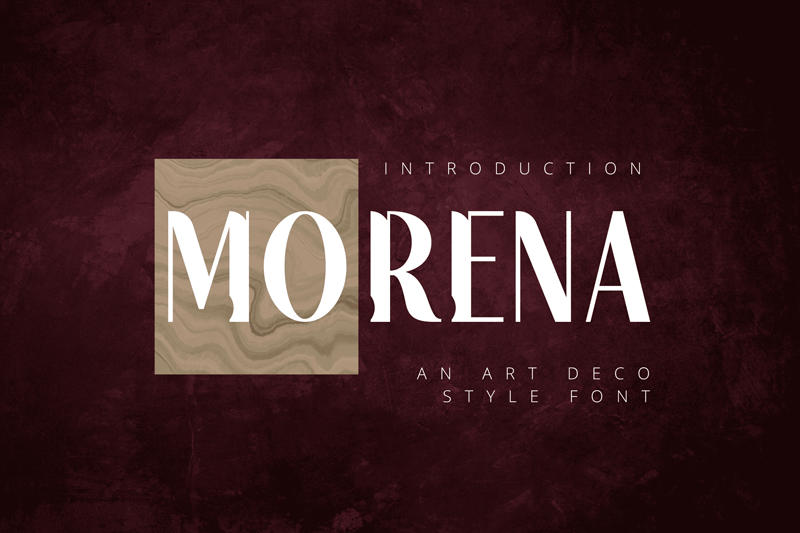
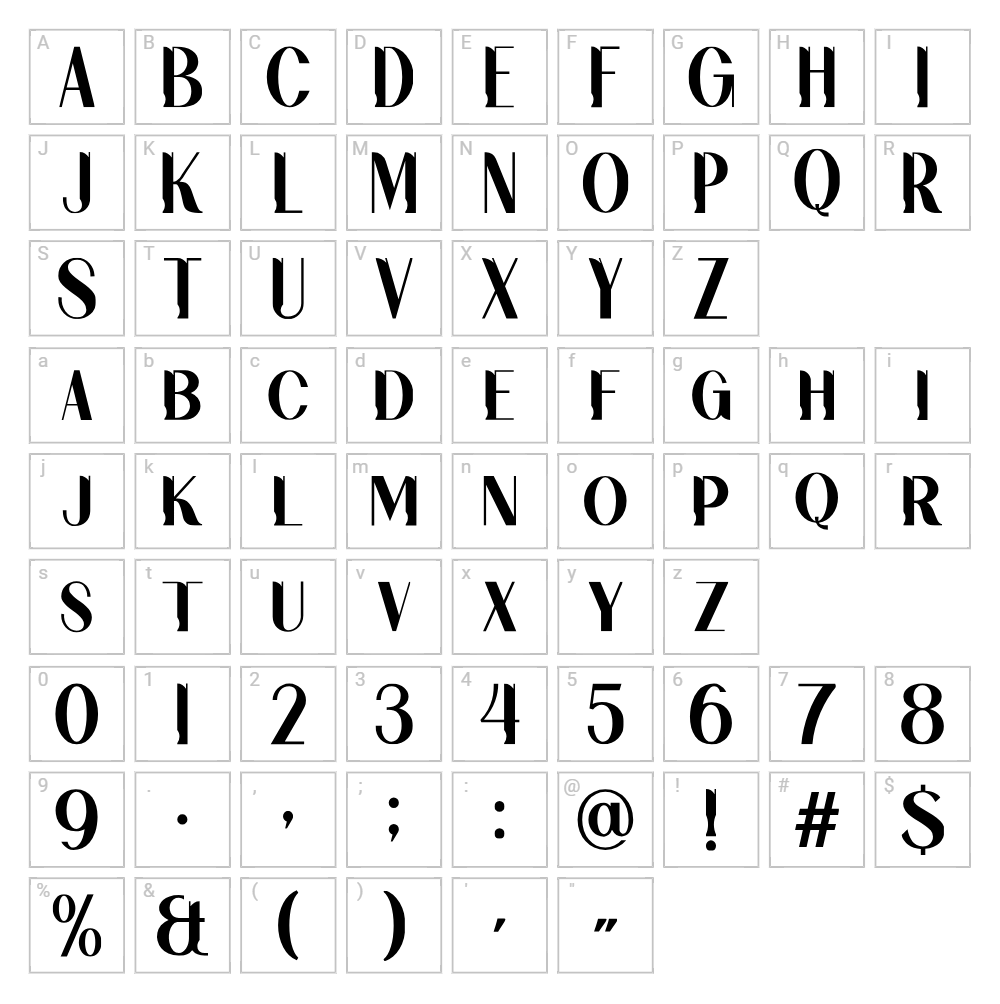
Character Map
Download Morena Font
Downloads as a ZIP file. Check the license notes on this page before commercial use.
Font Files
- Morena FREE.ttf
Font Details
- License:Free for personal use
- Author:
About Morena
Morena is a stylish and versatile display font designed by Riki that brings a modern yet approachable aesthetic to your creative projects. With smooth curves and distinctive letterforms, this font balances elegance with playful energy, making it perfect for designers seeking something fresh and contemporary. The character set includes thoughtful spacing and consistent stroke weight that ensures legibility across various sizes. What sets Morena apart is its ability to work equally well in minimalist compositions or bold, expressive designs.
Best Uses for Morena
Morena excels in branding projects, logo design, and headline typography where visual impact matters most. It's ideal for Cricut crafting, vinyl decals, t-shirt designs, and print materials like posters and greeting cards. The font also performs beautifully in digital applications, social media graphics, and editorial layouts where you need a distinctive voice that stands out from conventional typefaces.
What Fonts Pair Well With Morena?
Morena pairs beautifully with clean, minimalist sans-serif fonts like Montserrat or Inter, both available free on Google Fonts. For a more refined approach, consider pairing it with the elegant serif font Lora, which complements Morena's modern style while adding sophistication to body text and secondary headings.
License & Commercial Use
Morena is free for personal use, which includes non-commercial projects, hobbies, and educational work. For commercial applications—including logos, branded merchandise, print advertising, digital products, web design, and app development—you are permitted to use Morena without purchasing an additional license. Please provide attribution to designer Riki when possible. Reselling or redistributing the font files themselves is not permitted under any circumstances.
Frequently Asked Questions
Is Morena free for commercial use?
Morena is free for personal use only. Commercial projects require explicit permission or licensing from the designer Riki. Always verify the current license terms before using this font in paid work or merchandise.
What file formats does Morena come in?
Most fonts on VectorDad are available in standard formats compatible with Windows and Mac systems. Morena typically comes in TTF (TrueType) or OTF (OpenType) formats, which work across design software, Cricut machines, and most operating systems.
What fonts pair well with Morena?
Morena works best with clean sans-serif fonts like Montserrat or Inter for contemporary designs. If you prefer serif pairings, Lora adds elegance and readability to longer text while maintaining visual harmony with Morena's modern character.
Can I use Morena for Cricut projects?
Yes! Morena works perfectly with Cricut design software for vinyl decals, t-shirt designs, and paper crafts. Use the VectorDad Word Art Generator to create custom SVG designs instantly, making your Cricut projects faster and more professional.
How to Install Morena
- Download the Morena font file from VectorDad and save it to your computer.
- Unzip or extract the font file from its compressed folder.
- Double-click the font file (TTF or OTF) to open the font preview window.
- Click the Install button to add Morena to your system fonts.
- Restart your design applications, and Morena will appear in your font menu ready to use.
Use Morena With VectorDad Tools
Unlock the full creative potential of Morena by using the VectorDad Word Art Generator to instantly convert your text into custom SVG designs perfect for Cricut projects. Take your designs further with the Curved Text Generator, which allows you to bend and shape Morena text along custom paths for truly unique vinyl decals and print designs.
Make Your Own Font
Like the look of Morena but want letters in your own style? Draw or trace each character as an SVG, then turn the set into an installable .ttf font with our SVG to TTF font maker. It runs in your browser, with no signup.


