
Queen Font – Free Download (OTF, TTF, SVG)

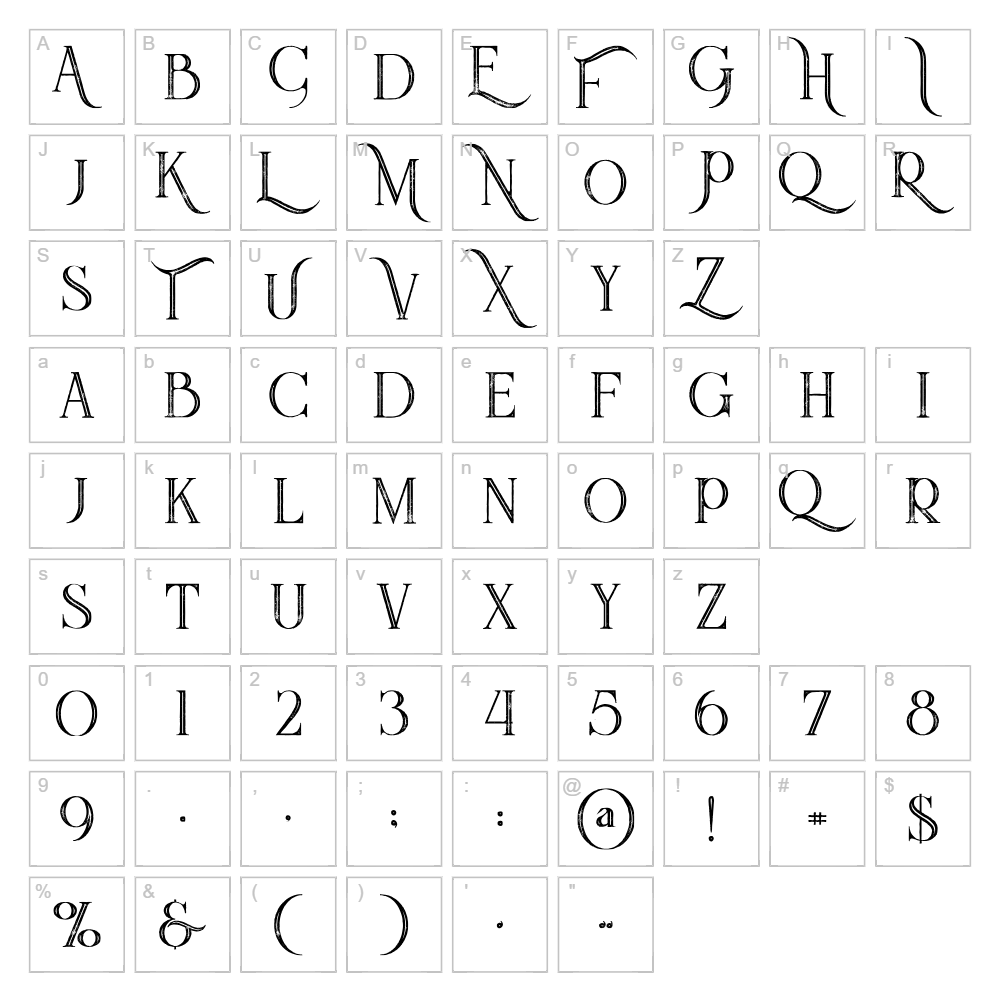
Character Map
Download Queen Font
Downloads as a ZIP file. Check the license notes on this page before commercial use.
Font Files
- QueenInlineGrunge.ttf
- QueenInlineGrunge.otf
Font Details
- License:Free for personal use
- Author:
About Queen Font
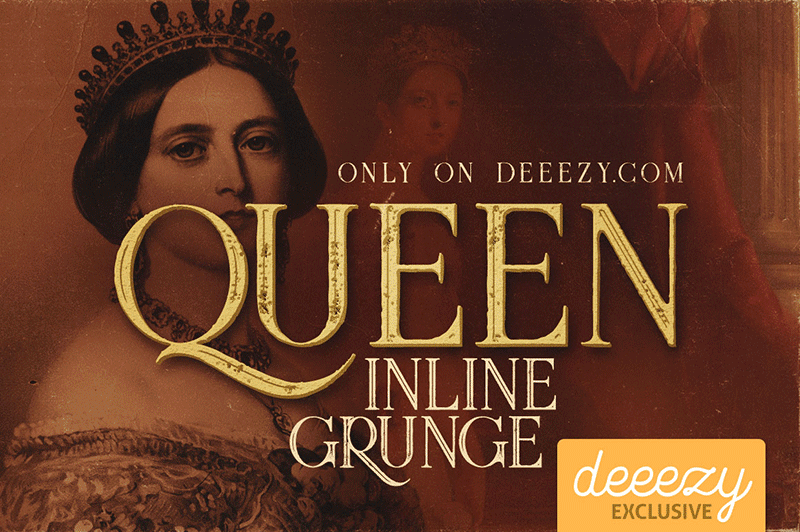
Queen Font is a striking retro-inspired typeface designed by Peter Olexa that brings vintage glamour and theatrical flair to any creative project. With its bold, condensed letterforms and high-contrast strokes, this font captures the essence of mid-century design with a contemporary edge. The elegant curves and distinctive character spacing give Queen Font a sophisticated yet playful personality that commands attention. Whether you're channeling 1950s diner aesthetics or modern art deco vibes, this font delivers authentic retro charm without feeling dated.
Best Uses for Queen Font
Queen Font excels in eye-catching design applications where personality and visual impact matter most. Use it for vintage-inspired logos, retro packaging, concert posters, vinyl decal designs for Cricut projects, and nostalgic branding materials that need to stand out. This font also works beautifully for editorial headlines, event signage, t-shirt graphics, and any personal creative project where you want to inject bold retro style.
What Fonts Pair Well With Queen Font?
Queen Font's bold retro style pairs exceptionally well with clean, minimalist sans-serif fonts that provide visual balance. Consider pairing it with Roboto or Open Sans for body text and secondary headlines, which offer modern simplicity that contrasts beautifully with Queen's vintage personality. For a cohesive retro aesthetic, Playfair Display works as an elegant secondary display font that complements Queen's theatrical character.
License & Commercial Use
Queen Font is available for free personal use, allowing you to incorporate it into non-commercial projects without restriction. For commercial applications—including logo design, print materials, digital products, web design, mobile apps, and merchandise—you are permitted to use Queen Font freely. When using this font professionally, please provide credit to designer Peter Olexa. However, you may not resell, redistribute, or repackage the font files themselves for commercial profit.
Frequently Asked Questions
Is Queen Font free for commercial use?
Yes, Queen Font is available for both personal and commercial use at no cost. You can use it for logos, marketing materials, print projects, digital designs, and merchandise. Simply credit Peter Olexa as the designer when possible.
What file formats does Queen Font come in?
Queen Font is available in standard formats compatible with all major operating systems and design applications, including TrueType (.ttf) and OpenType (.otf) formats. Check the download package for the complete file format specifications.
What fonts pair well with Queen Font?
Queen Font pairs beautifully with modern sans-serif fonts like Roboto and Open Sans for contrast, or with Playfair Display for a cohesive retro aesthetic. See our Font Pairing section above for detailed pairing recommendations and usage suggestions.
Can I use Queen Font for Cricut craft projects?
Absolutely! Queen Font works wonderfully for Cricut design projects including vinyl decals, t-shirt graphics, and personalized crafts. Once installed on your computer, you can access it directly in Cricut Design Space or use VectorDad's Word Art Generator and Curved Text Generator to create ready-to-cut SVG files with this font.
How to Install Queen Font
- Download the Font: Click the download link on this page and save the Queen Font file to your computer.
- Unzip the File: Extract the font file from the compressed folder using your operating system's built-in extraction tool.
- Locate the Font File: Double-click the .ttf or .otf font file to open the font preview window.
- Click Install: Select the "Install" button to add Queen Font to your system's font library.
- Access in Applications: Restart your design applications, and Queen Font will now appear in all font menus and dropdowns.
Use Queen Font With VectorDad Tools
Create stunning Cricut-ready designs by using Queen Font with the VectorDad Word Art Generator, which instantly converts your text into downloadable SVG files perfect for cutting and crafting. For curved designs and circular text effects, the Curved Text Generator lets you bend Queen Font into dynamic shapes without needing advanced design software.
Make Your Own Font
Like the look of Queen Font but want letters in your own style? Draw or trace each character as an SVG, then turn the set into an installable .ttf font with our free font creator. It runs in your browser, with no signup.


