
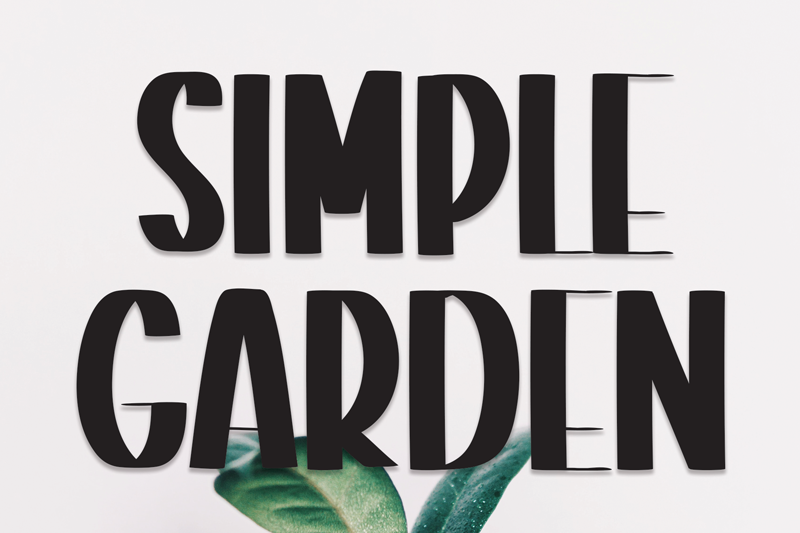
Simple Garden Font – Free Download (OTF, TTF, SVG)

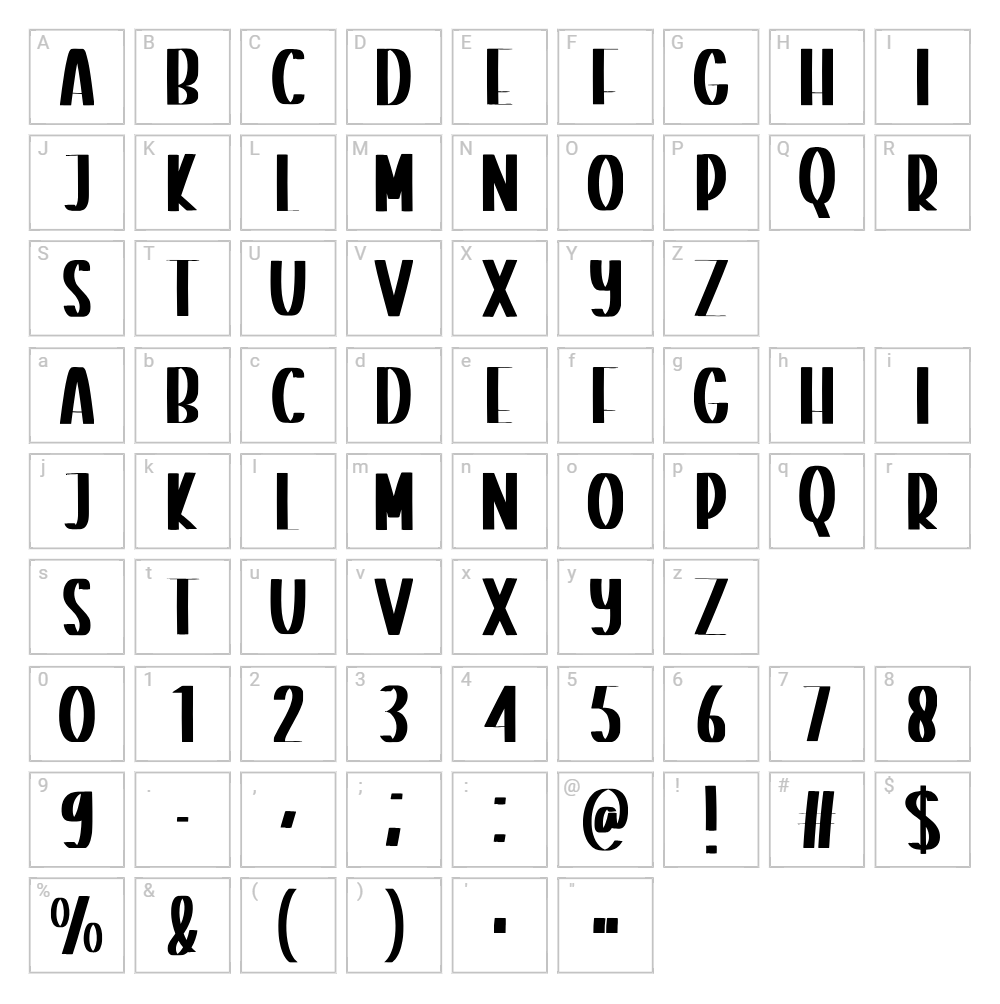
Character Map
Download Simple Garden Font
Downloads as a ZIP file. Check the license notes on this page before commercial use.
Font Files
- Simple Garden.otf
Font Details
- License:Free for personal use
- Author:
About Simple Garden
Simple Garden is a charming fancy font designed by Scratchones that brings a whimsical, organic aesthetic to any creative project. With its delicate letterforms and flowing strokes, this typeface captures an elegant yet playful mood that feels both sophisticated and approachable. The font's unique character lies in its hand-crafted appearance, making it ideal for designers seeking personality without complexity. Perfect for those looking to add a touch of botanical grace to their work.
Best Uses for Simple Garden
Simple Garden excels in design applications where elegance meets creativity, including logo design, branding for lifestyle and beauty brands, and decorative signage. The font is particularly well-suited for Cricut crafting projects, vinyl decals, and personalized merchandise like t-shirts and tote bags. Its fancy yet readable style also works beautifully for wedding stationery, greeting cards, and social media graphics.
What Fonts Pair Well With Simple Garden?
Simple Garden pairs beautifully with Montserrat, a clean sans-serif that provides excellent contrast and readability for body text and headlines. Playfair Display is another excellent choice, offering a sophisticated serif companion that complements the decorative elegance of Simple Garden. For a more minimal pairing, consider Open Sans, which balances the fancy nature of Simple Garden while maintaining modern clarity.
License & Commercial Use
Simple Garden is available for free for commercial use, making it an excellent choice for professional designers and businesses. You are permitted to use this font for logos, printed materials, digital designs, web projects, mobile applications, and merchandise creation without purchasing a commercial license. Attribution to Scratchones is appreciated but not required. However, reselling or redistributing the font files themselves is strictly prohibited under the terms of use.
Frequently Asked Questions
Is Simple Garden free for commercial use?
Yes, Simple Garden is completely free for commercial use. You can use it in professional projects, business branding, merchandise, and print materials without any licensing fees.
What file formats does Simple Garden come in?
Simple Garden is available in standard font formats including TTF (TrueType Font) and OTF (OpenType Font), ensuring compatibility with Windows, Mac, and most design applications.
What fonts pair well with Simple Garden?
Simple Garden pairs well with Montserrat, Playfair Display, and Open Sans. These complementary fonts provide excellent contrast and balance when used alongside Simple Garden's decorative style.
Can I use Simple Garden for Cricut projects?
Absolutely! Simple Garden works great with Cricut machines for vinyl decals, t-shirt designs, and personalized crafts. Install the font on your computer and access it through Cricut Design Space for seamless integration.
How to Install Simple Garden
- Download the Simple Garden font file from VectorDad to your computer.
- Unzip the downloaded folder to extract the font files.
- Double-click the TTF or OTF font file to open the font preview window.
- Click the "Install" button to complete the installation process.
- The font is now available in all your design applications including Photoshop, Cricut Design Space, and Microsoft Word.
Use Simple Garden With VectorDad Tools
Take your Simple Garden designs to the next level with the VectorDad Word Art Generator, which lets you create stunning text effects and custom graphics ready for Cricut cutting projects. You can also use the Curved Text Generator to bend and shape Simple Garden text along custom paths, perfect for circular logos, vinyl decals, and creative Cricut SVG designs.
Make Your Own Font
Like the look of Simple Garden but want letters in your own style? Draw or trace each character as an SVG, then turn the set into an installable .ttf font with our free font creator. It runs in your browser, with no signup.


