
Tropicana Font – Free Download (OTF, TTF, SVG)

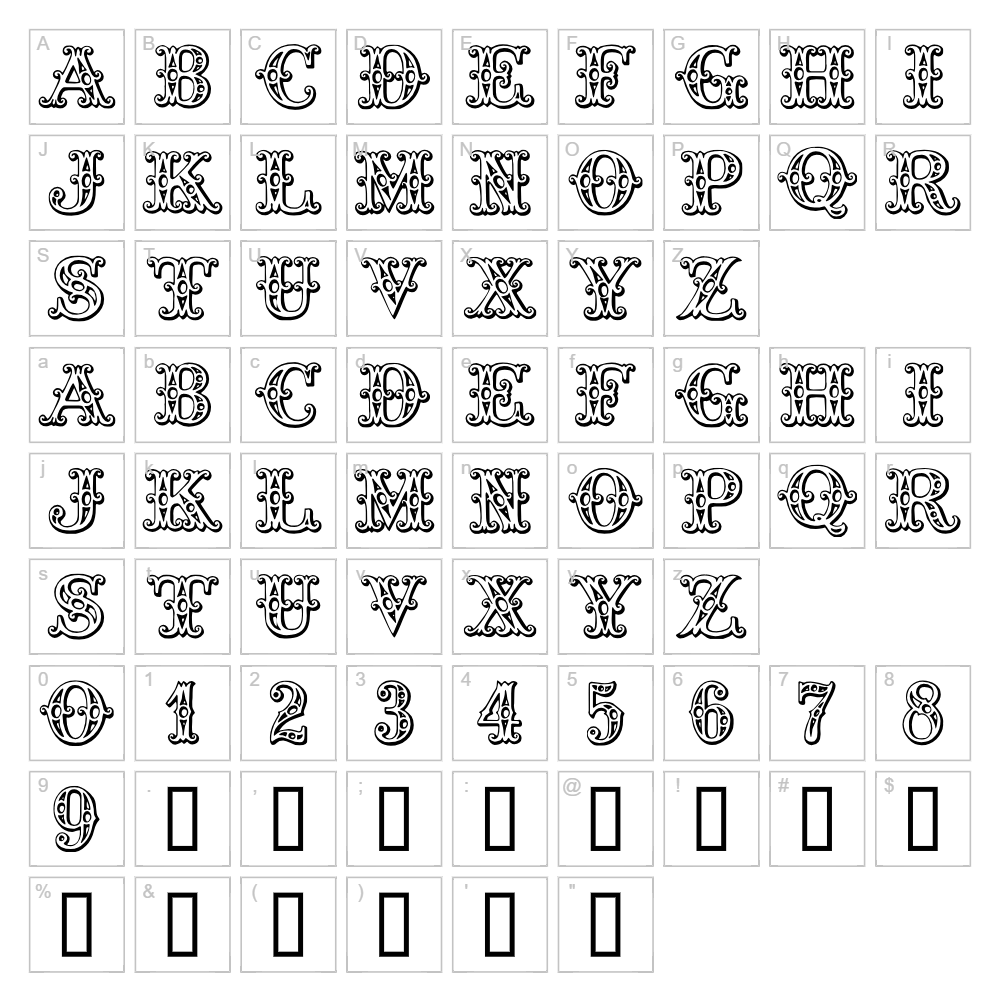
Character Map
Download Tropicana Font
Downloads as a ZIP file. Check the license notes on this page before commercial use.
Font Files
- TROPICAN.TTF
Font Details
- License:Free for personal use
- Author:
About Tropicana
Tropicana is a vibrant, retro-inspired fancy typeface created by Listemageren that captures the playful spirit of vintage tropical design. With its flowing, decorative letterforms and organic curves, this font evokes mid-century nostalgia while maintaining a modern, eye-catching presence. The style features smooth, rounded strokes that give it a friendly yet sophisticated character, making it instantly recognizable and memorable. What sets Tropicana apart is its ability to bring warmth and personality to any creative project without feeling overdone or clichéd.
Best Uses for Tropicana
Tropicana excels in retro-themed branding, vintage poster design, and decorative signage where a bold, nostalgic aesthetic is desired. This font is perfect for t-shirt designs, vinyl decal projects, and Cricut crafts that benefit from its eye-catching decorative appeal. It also works beautifully for invitations, greeting cards, social media graphics, and any design that calls for a playful, tropical-inspired mood.
What Fonts Pair Well With Tropicana?
Tropicana pairs beautifully with clean, minimal sans-serif fonts that provide visual balance to its decorative style. Consider pairing it with Montserrat for modern projects, Playfair Display for elegant editorial layouts, or Roboto for a contemporary contrast. These combinations allow Tropicana to serve as an eye-catching headline while the paired font handles body text or secondary information with clarity.
License & Commercial Use
Tropicana is available for personal use. Please review the specific license terms from Listemageren before using this font commercially. When using Tropicana in any project, proper credit should be given to the designer. Font files may not be resold, redistributed, or modified without explicit permission from the foundry.
Frequently Asked Questions
Is Tropicana free for commercial use?
Tropicana is designated as free for personal use. If you plan to use this font for commercial projects, logos, merchandise, or client work, please verify the current license terms with Listemageren to ensure compliance.
What file formats does Tropicana come in?
Most fonts from independent designers like Listemageren are available in standard formats including TTF (TrueType) and OTF (OpenType). Check the download page to confirm which formats are included with Tropicana.
What fonts pair well with Tropicana?
Tropicana pairs excellently with sans-serif fonts like Montserrat, Roboto, or serif options like Playfair Display. See the Font Pairing section above for detailed pairing recommendations.
Can I use Tropicana for Cricut cutting projects?
Yes, Tropicana works wonderfully with Cricut machines for creating decorative cut designs. Its bold letterforms and smooth strokes translate beautifully to vinyl, cardstock, and other materials, making it ideal for personalized crafts and decorative projects.
How to Install Tropicana
- Download the Tropicana font file from the link above.
- Unzip the downloaded file to reveal the font file.
- Double-click the font file (typically a .ttf or .otf file) to open the font preview window.
- Click the "Install" button to add Tropicana to your system fonts.
- Restart your design software, and Tropicana will be available in your font list across all applications.
Use Tropicana With VectorDad Tools
Create stunning text designs with Tropicana using the VectorDad Word Art Generator, which instantly converts your text into ready-to-cut SVG files perfect for Cricut projects. For even more creative possibilities, try the Curved Text Generator to bend and shape Tropicana text along custom paths, unlocking endless design variations for your vinyl decals and craft projects.
Make Your Own Font
Like the look of Tropicana but want letters in your own style? Draw or trace each character as an SVG, then turn the set into an installable .ttf font with our SVG to TTF converter. It runs in your browser, with no signup.


