
Flores Font – Free Download (OTF, TTF, SVG)

About Flores
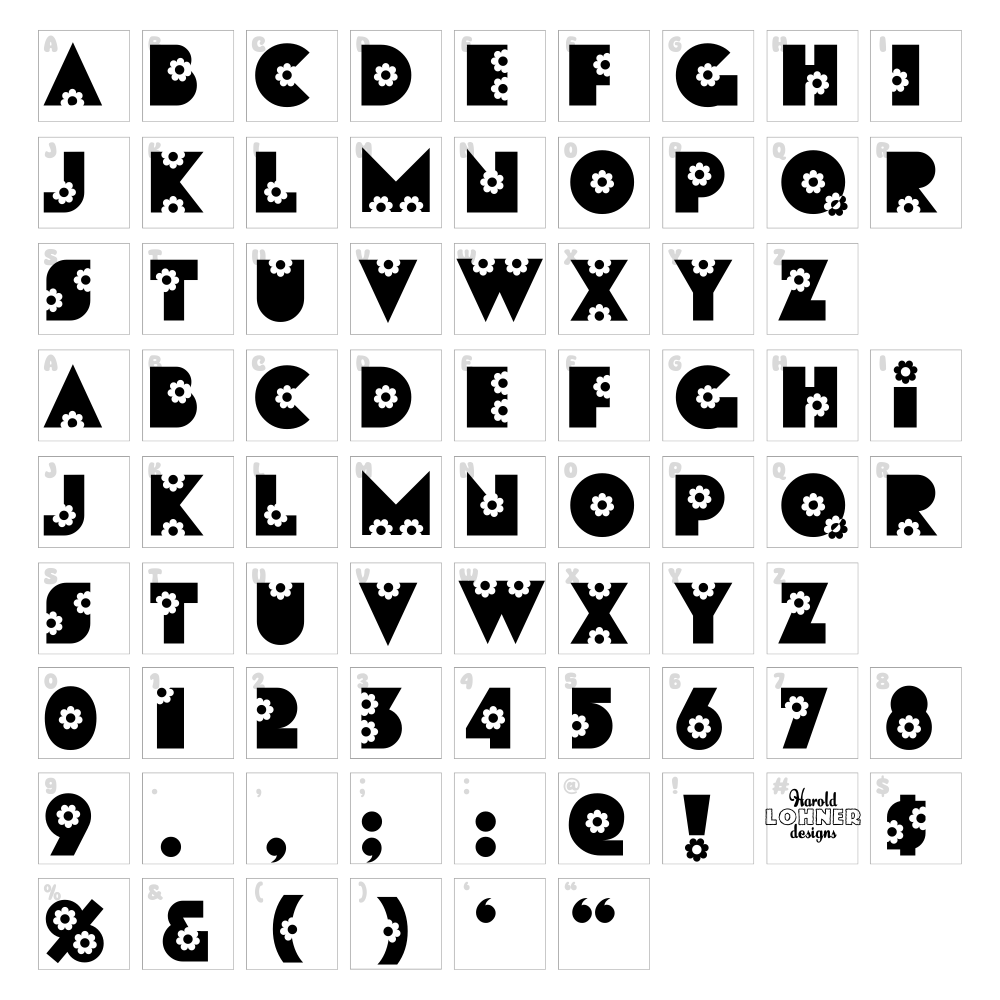
Flores is a stunning decorative typeface from Harold's Fonts that brings elegance and sophistication to any creative project. This fancy font features flowing, ornamental letterforms with graceful curves and intricate details that evoke a sense of botanical beauty and refinement. The design combines delicate stroke work with bold visual presence, making it perfect for projects that demand an upscale, artistic touch. Flores stands out as a versatile decorative option that balances ornamental complexity with legibility.
Best Uses for Flores
Flores excels in branding, logo design, and high-end marketing materials where sophisticated visual impact is essential. It's ideal for wedding invitations, event posters, editorial designs, and Cricut crafting projects like vinyl decals and custom signage. Whether you're creating merchandise labels, social media graphics, or printed collateral, Flores delivers the decorative elegance needed to make a memorable impression.
What Fonts Pair Well With Flores?
Pair Flores with Montserrat or Open Sans for a modern contrast that balances ornamental headers with clean, readable body text. For a more refined look, consider Playfair Display, a high-contrast serif that complements Flores' elegant personality while maintaining strong typographic hierarchy. All three pairing options are available free on Google Fonts.
License & Commercial Use
Flores is 100% free for commercial use, meaning you can use it in logos, branding, print materials, digital designs, websites, applications, and merchandise without licensing restrictions or fees. Commercial applications include creating branded packaging, business cards, promotional graphics, t-shirts, and any revenue-generating projects. You are only required to provide credit to Harold's Fonts when possible, and you cannot resell or redistribute the font files themselves. Always review the specific license terms on Harold's Fonts for any updates.
Frequently Asked Questions
Is Flores free for commercial use?
Yes, Flores is completely free for commercial use. You can use it in logos, branding, merchandise, print, digital, web, and app projects without restrictions or fees. A credit to Harold's Fonts is appreciated but not required.
What file formats does Flores come in?
Flores is typically available in standard font formats including TrueType (.ttf) and OpenType (.otf). Check the download package from Harold's Fonts to confirm available formats and compatibility with your operating system.
What fonts pair well with Flores?
Montserrat, Open Sans, and Playfair Display are excellent pairings with Flores. These fonts provide clean, readable alternatives that complement Flores' decorative style without overwhelming designs or creating visual conflict.
Can I use Flores in Cricut Design Space?
Yes, once installed on your computer, Flores will automatically appear in Cricut Design Space. You can use it to design vinyl decals, custom signage, t-shirt graphics, and other craft projects. For added creative options, try the VectorDad tools mentioned below.
How to Install Flores
- Download Flores from Harold's Fonts or VectorDad.com to your computer.
- Unzip the file to access the font files (.ttf or .otf).
- Double-click the font file you wish to install on your system.
- Click the Install button in the font preview dialog that appears.
- Flores is now ready to use in all design applications, Cricut Design Space, Microsoft Office, and web browsers.
Use Flores With VectorDad Tools
Maximize Flores' decorative potential by using the VectorDad Word Art Generator to create stunning text designs with effects, shadows, and creative styling for your projects. For curved and circular text layouts, the Curved Text Generator allows you to bend Flores along custom paths, perfect for Cricut SVG projects and professional design work.


