
Jumping Font – Free Download (OTF, TTF, SVG)

About Jumping
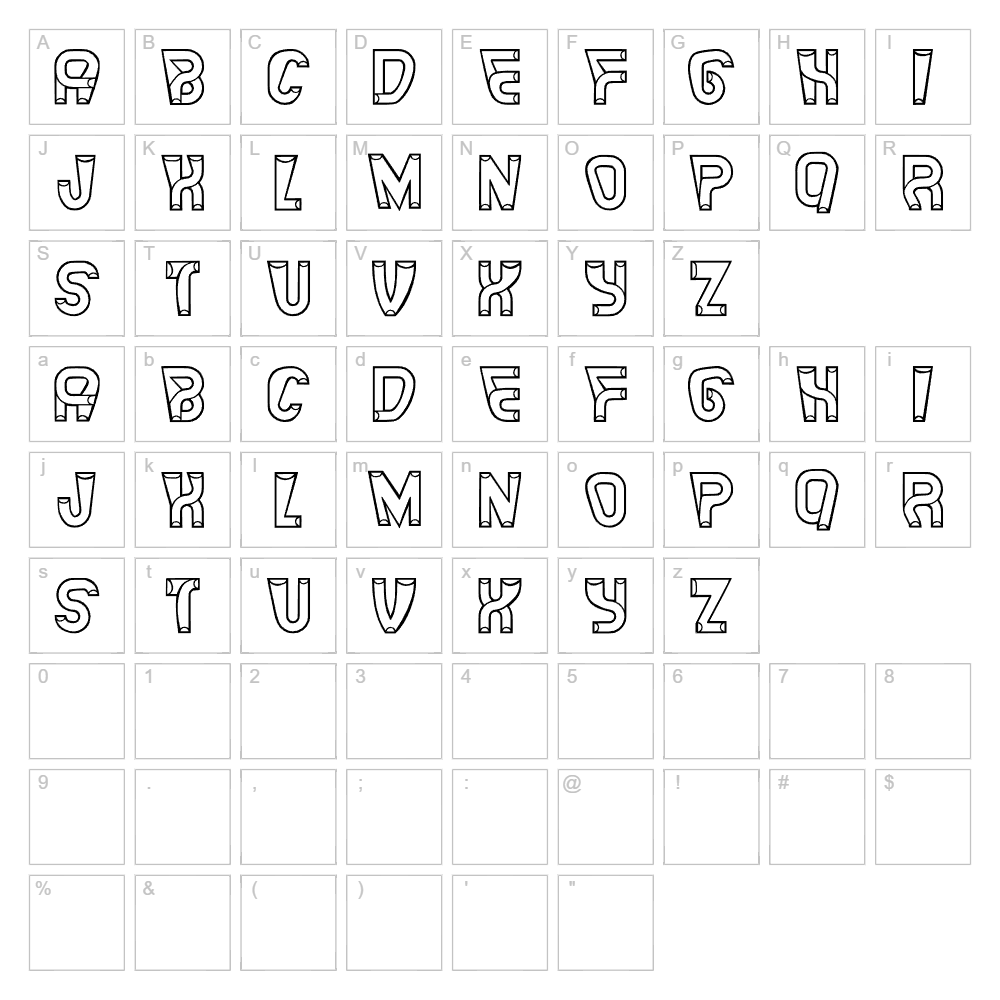
Jumping is a lively decorative typeface designed by Vladimir Nikolic that brings playful energy and dynamic movement to any design project. With its distinctive bouncy letterforms and expressive character, this font captures a sense of joy and lightheartedness perfect for designs that need personality. The carefully crafted strokes create an approachable yet artistic aesthetic that works equally well in digital and print applications. Jumping stands out as a versatile decorative choice that maintains readability while delivering unmistakable visual impact.
Best Uses for Jumping
Jumping excels in creative branding, eye-catching event posters, greeting cards, and social media graphics where personality is essential. This font is ideal for Cricut vinyl decal projects, t-shirt designs, and decorative signage that demands attention and charm. Whether you're creating logos for playful brands, children's book covers, or fun promotional materials, Jumping delivers the whimsical touch that makes designs memorable.
What Fonts Pair Well With Jumping?
Jumping pairs beautifully with clean, minimal sans-serif fonts that provide visual balance. Consider pairing it with Roboto or Open Sans (both free on Google Fonts) for a modern contrast, or choose Lora, a elegant serif option, to blend playful decorative elements with sophisticated body text.
License & Commercial Use
Jumping is 100% free for commercial use, allowing designers and crafters to use the font in logos, branding materials, print publications, digital products, web designs, mobile applications, and merchandise without licensing restrictions. You may use Jumping for client work, product packaging, marketing campaigns, and any commercial venture. Attribution to designer Vladimir Nikolic is appreciated but not required. However, you may not resell, redistribute, or repackage the font files themselves.
Frequently Asked Questions
Is Jumping free for commercial use?
Yes, Jumping is completely free for commercial use. You can use it for logos, branding, print materials, digital products, merchandise, web projects, and client work without any licensing fees or restrictions.
What file formats does Jumping come in?
Jumping is available in standard font formats including TTF and OTF, ensuring compatibility with Windows, Mac, and Linux systems, as well as design software like Photoshop, Illustrator, Cricut Design Space, and Canva.
What fonts pair well with Jumping?
Jumping pairs well with minimalist sans-serif fonts like Roboto and Open Sans for modern contrast, or with serif options like Lora to balance playful decorative elements with sophisticated body text in multi-font designs.
Can I use Jumping for Cricut and vinyl cutting projects?
Absolutely. Jumping works excellently for Cricut projects, vinyl decals, and heat transfer designs. Its bold letterforms maintain clarity when cut or applied to various surfaces, making it a popular choice for personalized crafts and custom merchandise.
How to Install Jumping
- Download the Jumping font file from VectorDad.com to your computer.
- Unzip the downloaded folder to access the font files.
- Double-click the font file (TTF or OTF) to open the font preview window.
- Click Install to add Jumping to your system font library.
- Restart your design applications, and Jumping will appear in all font menus across Photoshop, Illustrator, Cricut Design Space, Canva, and other creative software.
Use Jumping With VectorDad Tools
Take your Jumping font designs further with the VectorDad Word Art Generator, which instantly converts text into scalable SVG graphics perfect for Cricut projects. Enhance your designs with the Curved Text Generator to bend and shape Jumping text along custom paths, creating dynamic curved layouts for vinyl decals and craft projects.
Make Your Own Font
Like the look of Jumping but want letters in your own style? Draw or trace each character as an SVG, then turn the set into an installable .ttf font with our SVG to TTF font maker. It runs in your browser, with no signup.


