
Zucker Font – Free Download (OTF, TTF, SVG)

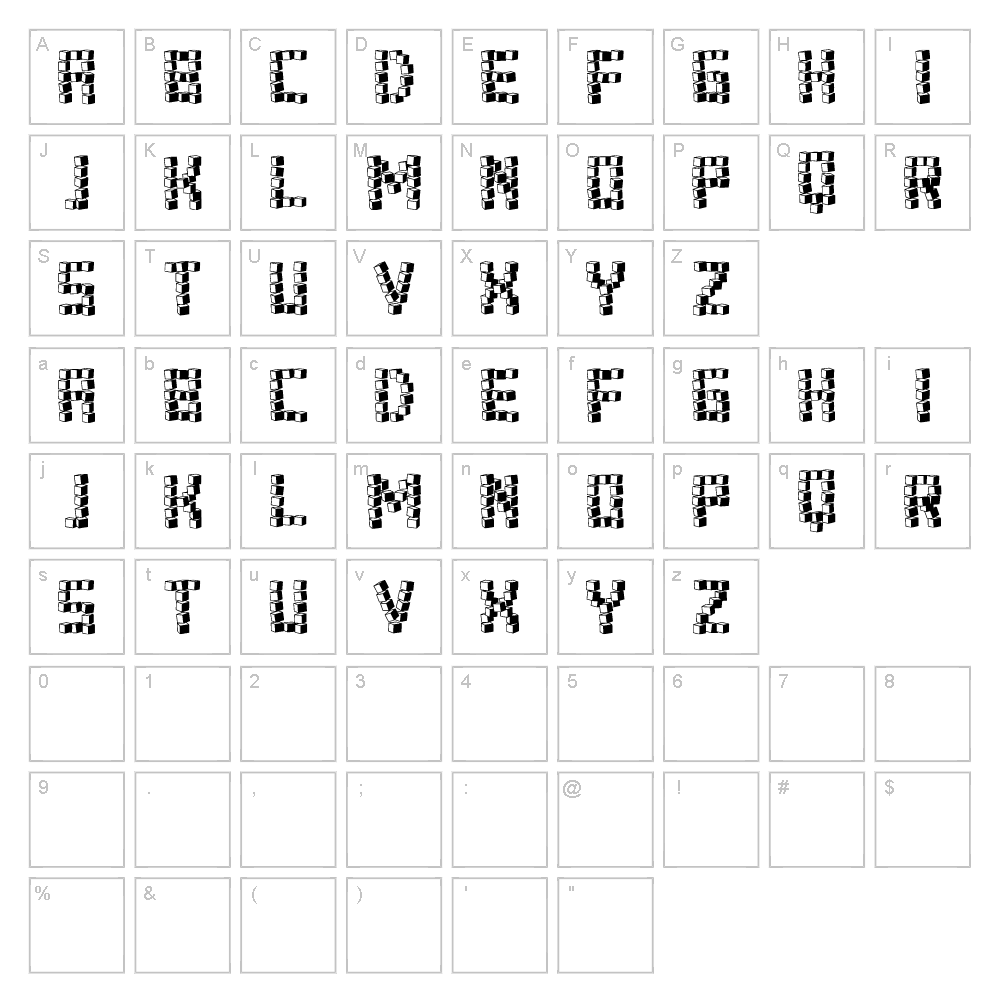
Character Map
Font Files
- Zucker.ttf
- ZuckerIlluminated.ttf
Font Details
- License:Free for commercial use
- Author:
About Zucker
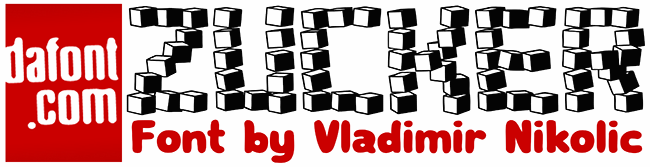
Zucker is a striking decorative font designed by Vladimir Nikolic that combines bold, geometric letterforms with refined elegance. Its distinctive stroke weight and angular construction give it a modern yet timeless appeal, making it stand out in any design project. The font's character lies in its ability to command attention while maintaining excellent readability, even at smaller sizes. Whether you're crafting luxury branding or playful editorial designs, Zucker brings a sophisticated edge to your creative work.
Best Uses for Zucker
Zucker excels in logo design, branding systems, and high-impact headlines where visual distinction is essential. This font is perfect for poster design, vinyl decals, Cricut craft projects, and product packaging that demands a premium aesthetic. It also works beautifully for editorial spreads, event signage, and any project where you need typography that captures attention and conveys confidence.
What Fonts Pair Well With Zucker?
Zucker pairs exceptionally well with clean, minimalist sans-serif fonts. Consider pairing it with Roboto or Open Sans from Google Fonts for body text and supporting copy that won't compete with Zucker's decorative presence. For a more elegant combination, try pairing Zucker with Lora, a sophisticated serif font that balances the geometric nature of Zucker beautifully.
License & Commercial Use
Zucker is 100% free for commercial use. You may use this font to create logos, design print materials, develop digital products, build websites, design mobile applications, and produce branded merchandise without restriction. All you need to do is credit Vladimir Nikolic as the designer. However, you may not resell or redistribute the font files themselves. For full license details, always review the font's official license agreement before use.
Frequently Asked Questions
Is Zucker free for commercial use?
Yes, absolutely. Zucker is 100% free and licensed for all commercial applications including logos, print materials, digital designs, websites, apps, and merchandise. Simply credit Vladimir Nikolic as the designer.
What file formats does Zucker come in?
Zucker is available in standard font formats including TTF (TrueType) and OTF (OpenType), ensuring compatibility with Mac, Windows, and design software like Adobe Creative Suite, Canva, and Cricut Design Space.
What fonts pair well with Zucker?
Zucker pairs beautifully with minimal sans-serif fonts like Roboto and Open Sans for body copy, or with the elegant serif font Lora for a more sophisticated contrast. The key is choosing a secondary font that won't compete with Zucker's bold decorative presence.
Can I use Zucker for Cricut and vinyl cutting projects?
Yes, Zucker works wonderfully for Cricut cutting projects. Import it into Cricut Design Space to create custom vinyl decals, t-shirt designs, wall art, and personalized gifts. Its clear letterforms cut cleanly and precisely.
How to Install Zucker
- Download the Zucker font file from VectorDad in your preferred format (TTF or OTF).
- Unzip the downloaded file to access the font files on your computer.
- Double-click the font file to open the font preview window.
- Click the Install button to add Zucker to your system fonts.
- Restart your design applications, and Zucker will be available in all font menus.
Use Zucker With VectorDad Tools
Transform Zucker into custom word art designs with the VectorDad Word Art Generator, perfect for creating unique Cricut SVG projects and vinyl designs. Take your creativity further with the Curved Text Generator to bend and shape Zucker text along custom paths for stunning artistic effects.


