
Engraved Font – Free Download (OTF, TTF, SVG)

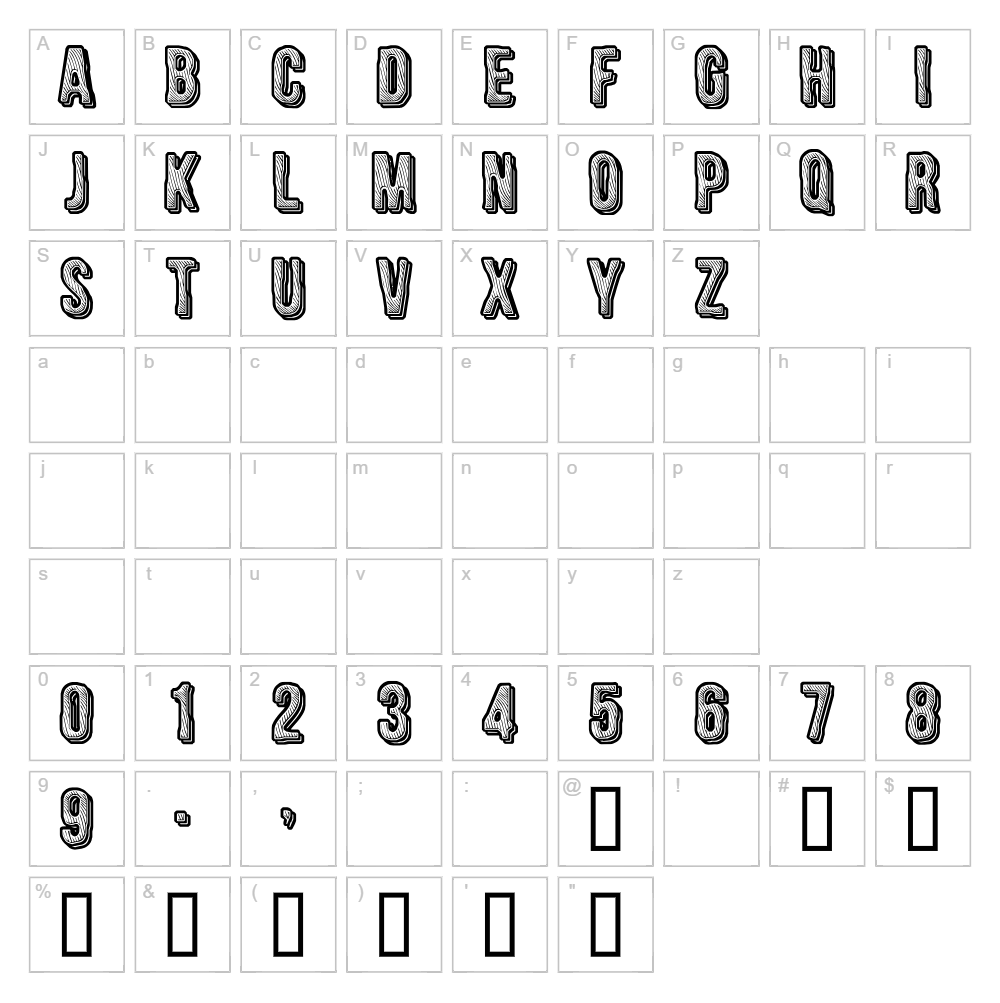
Character Map
Download Engraved Font
Downloads as a ZIP file. Check the license notes on this page before commercial use.
Font Files
- CFEngraved-Regular.ttf
Font Details
- License:Free for personal use
- Author:
About Engraved
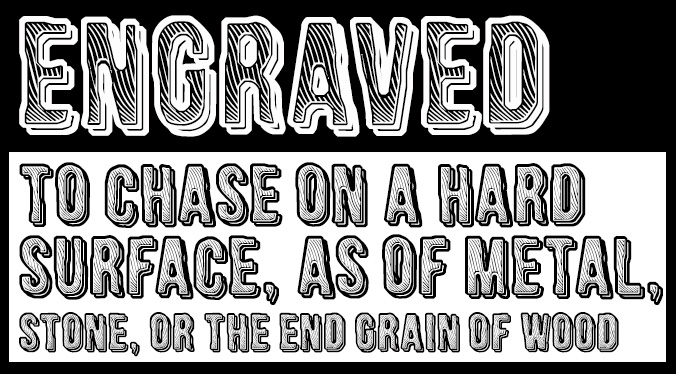
Engraved is a striking decorative typeface by Cloutierfontes that brings an ornamental, hand-crafted aesthetic to any design project. With its intricate letterforms and refined strokes, this font evokes the elegance of traditional engraving and etching techniques. The design works beautifully for projects that demand sophistication and visual impact, making it ideal for designers seeking a fancy, upscale appearance. Each character is carefully styled to create a cohesive decorative experience that stands apart from standard typefaces.
Best Uses for Engraved
Engraved excels in logo design, branding materials, and high-end packaging where sophisticated aesthetics are essential. This font is perfect for Cricut craft projects, vinyl decals, invitation designs, and signage that needs to command attention. Use it sparingly in headlines, titles, and decorative elements rather than body text to maximize its visual impact and maintain readability.
What Fonts Pair Well With Engraved?
Engraved pairs beautifully with clean, minimalist sans-serif fonts that provide contrast and balance. Consider pairing it with Lato or Montserrat from Google Fonts for a modern-classic combination. For a more traditional look, Playfair Display works well alongside Engraved in editorial and luxury branding contexts.
License & Commercial Use
Engraved is provided free for personal use under the Cloutierfontes license. Before using this font commercially, verify the current license terms with Cloutierfontes, as commercial rights may require permission or a separate license agreement. Commercial applications—including logos, print materials, digital designs, web projects, apps, and merchandise—may be restricted depending on the foundry's specific terms. Always credit Cloutierfontes in your project materials when required. Reselling or redistributing the font files is strictly prohibited under all circumstances.
Frequently Asked Questions
Is Engraved free for commercial use?
Engraved is marked as free for personal use only. Commercial use, including logos and merchandise, requires verification with Cloutierfontes to ensure compliance with their license terms. Always check the foundry's latest licensing information before using the font commercially.
What file formats does Engraved come in?
Engraved is typically available in standard font formats such as TTF (TrueType) and OTF (OpenType), which are compatible with Windows, Mac, and design applications. Download the font file to confirm all available formats before installation.
What fonts pair well with Engraved?
Engraved pairs best with clean, minimalist sans-serif fonts like Lato and Montserrat for contrast, or with Playfair Display for traditional, elegant designs. See Section 3 above for detailed pairing recommendations.
Can I use Engraved for Cricut design projects?
Yes, Engraved works well with Cricut machines for vinyl decals, custom signage, and decorative cuts. The font's ornate letterforms create striking visual effects on decals and craft projects—use the VectorDad Word Art Generator to convert text to SVG paths optimized for cutting.
How to Install Engraved
- Download the Engraved font file from the download button on this page.
- Unzip the downloaded folder to access the font file (usually a .ttf or .otf file).
- Double-click the font file to open the font preview window.
- Click the Install button to add Engraved to your system fonts.
- Restart your design application—Engraved will now appear in your font list and be ready to use.
Use Engraved With VectorDad Tools
Transform your Engraved text into custom SVG designs using the VectorDad Word Art Generator, perfect for creating Cricut-ready projects and laser-cut designs. For curved or circular text effects, try the Curved Text Generator to maximize Engraved's decorative potential in your next craft project.
Make Your Own Font
Like the look of Engraved but want letters in your own style? Draw or trace each character as an SVG, then turn the set into an installable .ttf font with our SVG to TTF converter. It runs in your browser, with no signup.
Similar Fonts
If you like Engraved, you may also like these free fonts:


