
Jenna Sue Font – Free Download (OTF, TTF, SVG)

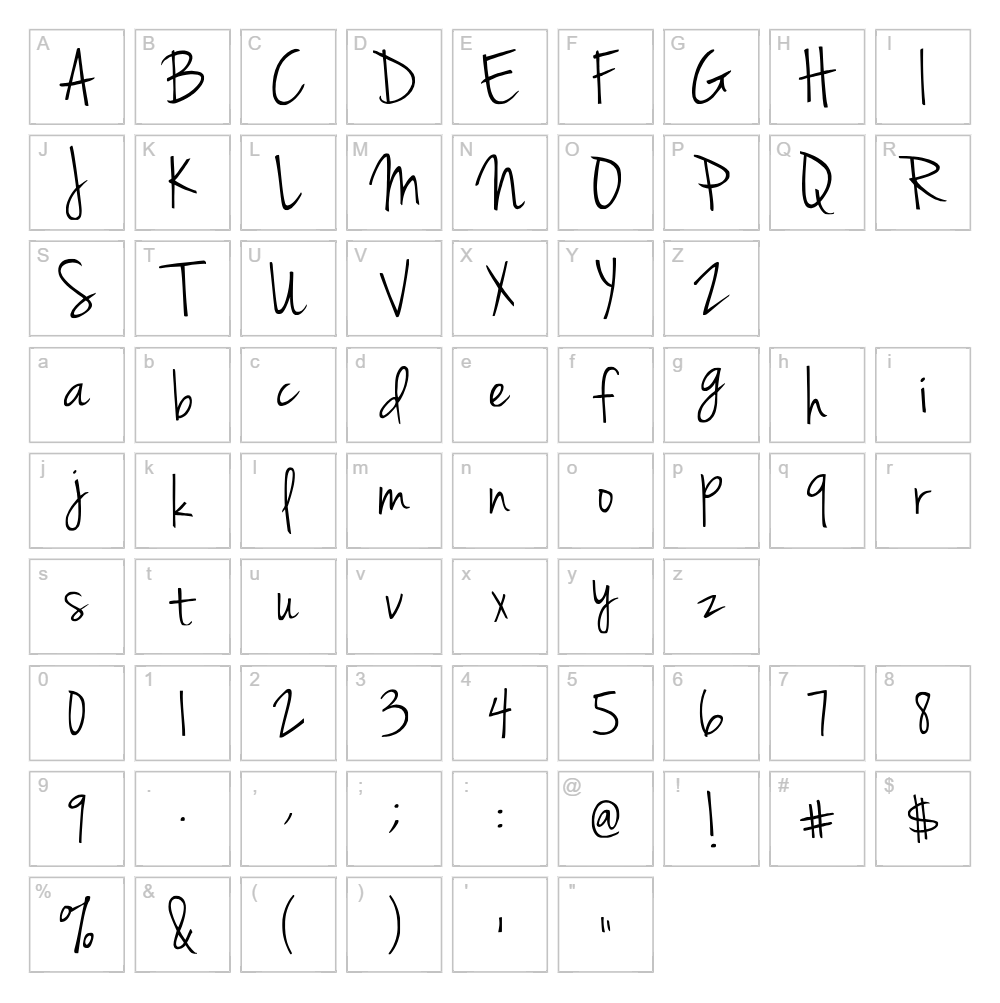
Character Map
Download Jenna Sue Font
Downloads as a ZIP file. Check the license notes on this page before commercial use.
Font Files
- JennaSue.ttf
Font Details
- License:Free for personal use
- Author:
About Jenna Sue
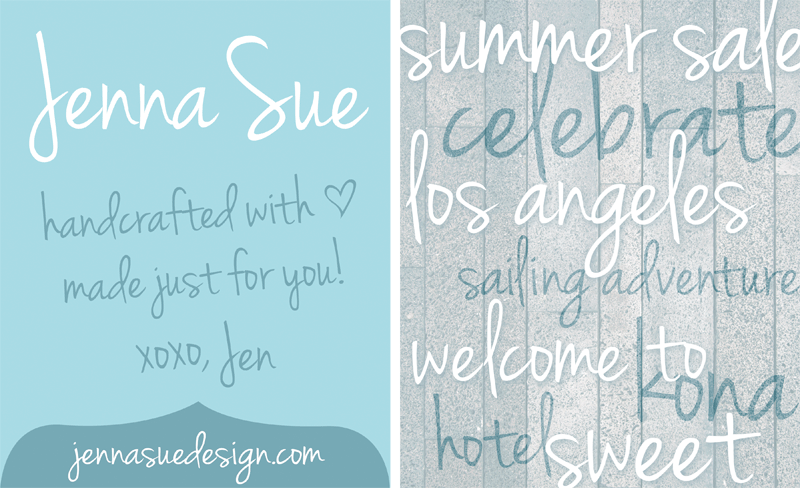
Jenna Sue is a flowing handwritten script font that captures the natural elegance of pen-to-paper lettering. Designed by jennasuedesignco, this typeface features smooth, connected strokes with a casual yet refined aesthetic that works beautifully across both digital and print applications. The font's organic curves and authentic handwriting style make it feel personal and approachable, perfect for designs that need warmth and character. Its versatility allows it to work equally well in modern, rustic, or feminine design contexts.
Best Uses for Jenna Sue
Jenna Sue excels in branding projects, wedding invitations, greeting cards, and personalized merchandise designs. It's an excellent choice for Cricut crafters creating vinyl decals, t-shirt designs, and home décor projects that benefit from a handwritten aesthetic. The font also works wonderfully for social media graphics, blog headers, and editorial designs where a personal, human touch enhances the overall message.
What Fonts Pair Well With Jenna Sue?
Jenna Sue pairs beautifully with clean, minimal sans-serif fonts. Consider pairing it with Montserrat or Lato from Google Fonts for a modern contrast, or use Playfair Display for a more sophisticated, editorial look. These pairings balance Jenna Sue's decorative script style with readable, contemporary typography.
License & Commercial Use
Jenna Sue is free for commercial use, meaning you can use it for logos, branding, print materials, digital projects, web design, applications, and merchandise without purchasing a license. Commercial applications include selling products featuring the font, creating client work, and using it in business contexts. You must provide credit to jennasuedesignco in your project credits whenever possible. However, you cannot resell, redistribute, or modify the font files themselves.
Frequently Asked Questions
Is Jenna Sue free for commercial use?
Yes, Jenna Sue is free for commercial use. You can use it for business projects, client work, merchandise, and professional applications without needing an extended license. Simply credit the designer, jennasuedesignco, when possible.
What file formats does Jenna Sue come in?
Jenna Sue is available in standard font formats including TrueType (.ttf) and OpenType (.otf), making it compatible with Windows, Mac, and most design software including Adobe Creative Suite, Canva, and Cricut Design Space.
What fonts pair well with Jenna Sue?
Jenna Sue pairs well with clean sans-serif fonts like Montserrat, Lato, and Roboto for modern designs, or with serif fonts like Playfair Display for elegant, editorial applications. The key is balancing the decorative script with simpler, more readable typefaces.
Can I use Jenna Sue for Cricut projects and vinyl decals?
Absolutely! Jenna Sue works beautifully for Cricut crafts, vinyl decals, t-shirt designs, and personalized merchandise. The handwritten style adds a personal, custom feel to these projects, and the font's smooth strokes translate well to cutting applications.
How to Install Jenna Sue
- Download the Jenna Sue font file from VectorDad.com to your computer.
- Unzip the downloaded folder to access the font file.
- Double-click the font file (.ttf or .otf) to open the font preview window.
- Click the "Install" button to add Jenna Sue to your system font library.
- Restart your design applications, and Jenna Sue will appear in your font dropdown menus.
Use Jenna Sue With VectorDad Tools
Create stunning word art and custom designs with Jenna Sue using the VectorDad Word Art Generator. For Cricut projects that need curved text, use the Curved Text Generator to wrap Jenna Sue along custom paths and create professional-looking designs ready for cutting.
Make Your Own Font
Like the look of Jenna Sue but want letters in your own style? Draw or trace each character as an SVG, then turn the set into an installable .ttf font with our SVG to TTF font maker. It runs in your browser, with no signup.


