
Library Font — Free Download (TTF, OTF, SVG)

About Library
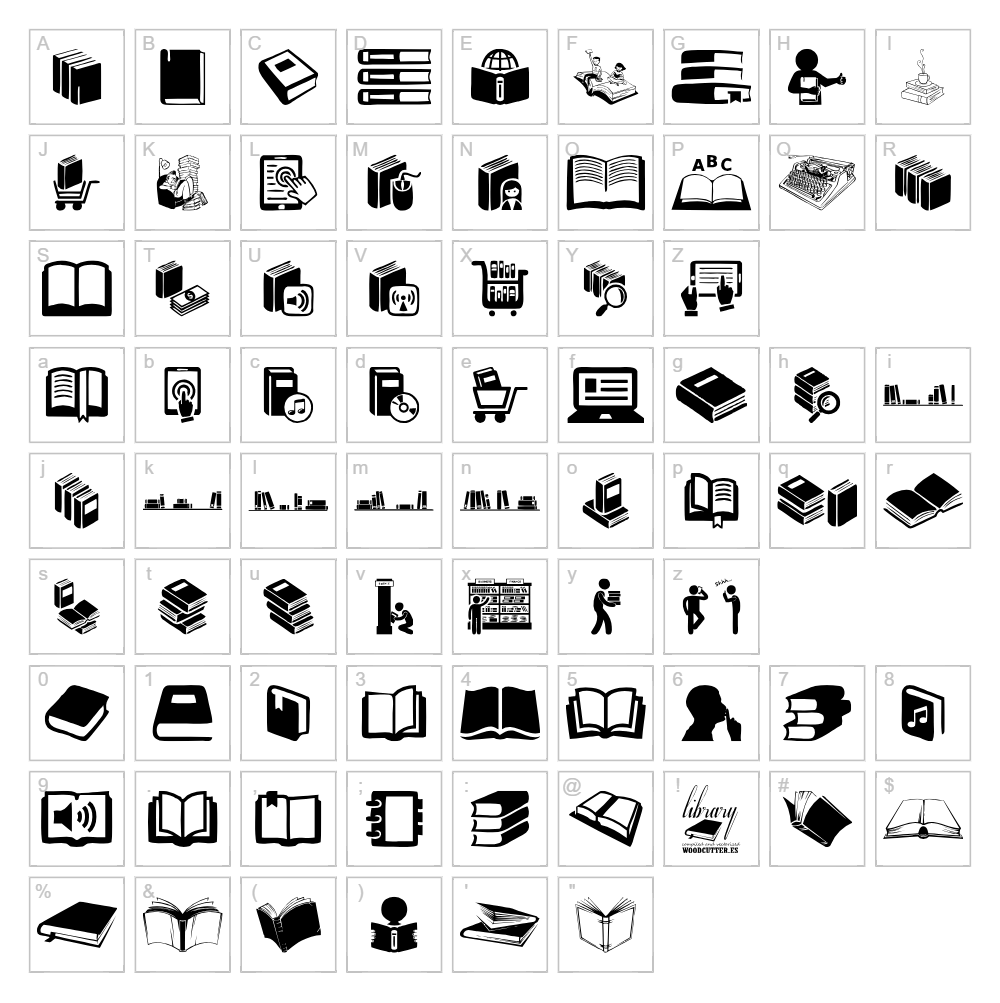
Library is a versatile dingbat font created by Woodcutter that brings decorative flair and symbolic character to your designs. With its collection of varied icons and ornamental marks, this typeface excels at adding visual interest without relying on traditional letterforms. The distinctive stroke quality and thoughtful design make Library an excellent choice for designers seeking unique embellishments and creative accents. Its wide range of glyphs offers flexibility for both subtle and statement-making applications.
Best Uses for Library
Library shines in decorative and ornamental applications such as scrapbooking layouts, greeting card designs, and Cricut craft projects where symbol-based creativity is valued. This dingbat font is perfect for creating custom vinyl decals, adding decorative borders to signage, or designing unique page elements for digital and print projects. It's also an ideal choice for crafters looking to add personality to t-shirt designs, custom stickers, and mixed-media artwork without relying on imagery alone.
What Fonts Pair Well With Library?
Library pairs beautifully with clean, modern sans-serif typefaces like Roboto or Open Sans, which provide readable contrast to its decorative nature. For a more elegant aesthetic, consider pairing Library with a classic serif font like Playfair Display to balance its ornamental qualities. These combinations work well for projects where you need both decorative accents and readable body text.
License & Commercial Use
Library is 100% free for commercial use, meaning you can use this font in logos, branding projects, printed materials, digital designs, websites, mobile applications, and merchandise without restriction. Commercial applications such as product packaging, promotional materials, and client-facing work are all permitted under the font's free license. To respect the designer's work, please credit Woodcutter when possible. However, reselling or redistributing the font files themselves is strictly prohibited.
Frequently Asked Questions
Is Library free for commercial use?
Yes, Library is completely free for commercial use. You can use it in logos, printed designs, digital projects, websites, apps, and merchandise without restrictions or licensing fees.
What file formats does Library come in?
Library is available in standard font formats including TTF (TrueType) and OTF (OpenType), ensuring compatibility with Windows, Mac, and most design software applications.
What fonts pair well with Library?
Library pairs well with clean sans-serif fonts like Roboto and Open Sans for modern designs, or with elegant serifs like Playfair Display for more sophisticated projects. See Section 3 above for detailed pairing recommendations.
Can I use Library for Cricut and cutting machine projects?
Absolutely! Library works excellently with Cricut machines and other cutting software for creating custom decals, stickers, and decorative vinyl designs. Its distinctive glyphs translate beautifully into physical crafts.
How to Install Library
- Download the Library font file from VectorDad.com to your computer.
- Unzip the downloaded folder to access the font files if they are compressed.
- Double-click the font file (usually named Library.ttf or Library.otf) to open the font preview window.
- Click the Install button to add Library to your system's font library.
- Restart your design applications and Library will be available in the font menu of all compatible software.
Use Library With VectorDad Tools
Take your Library font designs to the next level with the VectorDad Word Art Generator, which lets you create stunning visual text effects perfect for Cricut and vinyl cutting projects. Combine Library with the Curved Text Generator to bend and arc your dingbat designs along custom paths, opening up endless creative possibilities for decorative elements.
Make Your Own Font
Like the look of Library Font but want letters in your own style? Draw or trace each character as an SVG, then turn the set into an installable .ttf font with our SVG to TTF font maker. It runs in your browser, with no signup.


