
Vulcan Font – Free Download (OTF, TTF, SVG)

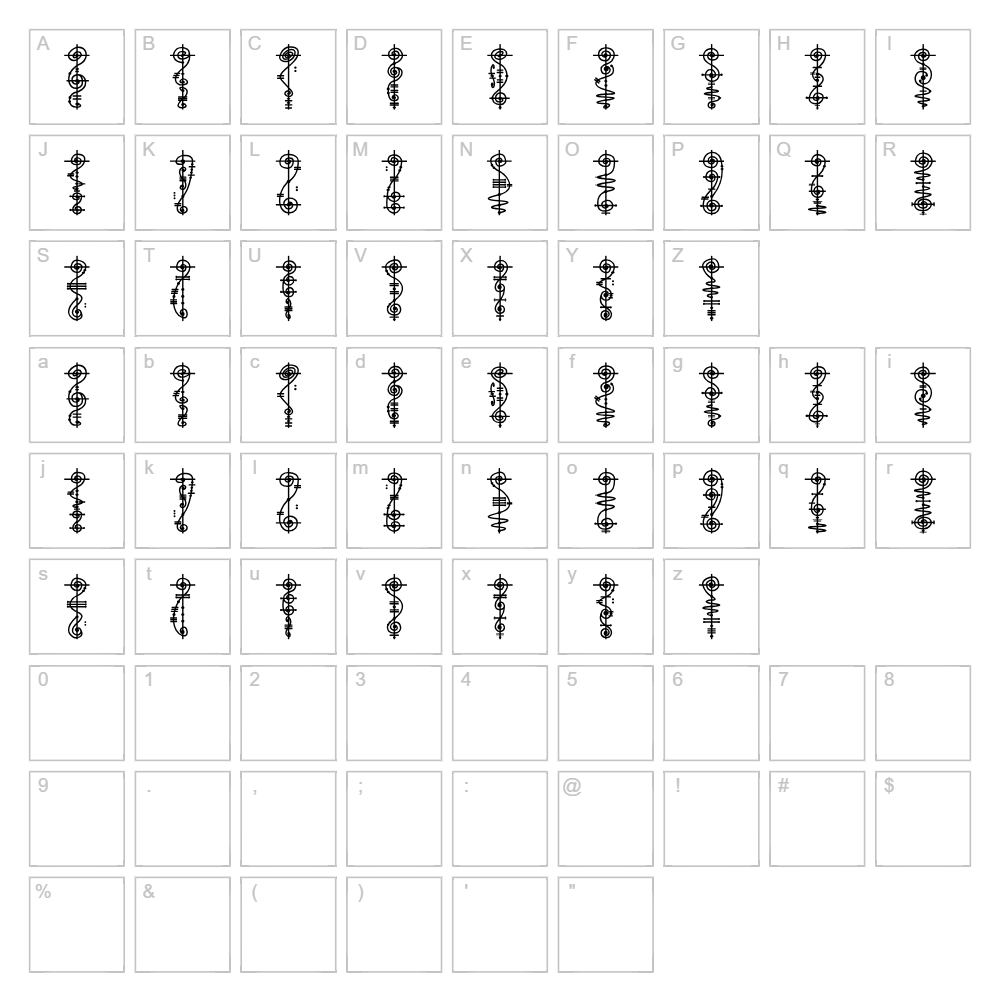
Character Map
Download Vulcan Font
Downloads as a ZIP file. Check the license notes on this page before commercial use.
Font Files
- Vulcan Script.ttf
Font Details
- License:Free for personal use
- Author:
About Vulcan
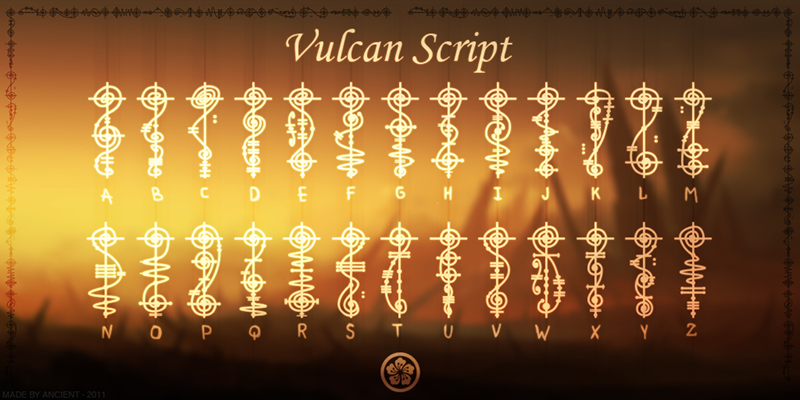
Vulcan is a striking dingbat font designed by Kira Polyarush that transforms geometric shapes and symbolic elements into a cohesive visual language. With its bold, clean linework and distinctive character set, Vulcan delivers impact without relying on traditional letterforms, making it an ideal choice for designers seeking visual variety and decorative flair. The font's neutral aesthetic allows shapes to stand independently or layer seamlessly in creative compositions. Vulcan's versatility lies in its ability to add modern dimensionality to both digital and print projects.
Best Uses for Vulcan
Vulcan excels in decorative applications including scrapbooking embellishments, Cricut vinyl decal projects, and custom merchandise design. Use it to create custom icons for branding systems, infographic elements, or as ornamental borders and dividers in editorial layouts. Its dingbat nature makes it particularly valuable for crafters and designers looking to add unique symbol libraries to greeting cards, stickers, and printed collateral without heavy design lifting.
What Fonts Pair Well With Vulcan?
Pair Vulcan with clean, legible sans-serif fonts like Roboto or Open Sans to balance decorative shapes with readable body text. For a more sophisticated pairing, combine it with Lora, a versatile serif font that complements geometric dingbat elements while maintaining professional visual hierarchy.
License & Commercial Use
Vulcan is free for personal use. Commercial licensing permits the use of this font in logos, branding systems, print materials, digital designs, web projects, mobile applications, and merchandise production. You may embed Vulcan in digital products and use it across unlimited commercial projects. Please provide credit to designer Kira Polyarush in project credits or documentation. Reselling, redistributing, or relicensing the font file itself is strictly prohibited.
Frequently Asked Questions
Is Vulcan free for commercial use?
Vulcan is free for personal use only. Commercial licensing must be obtained directly from the foundry or designer for use in business projects, branded materials, or paid products.
What file formats does Vulcan come in?
Vulcan is available in standard font formats including OTF and TTF, ensuring compatibility across Mac, Windows, and design software including Adobe Creative Suite, Affinity applications, and Cricut Design Space.
What fonts pair well with Vulcan?
Vulcan pairs beautifully with sans-serif fonts like Roboto and Open Sans for contemporary layouts, or with Lora serif for more elegant compositions. See the Font Pairing section above for detailed recommendations.
Can I use Vulcan shapes in Cricut projects?
Yes, Vulcan works seamlessly in Cricut Design Space. Upload the font file to your system, then use it within Design Space to create custom cut files for vinyl, cardstock, and other craft materials.
How to Install Vulcan
- Download the Vulcan font file from VectorDad.
- Unzip the downloaded folder to access the font files.
- Double-click the font file (OTF or TTF) to open the font preview window.
- Click the "Install" button to add Vulcan to your system fonts.
- Restart your design applications, and Vulcan will be available in all font menus.
Use Vulcan With VectorDad Tools
Bring Vulcan to life with the VectorDad Word Art Generator, which lets you create stunning SVG word art designs using any installed font—perfect for cutting custom shapes and designs in Cricut projects. Combine decorative shapes with the Curved Text Generator to bend Vulcan characters along paths and arcs, adding professional motion and visual interest to your craft and design work.
Make Your Own Font
Like the look of Vulcan but want letters in your own style? Draw or trace each character as an SVG, then turn the set into an installable .ttf font with our SVG to TTF font maker. It runs in your browser, with no signup.
Similar Fonts
If you like Vulcan, you may also like these free fonts:


