
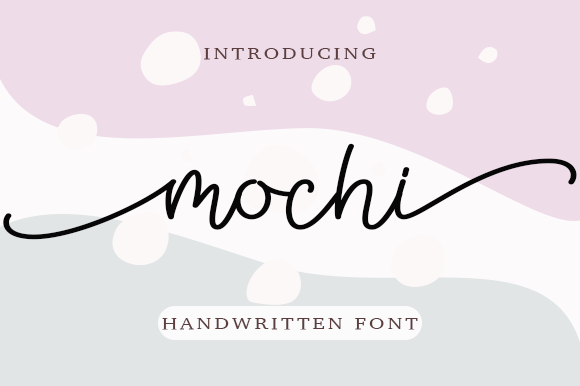
Mochi Font – Free Download (OTF, TTF, SVG)

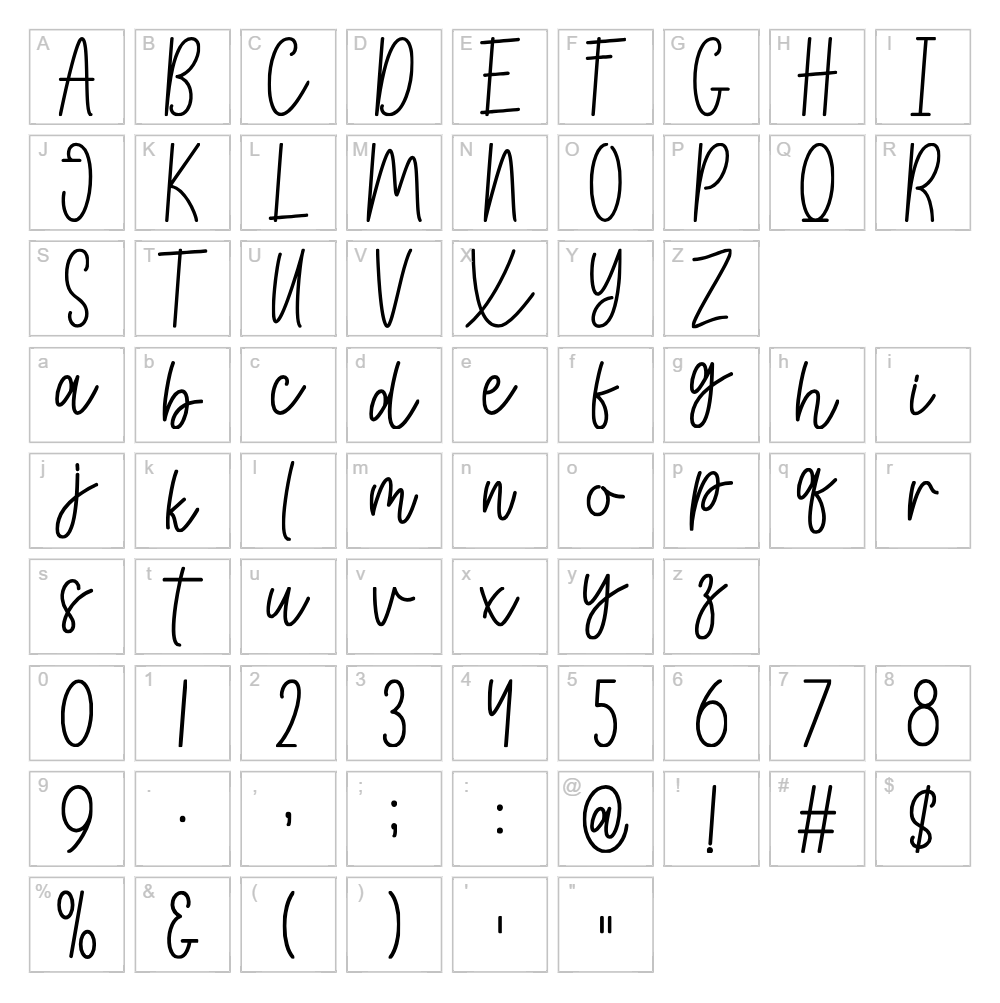
Character Map
Download Mochi Font
Downloads as a ZIP file. Check the license notes on this page before commercial use.
Font Files
- Mochi.otf
- Mochi.ttf
Font Details
- License:Free for personal use
- Author:
About Mochi
Mochi is a charming handwritten font designed by Wahyu Studio that captures the playful, organic essence of casual pen lettering. With smooth, flowing strokes and a friendly disposition, this typeface feels warm and approachable while maintaining excellent readability even at smaller sizes. The subtle irregularities in letterforms give Mochi authentic character without appearing overly distressed, making it equally suited for both digital and print applications. Its balanced weight and quirky personality make it a standout choice for designers seeking a personal touch in their creative work.
Best Uses for Mochi
Mochi excels in projects that demand personality and a human connection, including greeting card designs, social media graphics, handmade product labels, and small business branding. The font is particularly effective for Cricut crafters creating vinyl decals, t-shirt designs, and personalized gifts where a friendly, approachable tone enhances the final product. Editorial designers will also find Mochi valuable for magazine headers, blog titles, and promotional materials that benefit from a casual yet polished handwritten aesthetic.
What Fonts Pair Well With Mochi?
Mochi pairs beautifully with clean, minimalist sans-serif fonts that provide contrast and balance. Consider pairing it with Roboto for a modern, professional counterpoint, or Open Sans for a friendly yet structured companion. For a more refined combination, Playfair Display (a classic serif) creates elegant contrast that works well in upscale branding and editorial layouts.
License & Commercial Use
Mochi is available for free personal use and is also licensed for commercial applications. You are permitted to use this font in commercial projects including logo design, branded merchandise, print materials, digital products, web design, mobile applications, and packaging without additional licensing fees. When using Mochi professionally, attribution to Wahyu Studio is appreciated but not always required—please check the original license for specific credit requirements. However, reselling or redistributing the font files themselves is strictly prohibited under the terms of the license.
Frequently Asked Questions
Is Mochi free for commercial use?
Yes, Mochi is available for commercial use, allowing you to incorporate it into logos, packaging, merchandise, digital products, and print materials without additional licensing fees. Always verify the current license terms and provide attribution to Wahyu Studio when required.
What file formats does Mochi come in?
Mochi is typically available in standard font formats including TTF (TrueType) and OTF (OpenType), ensuring compatibility across Windows, Mac, and most design applications. Some distributions may also include WOFF formats for optimized web use.
What fonts pair well with Mochi?
Mochi pairs well with clean sans-serif fonts like Roboto and Open Sans, as well as elegant serifs like Playfair Display. These combinations provide visual balance between Mochi's playful handwriting style and more structured typefaces. See the Font Pairing section above for detailed recommendations.
Can I use Mochi for Cricut vinyl and craft projects?
Absolutely! Mochi's readable letterforms and organic strokes make it perfect for Cricut projects, vinyl decals, and personalized crafts. The font's friendly character enhances handmade and custom product designs, and you can use it to create custom SVG files for your cutting machine.
How to Install Mochi
- Download the Mochi font file from VectorDad or the designer's website.
- Unzip the downloaded folder to access the individual font files.
- Double-click the TTF or OTF font file to open the font preview window.
- Click the "Install" button to add Mochi to your system fonts.
- Restart your design application, and Mochi will be available in your font menu alongside all installed typefaces.
Use Mochi With VectorDad Tools
Create stunning word art and custom text designs using the VectorDad Word Art Generator, which supports Mochi and hundreds of other fonts for instant SVG creation. For curved and circular text effects perfect for Cricut projects, try the Curved Text Generator to bend Mochi's playful letterforms into unique designs.
Make Your Own Font
Like the look of Mochi but want letters in your own style? Draw or trace each character as an SVG, then turn the set into an installable .ttf font with our free font creator. It runs in your browser, with no signup.


