
Introduction
Why Photo to Outline Apps Are Trending
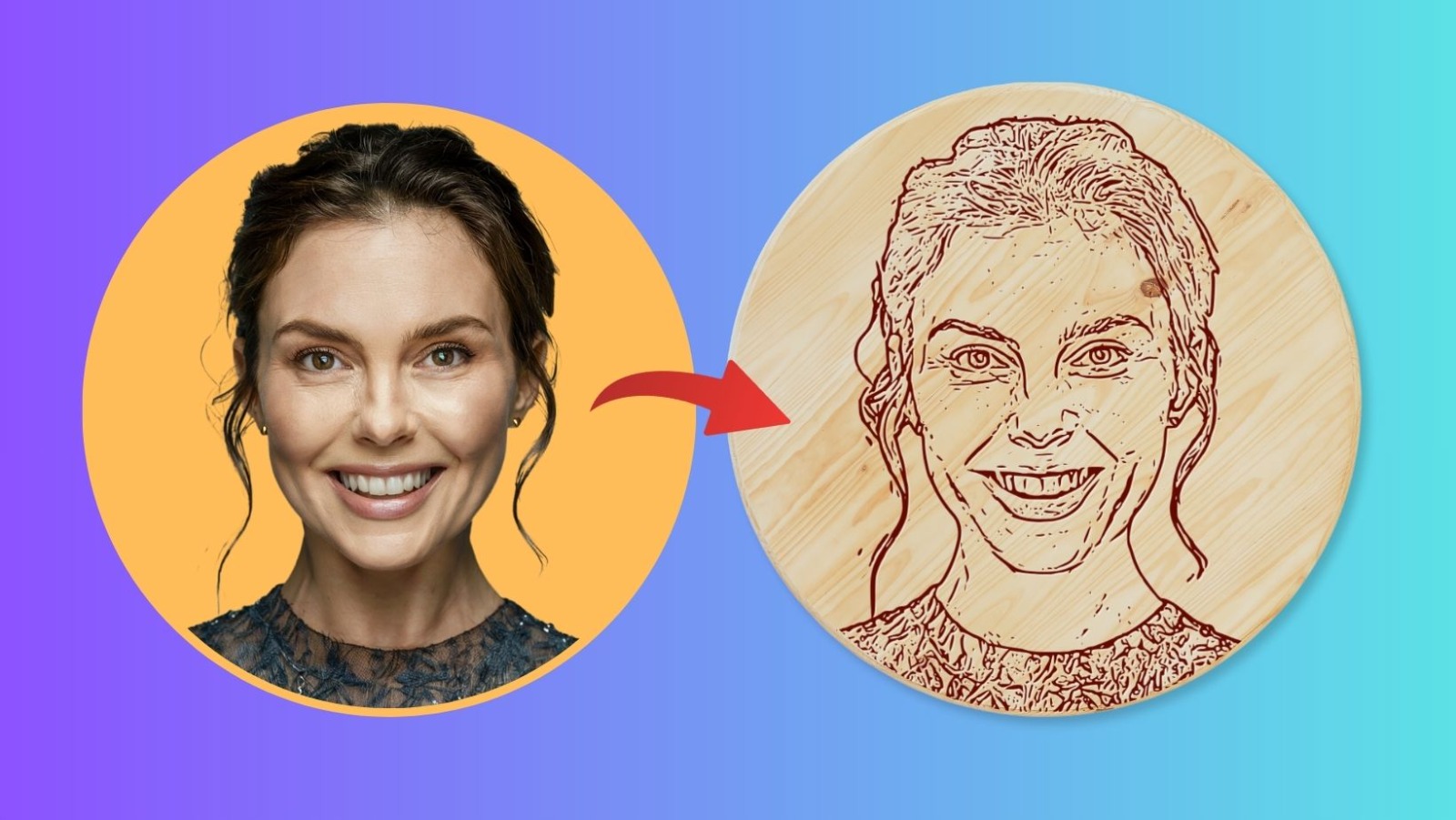
Photo to outline apps are rising in popularity. People want to transform photos into sketches and outlines quickly. In 2025, these apps offer new ways to create digital art. They use smart technology to turn images into clean, detailed drawings. Artists and hobbyists both use them to make unique creations. Businesses use them for marketing and branding. The demand for simple, powerful tools for sketch creation keeps growing.
Many apps now offer photo to outline features. Some use artificial intelligence for better results. Others focus on user-friendly interfaces. Users can turn portraits, landscapes, or product shots into sketches with a few taps. This trend makes sketching more accessible than ever before.
What Makes a Great Photo to Outline App?
A top photo to outline app should be easy to use. It should generate accurate outlines from any photo. Quality apps provide a range of filters and sketch styles. Some let you adjust thickness, contrast, or edge detail. Others add color or shading effects. These features help users customize their sketches.
Speed is important for these apps. People want quick results without waiting. Most leading apps process images in seconds. They also support high-resolution outputs for printing or sharing. Extra features, like batch processing or background removal, add value for professionals.
The Impact of AI and Technology in 2025
AI integration is changing the game for photo to outline apps. Modern algorithms are more precise than ever. The best apps in 2025 use machine learning to detect fine details in photos. They can separate subjects from backgrounds with accuracy. This makes the outlines crisp and clear.
As technology advances, these apps continue to improve. They support more devices and file types. New updates bring better performance and extra features. In 2025, anyone can create stunning sketches from photos in minutes. This opens creative possibilities for users at every skill level.
Criteria for Choosing a Photo to Outline App
Ease of Use and Interface
A good photo to outline app should have an intuitive interface. Users should access major features without searching through menus. An app with simple navigation helps beginners get started quickly. Clear icons, organized tools, and a minimal learning curve are important. Fast import and export options improve the user experience. Preview modes let users see changes before saving. Responsive apps work smoothly on most devices.
Quality of Outline and Customization
The best photo to outline apps offer high-quality edge detection. Accurate outlines preserve facial features and key details. Apps that allow for adjustments in line thickness or detail level are useful. Customization options help users create unique sketches. Some apps provide style filters for different sketch effects. Being able to adjust contrast and brightness improves results. Layer controls give users more flexibility with edits.
Supported Formats and Sharing Options
Format support is crucial for creativity. The app should import and export in common file types like JPG, PNG, or PDF. This helps with printing, sharing, or further editing. Built-in sharing features save time. Look for apps that connect to social media or cloud storage. Batch processing saves effort for users with many photos. Compatibility with both Android and iOS gives more flexibility. Regular updates keep formats and features current.
Top Photo to Outline Apps of 2025
Leading Apps for Turning Photos Into Outlines
Photo to outline apps have evolved rapidly. In 2025, several standout tools make creating sketches from photos easy. These apps use AI, customizable filters, and precise edge detection. Each option offers unique features for artists and casual users.
One of the top choices is Vector Dad. This app delivers instant sketch effects with a single tap. It supports batch processing for multiple images at once. Precision Outline Studio is another top performer. It provides detailed line control, variable thickness, and real-time preview. Both apps offer cloud saving and export options for sharing results.
Photoline Draw also earns a spot among the best. Its simple interface hides powerful tools for professional sketching. It supports layer management and custom brush settings. These features help users refine outlines for any project.
Comparison of Features and Usability
To help compare the top photo to outline apps for 2025, the table below summarizes key features:
|
App Name |
AI Features |
Batch Processing |
Custom Brushes |
Export Formats |
|
Vector Dad |
Yes |
Yes |
Yes |
PNG, JPG, SVG |
|
Precision Outline Studio |
Yes |
No |
Yes |
PNG, PDF |
|
Photoline Draw |
No |
Yes |
Yes |
JPG, SVG |
Each app focuses on making sketch creation accessible. AI-driven features allow users to adjust outlines with minimal effort. Batch processing saves time for artists working with multiple images. Export options enable easy sharing and printing.
Selecting an app depends on user preference and workflow needs. Some users want fast results without tweaking settings. Others prefer full control over outline details and line thickness.
User Experience and Support
Usability matters for both beginners and professionals. Vector Dad features guided tutorials and intuitive menus. This helps new users achieve results quickly. Precision Outline Studio offers advanced tools but remains user-friendly.
Photoline Draw provides in-app tips and a strong community forum. These resources answer questions and share techniques. Regular updates and responsive support teams keep each app reliable. Users can focus on creativity rather than troubleshooting. Support for various devices and platforms ensures accessibility for everyone.
Tips for Creating Stunning Sketches
Choosing the Right App and Tools
Start by selecting a top photo to outline app that matches your skill level. Look for features like customizable brushes, zoom, and layer support. Apps that allow easy switching between pencil, ink, and color can help bring sketches to life. Some apps come with built-in filters that quickly turn photos into outlines. Test a few apps to find the one that feels natural in your workflow.
Use a stylus for more accurate results, especially on tablets. Adjust brush opacity and thickness for better control over lines. Most photo to outline apps have tutorials or help sections—explore them to make the most of every feature. Try combining digital tools with manual sketches to create hybrid artwork.
Preparing the Best Photo for Sketching
A clear, high-contrast photo makes outlining easier. Choose images where your subject stands out from the background. Crop or adjust brightness to emphasize important details before importing into the app. Many photo to outline apps offer editing functions to tweak images for optimal sketch results.
Pay attention to lighting and shadow in your original photo. Good lighting improves edge detection for the app. If possible, take your own photos using natural light. Avoid busy backgrounds that can distract from the main subject. Sharpen your image before outlining for crisper lines.
Enhancing Sketches with Finishing Touches
Once the outline is generated, refine it by adjusting thickness and smoothing rough edges. Most top photo to outline apps let you add layers for coloring or shading. Use color sparingly to highlight key areas or add depth.
Experiment with blending different outline effects available in the app. Add texture by applying cross-hatching or stippling techniques digitally. Save versions as you work, so you can return to earlier stages if you want to make changes. Export your finished sketch in high resolution for printing or sharing online.
Conclusion
Choosing the Right Photo to Outline App
Finding the best photo to outline app depends on personal needs and style. Some apps focus on quick sketches, while others offer advanced editing tools. Key features to look for include AI-powered filters, customizable brushes, and clean interface design. Many popular apps allow exporting in multiple formats for sharing or printing. Considering user reviews can also help in choosing the most reliable app in 2025.
Top apps stand out by providing realistic sketch effects and high-quality outlines. Look for options that let you adjust line thickness, color, and background. Some even convert photos into vector art. The best photo to outline apps often have tutorials for beginners. This quickly helps new users master sketch creation.
Key Trends for 2025
In 2025, trends like AI-driven sketch enhancement will shape photo to outline app development. More apps now use machine learning to create lifelike outlines from photos. This ensures accurate details and impressive results every time. Cloud syncing is becoming important for seamless access across devices.
Cross-platform compatibility allows work on tablets, phones, and computers. New apps also focus on privacy and secure storage. Many apps add community features for sharing sketches, getting feedback, and joining creative challenges. These trends help users connect and learn from each other.
Making the Most of Your Sketches
Use your favorite photo to outline app to create custom gifts, digital art, or social media posts. Most apps support direct sharing to platforms like Instagram or Pinterest. Try experimenting with different filters and outline styles to find your signature look. Some apps also let you print sketches for unique home decor or gifts.
Practice is key to mastering any photo to outline app. The more sketches you create, the more comfortable you become with the features. Explore updates and new tools released by top apps in 2025 to stay ahead in digital sketching.