
Music Elements Font – Free Download (OTF, TTF, SVG)

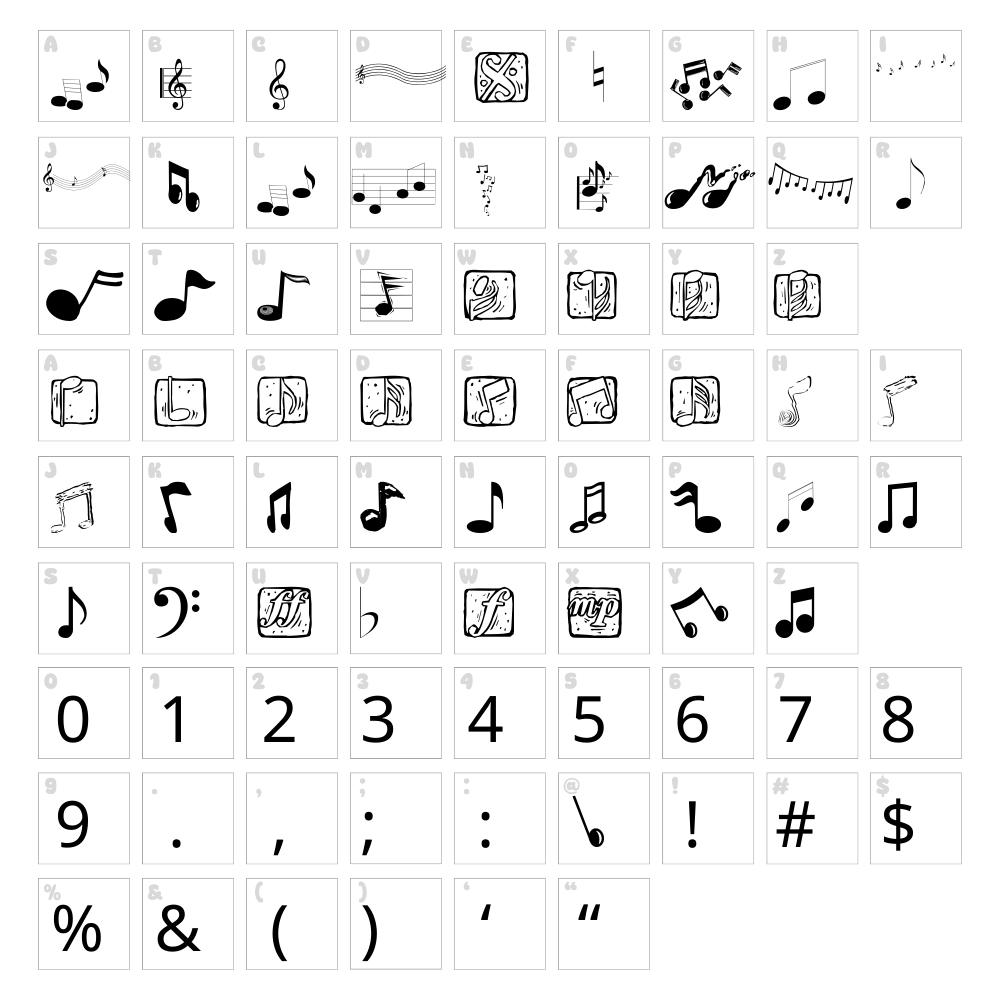
Character Map
Download Music Elements Font
Downloads as a ZIP file. Check the license notes on this page before commercial use.
Font Files
- MUSICELE.TTF
Font Details
- License:Free for personal use
- Author:
About Music Elements
Music Elements is a charming dingbat font created by Manfred Klein that transforms musical notation and instrument symbols into accessible, easy-to-use characters. Each glyph is carefully crafted with clean lines and balanced proportions, making musical icons instantly recognizable at any size. The font captures the essence of classic music typography while maintaining a modern, versatile appeal. Whether you're designing sheet music graphics, music-themed merchandise, or decorative elements, Music Elements brings authentic musical character to your creative work.
Best Uses for Music Elements
Music Elements excels in music-related branding, album artwork, event posters, and educational materials where musical symbols need to stand out. It's ideal for Cricut crafters creating vinyl decals, t-shirt designs, and personalized gifts with a musical theme. This dingbat font also works beautifully in web design, social media graphics, and print collateral for music schools, concert venues, and entertainment brands.
What Fonts Pair Well With Music Elements?
Music Elements pairs beautifully with Montserrat, a modern sans-serif that balances decorative dingbats with clean readability. For a more elegant approach, combine it with Lora, a classic serif that complements musical themes with sophistication. Open Sans is another excellent choice, offering neutral spacing that lets the music symbols take center stage without competing for attention.
License & Commercial Use
Music Elements is 100% free for commercial use, meaning you can use it in logos, branding, print materials, digital projects, merchandise, t-shirts, vinyl decals, and web applications without licensing fees. You're welcome to create and sell products featuring this font, from physical goods to digital downloads. Credit to designer Manfred Klein is appreciated but not required. However, reselling or redistributing the font files themselves is not permitted—always direct others to download directly from VectorDad.
Frequently Asked Questions
Is Music Elements free for commercial use?
Yes, Music Elements is completely free for commercial use. You can use it in client projects, merchandise, branding, print materials, digital products, and any business application without paying licensing fees.
What file formats does Music Elements come in?
Music Elements is available in multiple formats including TTF (TrueType), OTF (OpenType), and WOFF for maximum compatibility across design software, web platforms, and operating systems.
What fonts pair well with Music Elements?
Music Elements pairs well with Montserrat for modern designs, Lora for elegant projects, and Open Sans for clean, minimalist layouts. These fonts complement the musical dingbats without overwhelming the design.
Can I use Music Elements in Cricut Design Space?
Yes! Music Elements works perfectly in Cricut Design Space. Simply install the font on your computer, and it will appear in your Cricut font library, ready for vinyl decals, t-shirt designs, and other cutting projects.
How to Install Music Elements
- Download the Music Elements font file from VectorDad.com to your computer.
- Unzip the downloaded folder to extract all font files.
- Double-click the TTF or OTF font file to open the font preview window.
- Click the "Install" button to add Music Elements to your system fonts.
- Restart your design applications, and Music Elements will be available in all font menus.
Use Music Elements With VectorDad Tools
Create stunning word art with Music Elements using the VectorDad Word Art Generator, perfect for designing custom music-themed graphics and social media content. Take your designs further with the Curved Text Generator to arrange musical symbols along curves and create professional Cricut SVG projects.
Make Your Own Font
Like the look of Music Elements but want letters in your own style? Draw or trace each character as an SVG, then turn the set into an installable .ttf font with our SVG to TTF font maker. It runs in your browser, with no signup.
Similar Fonts
If you like Music Elements, you may also like these free fonts:


