
Dickie Font – Free Download (OTF, TTF, SVG)

About Dickie
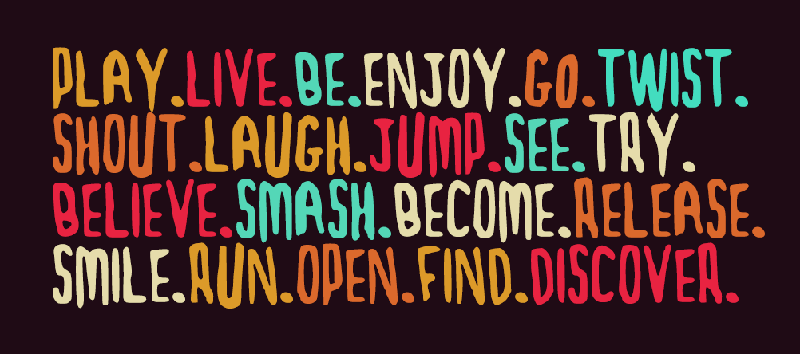
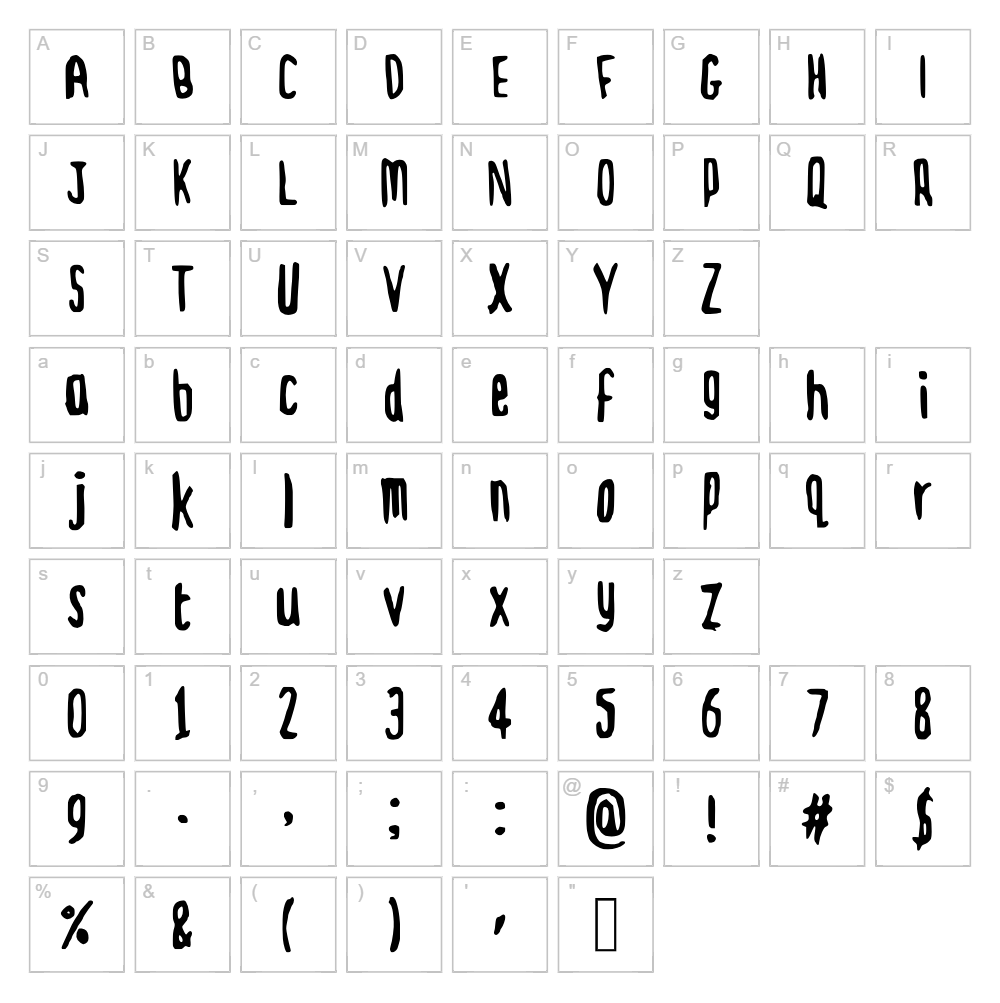
Dickie is a playful handwritten script font designed by Dave Ellis that captures the charm of casual, organic lettering. With its relaxed stroke flow and friendly character forms, Dickie brings a personal, approachable feel to any project. The font's natural variations and smooth curves create an authentic hand-drawn quality that stands out against rigid typefaces. Perfect for designers seeking warmth and personality in their typography, Dickie balances legibility with artistic flair.
Best Uses for Dickie
Dickie excels in branding projects, greeting cards, and social media graphics where a friendly, human touch is desired. This handwritten script is ideal for t-shirt designs, vinyl decals, Cricut projects, and custom merchandise that needs to feel personal and inviting. It also works beautifully for editorial headers, product packaging labels, and informal signage that celebrates creativity and individuality.
What Fonts Pair Well With Dickie?
Dickie pairs beautifully with clean, modern sans-serif fonts like Roboto or Open Sans to balance its organic script style with geometric stability. For a more sophisticated pairing, combine Dickie with the serif font Lora, which adds elegance while allowing the script to remain the focal point. These complementary combinations work across branding, web design, and print projects.
License & Commercial Use
Dickie is 100% free for commercial use, allowing designers, crafters, and businesses to use the font in logos, branding, print materials, digital designs, websites, mobile applications, and merchandise without restriction. You may use Dickie for client projects, product packaging, signage, and any commercial venture without licensing fees. Attribution to designer Dave Ellis is appreciated but not required. However, you may not resell, redistribute, or modify the original font files for profit.
Frequently Asked Questions
Is Dickie free for commercial use?
Yes, Dickie is 100% free for commercial use. You can use it in logos, branding, merchandise, websites, apps, and any paid project without limitations or licensing fees.
What file formats does Dickie come in?
Dickie is available in standard font formats including TTF (TrueType) and OTF (OpenType), ensuring compatibility across Windows, Mac, and creative software like Adobe Creative Suite, Canva, and Cricut Design Space.
What fonts pair well with Dickie?
Dickie pairs well with sans-serif fonts like Roboto and Open Sans for contrast, or with serif fonts like Lora for elegance. The key is pairing its playful script with clean, neutral typefaces to maintain readability and visual balance.
Can I use Dickie for Cricut cutting projects?
Absolutely! Dickie works wonderfully in Cricut Design Space for custom vinyl decals, t-shirt designs, and paper crafts. Its clear letterforms and smooth curves cut cleanly and produce professional results on all materials Cricut machines support.
How to Install Dickie
- Download the Dickie font file from VectorDad.com in TTF or OTF format.
- Unzip the downloaded file to access the font file on your computer.
- Double-click the Dickie font file to open the font preview window.
- Click Install to add the font to your system library (Windows) or Font Book (Mac).
- Restart your design applications, and Dickie will be available in all font menus across your creative software.
Use Dickie With VectorDad Tools
Transform Dickie into custom word art for your Cricut projects using the VectorDad Word Art Generator, which lets you create unique SVG designs instantly. For curved text effects and circular lettering layouts, try the Curved Text Generator to take your Dickie designs to the next level.
Make Your Own Font
Like the look of Dickie but want letters in your own style? Draw or trace each character as an SVG, then turn the set into an installable .ttf font with our SVG to TTF font maker. It runs in your browser, with no signup.


