
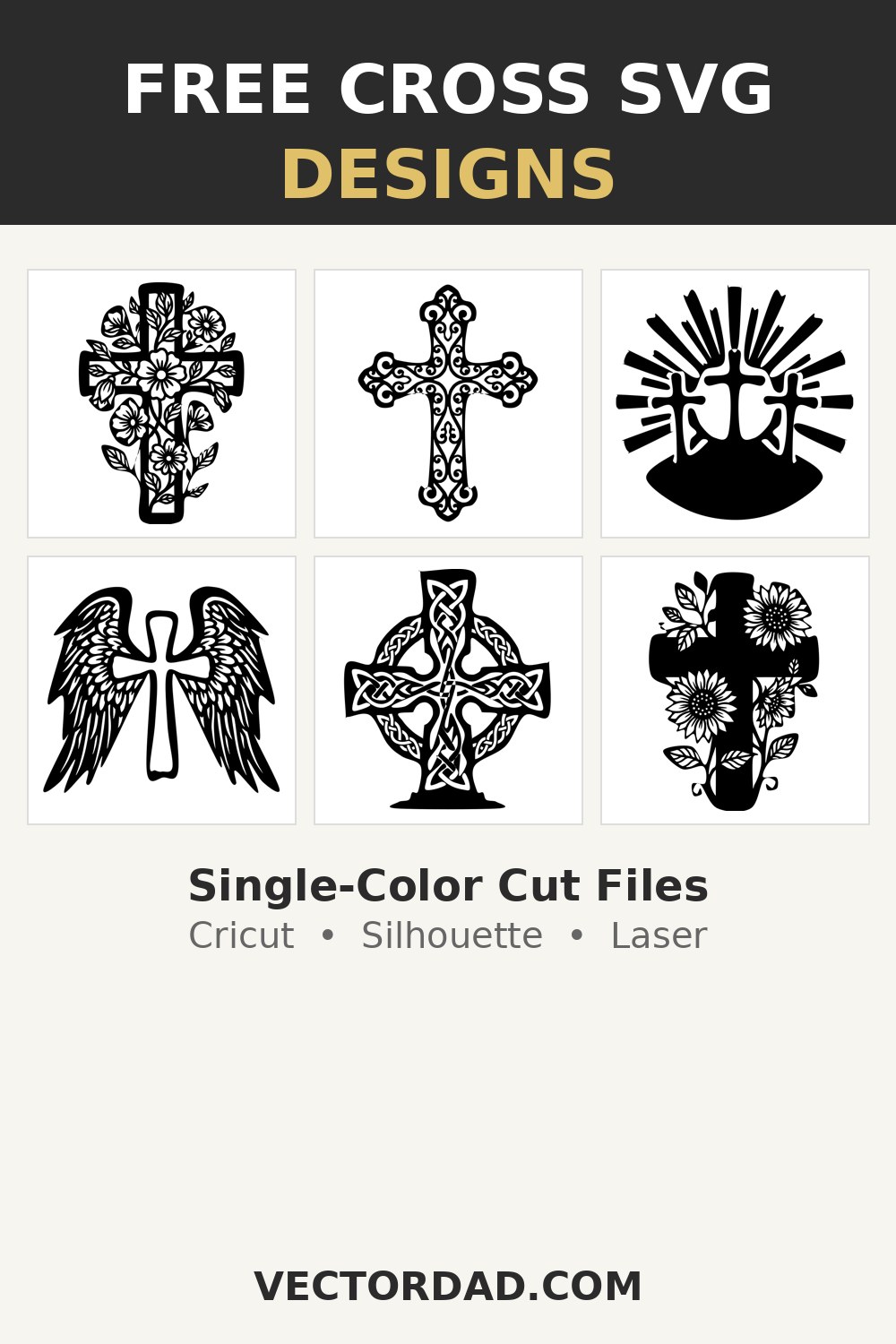
Bring a little faith to your craft table with this free collection of single-color cross SVG cut files — a floral cross, an ornate filigree cross, a rugged distressed cross, a three-crosses Calvary scene, a winged cross, a sunflower cross, a knotwork Celtic cross, a crown-of-thorns cross, a draped Easter cross and a Holy-Spirit dove cross, plus bold “Faith” and “Blessed” lettering. Every cross is one clean, connected silhouette you can recolor and resize right in your browser, then download as an SVG, PNG, JPG, or PDF — ready for Cricut, Silhouette, and laser cutters like Glowforge and xTool.












What’s included and the file formats you get
This hub gives you twelve ready-to-cut cross designs in a single, weeding-friendly color, from a delicate floral cross and a scrolling filigree cross to a rugged distressed cross, a Calvary scene with three crosses and sun rays, a feather-winged cross, a sunflower cross, a knotwork Celtic cross, a crown-of-thorns cross, a draped Easter cross, a Holy-Spirit dove cross, and bold “Faith” and “Blessed” lettering. Each one downloads as a true vector SVG for Cricut and Silhouette, a transparent PNG for sublimation and print-on-demand, a JPG for quick previews, and a print-ready PDF. Because they are single-color silhouettes, the interior details are cut as true open holes — perfect for weeding, contrasting backers, and clean laser engraving or cut-through work on wood and acrylic.
How to use these cut files in Cricut Design Space, Silhouette Studio and your laser
In Cricut Design Space, click Upload, choose the SVG, and add it to your canvas; because each cross is one connected shape with the detail cut as negative space, it weeds and cuts as a single piece — just size it and send it to the mat. In Silhouette Studio you’ll need the Designer Edition to open SVGs directly through File → Open; on the free edition, import the PNG and run the Trace tool to generate cut lines. For laser cutting on a Glowforge, xTool, or other machine, import the SVG into your laser software (such as Lightburn), set the interior holes and outline to cut or engrave, and the clean closed paths will score and cut cleanly on wood, acrylic, leather and slate. Always set your material first and run a small test cut so your blade depth or laser power is dialed in.
Cross design project ideas
These single-color crosses shine on faith t-shirts, hoodies, and tote bags, but they go much further: layered vinyl tumblers and mugs, church and Sunday-school signs, baptism and first-communion gifts, memorial keepsakes, and car or laptop decals. The connected silhouettes are ideal for laser-cut wood and acrylic wall crosses, ornaments, earrings, and shelf sitters, and they make beautiful engraved cutting boards, slate coasters, and leather bookmarks. The “Faith” and “Blessed” designs work great as standalone window decals or pillow covers, while the floral, sunflower, and filigree crosses add a decorative touch to cards, journals, and framed paper-cut art.
A quick layering and weeding tip
Start weeding from the smallest interior holes first — the gaps between petals and leaves, the openings in the filigree and Celtic knotwork, and the counters inside the “Faith” and “Blessed” lettering — using a bright weeding mat so the negative space is easy to see. Since these are single-color cuts you can stop there for a clean one-layer look, or back the design with a contrasting cardstock or vinyl layer to make the open holes pop. For laser work no weeding is needed — just make sure the small islands inside the design stay supported. Mirror your design before cutting any iron-on vinyl.
Frequently asked questions
Are these cross SVG files really free?
Yes. Every cross design on this page is free to download and use for personal projects and your own handmade items.
Can I sell shirts and crafts I make with these designs?
You can use them on finished physical products you make and sell in small quantities. What you can’t do is resell or redistribute the SVG or PNG file itself as a digital product.
Are these single-layer or multi-layer cuts?
They are designed as clean single-color, single-layer cuts. You can cut one color for a quick iron-on, or add a contrasting backer layer behind the open holes for a two-tone layered look.
Can I use these crosses on a Glowforge or xTool laser?
Yes. Each design is one connected silhouette with clean closed paths, so it imports straight into laser software and cuts or engraves cleanly on wood, acrylic, leather and slate.
What size should I cut a cross for a t-shirt?
A front-chest graphic is usually about 9–11 inches tall for adults and 6–7 inches for kids; a left-chest design is around 3–4 inches. Resize in the editor before downloading.
DESIGN, DOWNLOAD & SELL
You can use these cross SVG designs and templates on a wide range of materials — adhesive vinyl, heat-transfer vinyl, cardstock, glass, wood, acrylic, leather, shirts, mugs, tote bags and more.
The files open in all major design and laser software, including Adobe Illustrator, Inkscape, CorelDRAW, Cricut Design Space, Silhouette Studio and Lightburn. You can also sell the finished crafts you make with these designs on marketplaces like Etsy and Creative Fabrica, or at your local craft fair.
SUGGEST US
We are constantly enhancing this page by adding new cross designs and features. Please share any design or feature you would like us to add — contact us at vectordad24@gmail.com.
Pin it here
Related designs
More free faith and seasonal designs to explore: Inspirational SVG designs, Mama SVG designs, Nurse SVG designs, Boho SVG designs, Patriotic SVG designs, Fall SVG designs and Thanksgiving SVG designs.
Want to make your own cut files? Try our free Image Vectorizer, Vector Editor, Stencil Maker and Silhouette Maker tools to turn any picture into a clean, single-color SVG cut file.