
- Other Counties
- ▸ Alabama
- ▸ Alaska
- ▸ Arizona
- ▸ Arkansas
- ▸ California
- ▸ Colorado
- ▸ Connecticut
- ▸ Delaware
- ▸ Florida
- ▸ Georgia
- ▸ Hawaii
- ▸ Idaho
- ▸ Illinois
- ▸ Indiana
- ▸ Iowa
- ▸ Kansas
- ▸ Kentucky
- ▸ Louisiana
- ▸ Maine
- ▸ Maryland
- ▸ Massachusetts
- ▸ Michigan
- ▸ Minnesota
- ▸ Mississippi
- ▸ Missouri
- ▸ Montana
- ▸ Nebraska
- ▸ Nevada
- ▸ New Hampshire
- ▸ New Jersey
- ▸ New Mexico
- ▸ New York
- ▸ North Carolina
- ▸ North Dakota
- ▸ Ohio
- ▸ Oklahoma
- ▸ Oregon
- ▸ Pennsylvania
- ▸ Rhode Island
- ▸ South Carolina
- ▸ South Dakota
- ▸ Tennessee
- ▸ Texas
- ▸ Utah
- ▸ Vermont
- ▸ Virginia
- ▸ Washington
- ▸ West Virginia
- ▸ Wisconsin
- ▸ Wyoming
Wisconsin County Map: Editable & Printable State County Maps
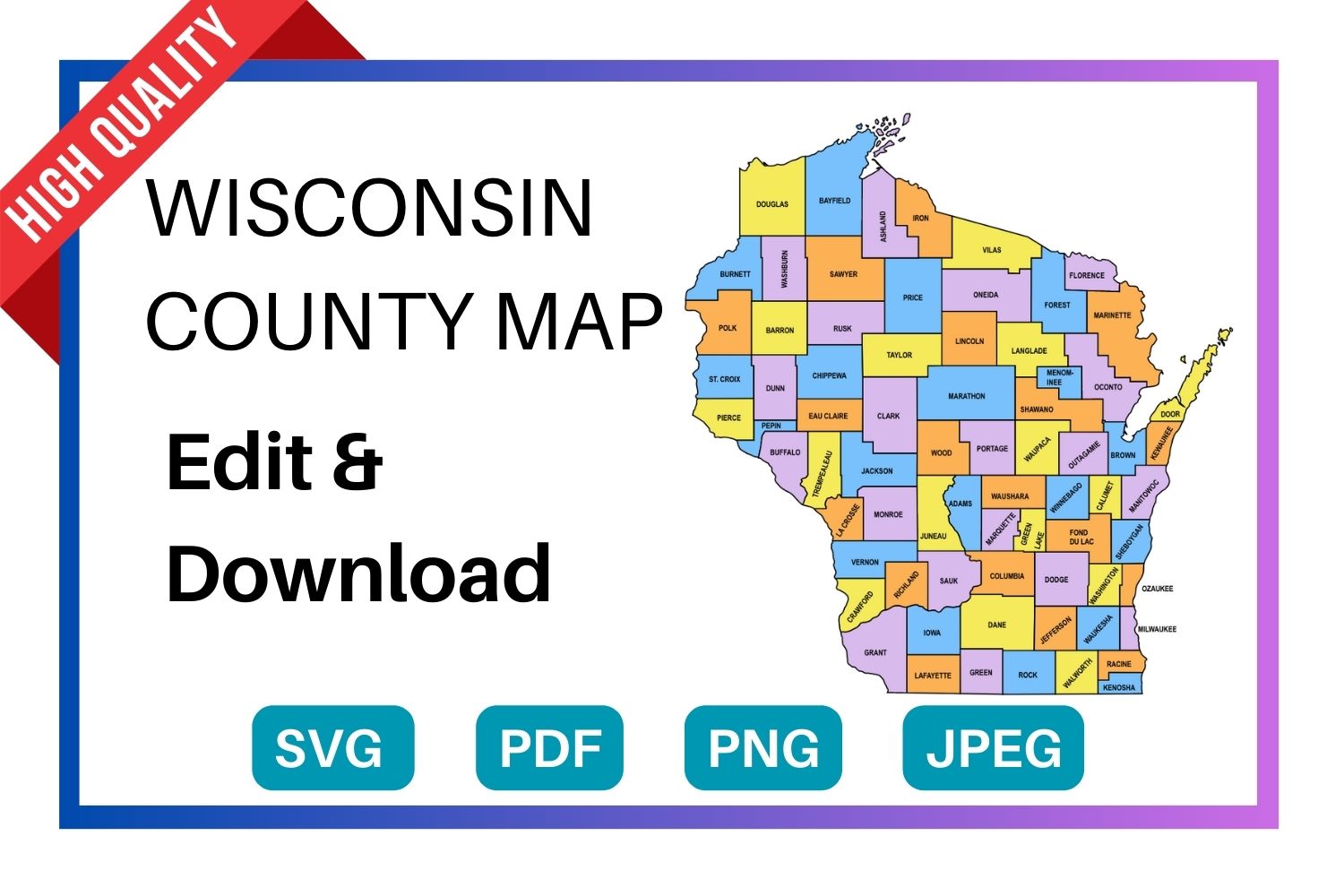
Download a free, editable Wisconsin county map in SVG, PDF, PNG or JPG. Perfect for classroom projects, presentations, geography research, and Cricut or Silhouette cutting machines.
Types of Wisconsin County Maps
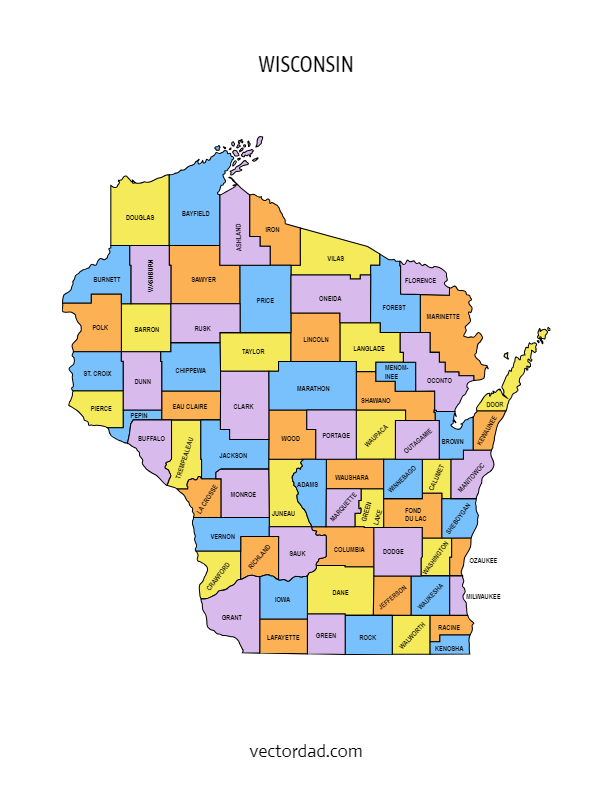
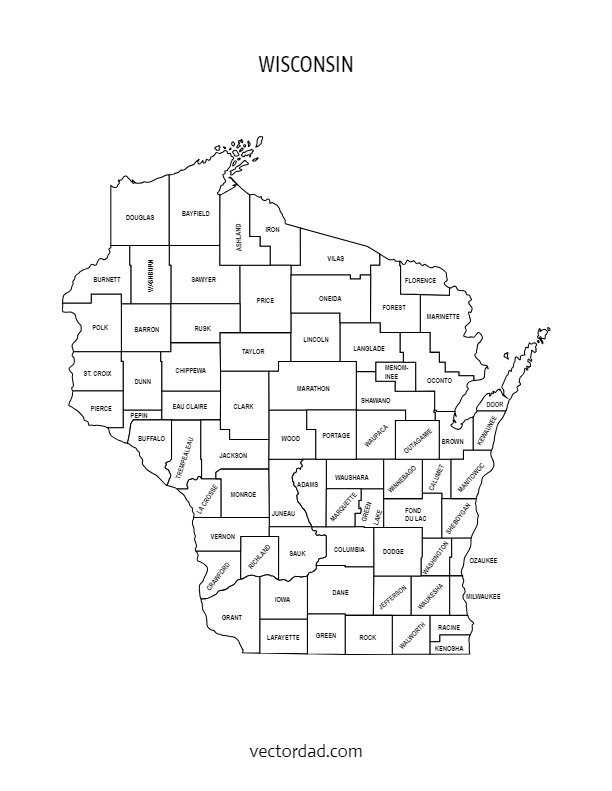
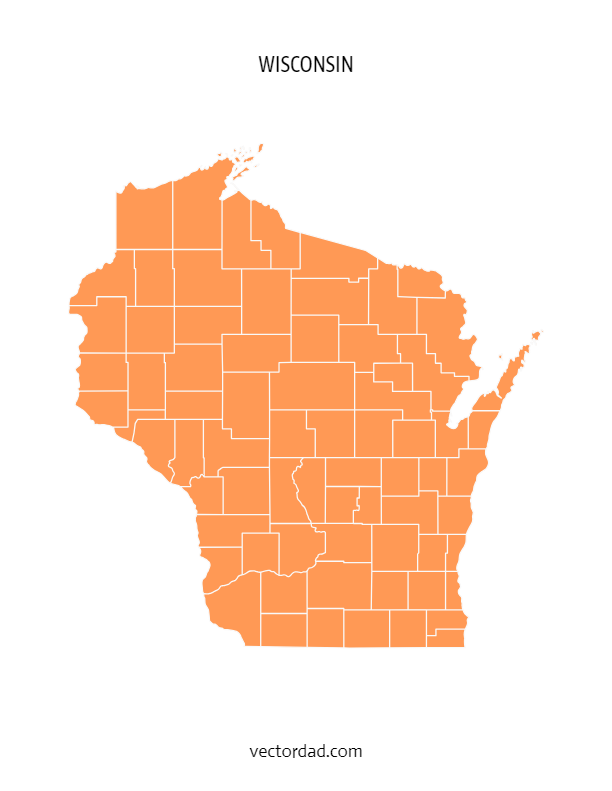
Choose from four styles of the Wisconsin county map — each available as a free editable download in SVG, PDF, PNG and JPG.
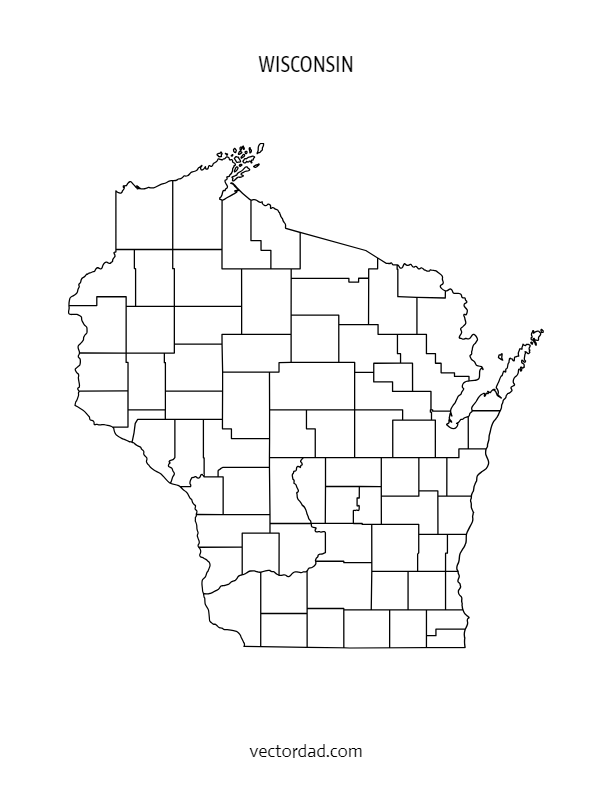
Wisconsin County Map — File Details
| Detail | Information |
|---|---|
| State | Wisconsin |
| Number of counties | 72 counties |
| Map type | Multi-colored county map (each county a distinct color) |
| File formats | SVG, PDF, PNG, JPG |
| Paper sizes | A4 and US Letter |
| Editable | Yes — customize text, colors, and elements in the online editor |
| Print ready | Yes — high resolution, suitable for home and professional printing |
| Cost | Free to download |
Download the SVG format — it cuts perfectly on all major cutting machines. Cricut Design Space and Silhouette Studio both import SVG files directly with no tracing needed.
Shop Cricut → Shop Silhouette →
What Can You Use This Wisconsin County Map For?
This free printable Wisconsin county map is used across a wide range of projects. Here are the most common uses:
| Use Case | Description |
|---|---|
| Education & classrooms | Teachers use county maps for geography lessons, quiz worksheets, and student reference handouts. |
| Research & data visualization | Researchers, analysts, and journalists overlay demographic, election, or economic data county by county. |
| Cricut & Silhouette projects | Crafters cut the SVG file to create vinyl maps, wood engravings, and personalised gifts. |
| Presentations & reports | Business and government presentations use county maps to illustrate regional coverage or service areas. |
| Travel & road trips | Travellers print county maps to plan routes and track visited counties in the state. |
| Real estate & planning | Agents and planners reference county boundaries when discussing territory, zoning, or coverage areas. |
| Wall art & home decor | Printed on A3 or larger, the colored county map makes a striking piece of wall art for Wisconsin natives. |
The FREE editable and printable Wisconsin county map with seat cities. These printable maps are hard to find on Google. They come with all county labels (without county seats), are simple, and are easy to print. This Wisconsin county map is an essential resource for anyone seeking to explore and gather more information about the counties of the state.
SUGGEST US
We are constantly working on the enhancment by adding various new templates. If you experience any issues or you have any suggestions for us with this editor tool, feel free to contact us at vectordad24@gmail.com.
The templates includes Wisconsin multi colored county map, Wisconsin county map outline with labels, Wisconsin colored blank county map, and Wisconsin county outline map with border. Please share with us any templates that you would like us to add to the gallery.
Wisconsin county map, whether editable or printable, are valuable tools for understanding the geography and distribution of counties within the state. Printable maps with county names are popular among educators, researchers, travelers, and individuals who need a physical map for reference or display. They can be used in classrooms for teaching geography, in offices for planning and analysis, or as wall maps for decoration.With their customizable and printable features, The maps of Wisconsin counties provide flexibility and convenience for users to use maps with county area boundaries that meet their specific needs. Whether used for educational, professional, or personal purposes.
List of 72 Wisconsin counties with seat cities
- Adams County – Friendship
- Ashland County – Ashland
- Barron County – Barron
- Bayfield County – Washburn
- Brown County – Green Bay
- Buffalo County – Alma
- Burnett County – Siren
- Calumet County – Chilton
- Chippewa County – Chippewa Falls
- Clark County – Neillsville
- Columbia County – Portage
- Crawford County – Prairie du Chien
- Dane County – Madison
- Dodge County – Juneau
- Door County – Sturgeon Bay
- Douglas County – Superior
- Dunn County – Menomonie
- Eau Claire County – Eau Claire
- Florence County – Florence
- Fond du Lac County – Fond du Lac
- Forest County – Crandon
- Grant County – Lancaster
- Green County – Monroe
- Green Lake County – Green Lake
- Iowa County – Dodgeville
- Iron County – Hurley
- Jackson County – Black River Falls
- Jefferson County – Jefferson
- Juneau County – Mauston
- Kenosha County – Kenosha
- Kewaunee County – Kewaunee
- La Crosse County – La Crosse
- Lafayette County – Darlington
- Langlade County – Antigo
- Lincoln County – Merrill
- Manitowoc County – Manitowoc
- Marathon County – Wausau
- Marinette County – Marinette
- Marquette County – Montello
- Menominee County – Keshena
- Milwaukee County – Milwaukee
- Monroe County – Sparta
- Oconto County – Oconto
- Oneida County – Rhinelander
- Outagamie County – Appleton
- Ozaukee County – Port Washington
- Pepin County – Durand
- Pierce County – Ellsworth
- Polk County – Balsam Lake
- Portage County – Stevens Point
- Price County – Phillips
- Racine County – Racine
- Richland County – Richland Center
- Rock County – Janesville
- Rusk County – Ladysmith
- Sauk County – Baraboo
- Sawyer County – Hayward
- Shawano County – Shawano
- Sheboygan County – Sheboygan
- St. Croix County – Hudson
- Taylor County – Medford
- Trempealeau County – Whitehall
- Vernon County – Viroqua
- Vilas County – Eagle River
- Walworth County – Elkhorn
- Washburn County- Shell Lake
- Washington County – West Bend
- Waukesha County – Waukesha
- Waupaca County – Waupaca
- Waushara County – Wautoma
- Winnebago County – Oshkosh
- Wood County – Wisconsin Rapids
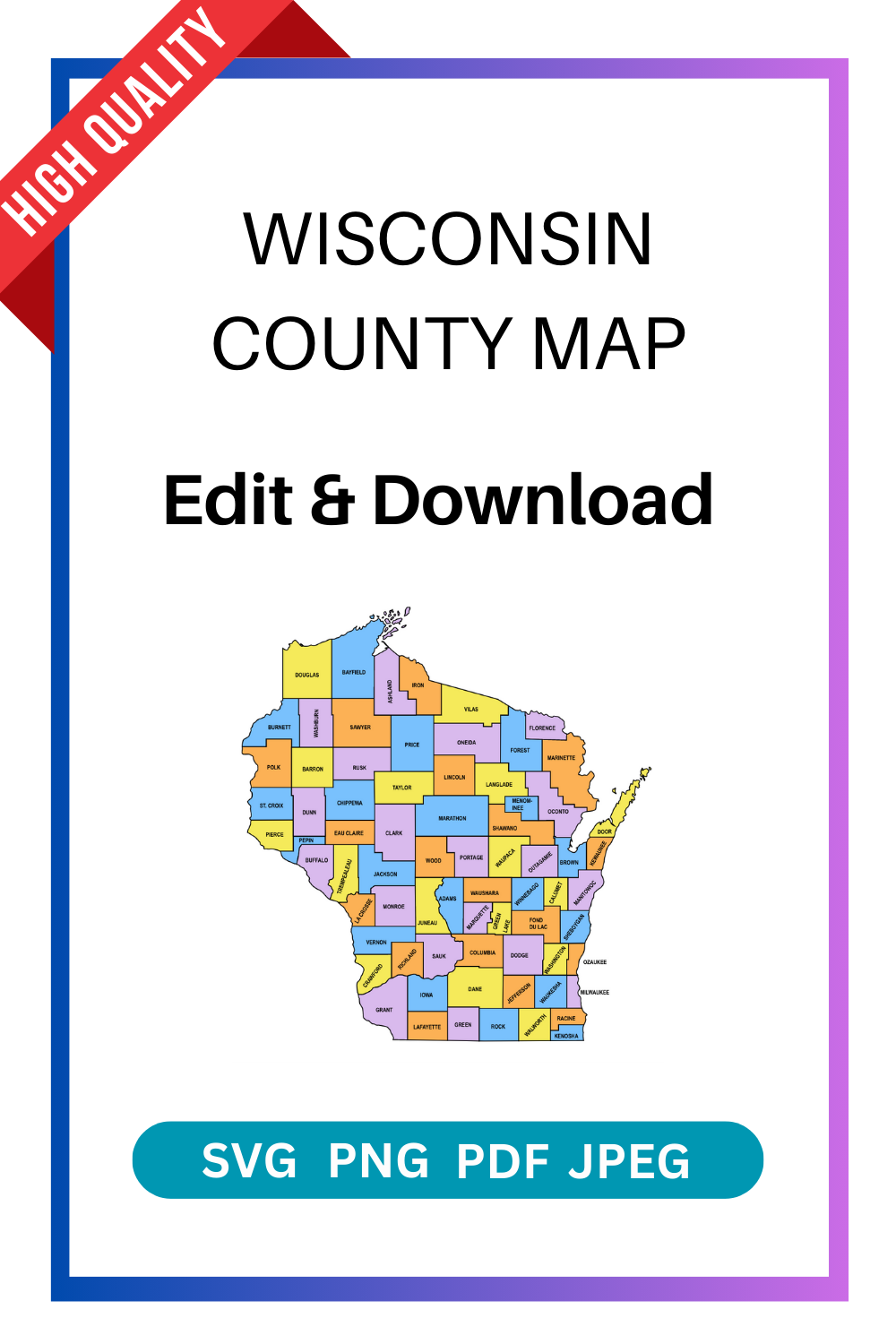
Pin it here
State County Maps (Printable State Maps with County Lines)
- Alabama
- Alaska
- Arizona
- Arkansas
- California
- Colorado
- Connecticut
- Delaware
- Florida
- Georgia
- Hawaii
- Idaho
- Illinois
- Indiana
- Iowa
- Kansas
- Kentucky
- Louisiana
- Maine
- Maryland
- Massachusetts
- Michigan
- Minnesota
- Mississippi
- Missouri
- Montana
- Nebraska
- Nevada
- New Hampshire
- New Jersey
- New Mexico
- New York
- North Carolina
- North Dakota
- Ohio
- Oklahoma
- Oregon
- Pennsylvania
- Rhode Island
- South Carolina
- South Dakota
- Tennessee
- Texas
- Utah
- Vermont
- Virginia
- Washington
- West Virginia
- Wisconsin
- Wyoming
Uses and Types of Materials
You can utilize these patterns, stencils, templates, models, and shapes for creating other unique objects or sublimation. With these designs you can create your own craft personalized, custom projects for your home, or even for selling online or at craft shows. These versatile designs are perfect for coloring pages and sheets, crochet patterns, drawing and painting, SVG files for Cricut and Silhouette machines, hobbies, holiday crafts, iron-on designs, kid crafts, laser cutting, needlecrafts, preschool printables, quilting, sewing, scrapbooking, sign making, string art (nail art), wall art, wedding crafts, woodworking projects, and other delightful DIY arts and crafts. Now create and make something truly special with these wonderful design resources!
These printable patterns can be easily transferred onto an array of materials, such as cardboard, cardstock, canvas, construction paper, fabric, felt, foam, glass, leather, metal, notebook paper, paper, parchment paper, photo paper, plastic, plexiglass, poster board, rubber, steel, vinyl, wax paper, wrapping paper, wood, and so many other types of materials. Experiment with different mediums and let your imagination soar as you create stunning projects that reflect your unique style and vision.
STEP BY STEP HELP TUTORIAL
It’s super easy and fun to edit and download county map in no time. Choose the shape templates, click the edit/download button and follow the steps below.
1. Change color:
Change the map color from the color picker (e.g., red, orange, yellow, green, blue, purple, pink, brown, gray or grey, black, white, beige, turquoise, gold, silver, lavender, indigo, magenta, maroon, olive, teal, navy, peach, cream, crimson, fuchsia, chartreuse, coral, khaki, mauve, rust, salmon, tan, violet, burgundy, chocolate, slate, taupe, eggplant, or forest green) to switch between different colors. The color change directly reflects the stage.
2. Enter the Pixel:
Next, enter the pixel size of the downloaded image to maximum upto 6000.
3. Download the final output:
Apply the above changes and download the final output as a high-quality PNG image or JPG image or PDF or vector SVG file format for your next great project.
Frequently Asked Questions
Is this Wisconsin county map really free?
Yes, completely free to download. Choose from SVG, PDF, PNG, or JPG formats. No account required.
Can I edit the colors and text on the map?
Yes. Click the “Customize & Download” button to open the online editor. You can change county colors, add text labels, adjust fonts, and reposition elements.
What size does the map print at?
The map is available in A4 and US Letter sizes. For larger format printing, use the SVG file — it scales to any size without losing quality.
Will this SVG file work with my Cricut?
Yes. The SVG file imports directly into Cricut Design Space. It also works with Silhouette Studio, Brother ScanNCut, and most other cutting machine software.
How many counties does Wisconsin have?
Wisconsin has 72 counties. All 72 are shown on the county map with labels version.
Can I use this map in a commercial project?
Please refer to the VectorDad terms of use page for commercial licensing details before using the map in paid or commercial work.