
Bad Quality Font – Free Download (OTF, TTF, SVG)

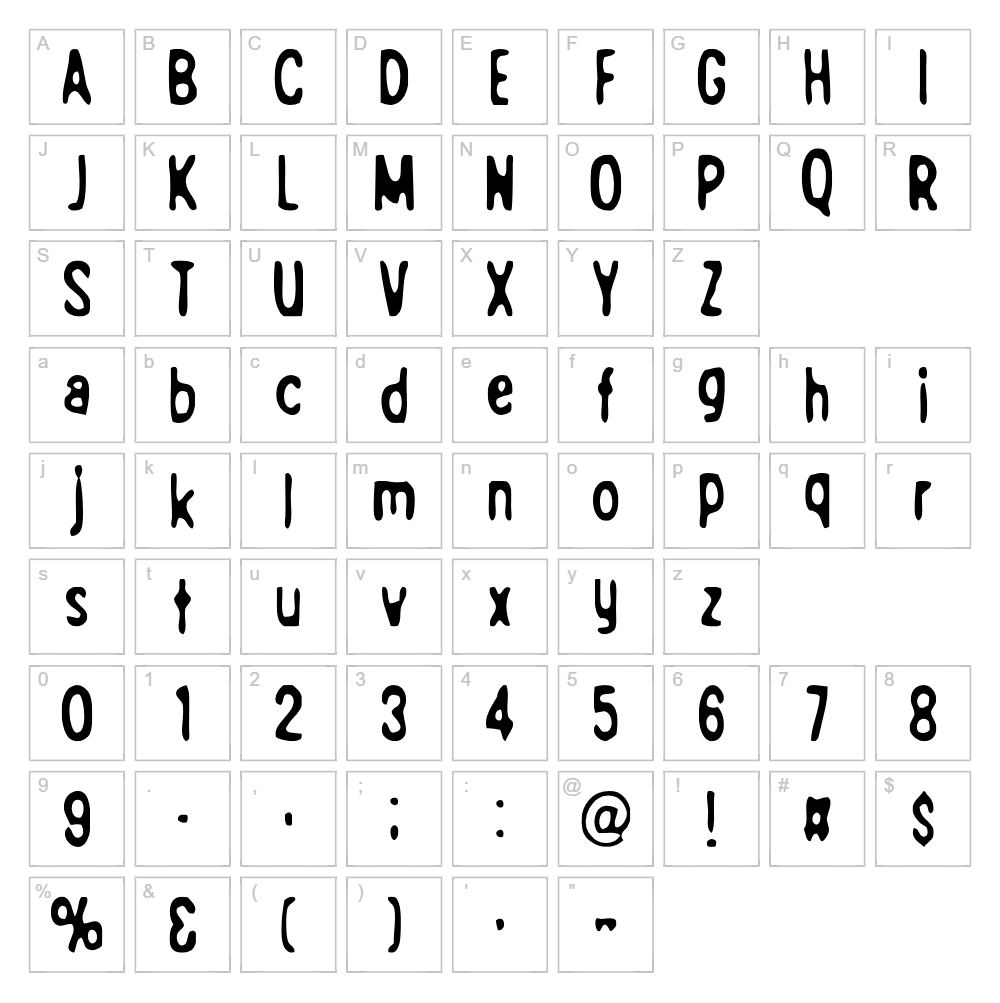
Character Map
Download Bad Quality Font
Downloads as a ZIP file. Check the license notes on this page before commercial use.
Font Files
- Bad_Quality.ttf
Font Details
- License:Free for personal use
- Author:
About Bad Quality
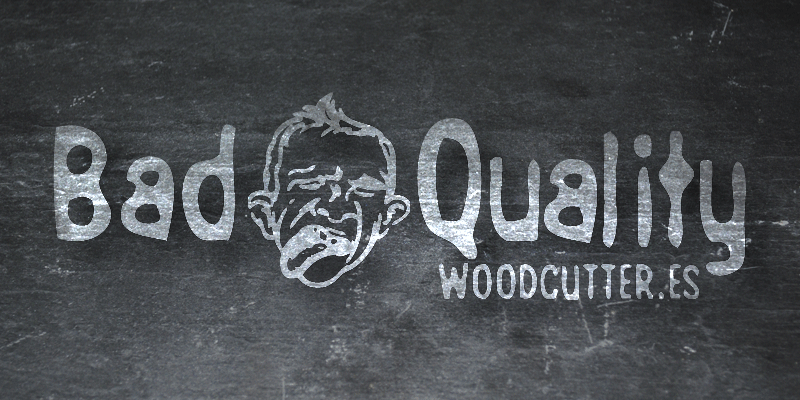
Bad Quality is a distinctive eroded fancy font designed by Woodcutter that embraces intentional imperfection and gritty character. The typeface features distressed, weathered letterforms with irregular edges and a rough, hand-crafted aesthetic that gives it an authentic, worn-in appearance. This bold and unconventional style conveys personality and edge, making it stand out among standard digital typefaces. Perfect for designers seeking a font with authentic texture and visual interest, Bad Quality brings a rebellious spirit to any creative project.
Best Uses for Bad Quality
Bad Quality excels in logo design, branding, poster design, and album artwork where a gritty, artistic aesthetic enhances the message. The font is ideal for t-shirt designs, vinyl decals, and Cricut cutting projects that demand visual impact and personality. It also works beautifully for editorial headers, band merchandise, skateboard graphics, and any project where an edgy, distressed look strengthens the overall design narrative.
What Fonts Pair Well With Bad Quality?
Bad Quality pairs exceptionally well with clean, minimalist sans-serif fonts to balance its rough aesthetic. Consider pairing it with Montserrat or Open Sans from Google Fonts for a contemporary contrast, or combine it with Merriweather serif for a bold editorial look that blends sophistication with grit.
License & Commercial Use
Bad Quality is 100% free for commercial use, meaning you can use it for logo design, branding, printed materials, digital publications, web design, mobile applications, merchandise, and product packaging without restrictions. You may use the font for client work, business projects, and any revenue-generating creative endeavor. Attribution to Woodcutter is appreciated but not required. The one restriction: you cannot resell, redistribute, or repackage the font files themselves as a product.
Frequently Asked Questions
Is Bad Quality free for commercial use?
Yes! Bad Quality is completely free for commercial use on logos, merchandise, print designs, websites, apps, and any business project. You can use it for client work and paid projects without limitations.
What file formats does Bad Quality come in?
Bad Quality is available in standard font formats including TTF (TrueType) and OTF (OpenType), ensuring compatibility with Windows, Mac, Adobe Creative Suite, Cricut Design Space, and virtually all design software.
What fonts pair well with Bad Quality?
Bad Quality pairs beautifully with clean sans-serif fonts like Montserrat and Open Sans for contrast, or with Merriweather serif for bold editorial applications. The key is using a complementary typeface that is clean and legible where Bad Quality serves as the focal point.
Can I use Bad Quality for Cricut projects?
Absolutely! Bad Quality works perfectly in Cricut Design Space for cutting vinyl decals, custom apparel, signage, and other craft projects. Its eroded, artistic style creates stunning visual effects on cut materials.
How to Install Bad Quality
- Download the Bad Quality font file from VectorDad.com
- Unzip the downloaded folder to locate the font file
- Double-click the font file (TTF or OTF format)
- Click the "Install" button in the font preview window
- The font is now available in Adobe Creative Suite, Cricut Design Space, and all your design applications
Use Bad Quality With VectorDad Tools
Transform your designs with the VectorDad Word Art Generator, which lets you instantly create stunning word art graphics using Bad Quality in seconds. For Cricut projects that demand curved text and custom SVG layouts, the Curved Text Generator makes it easy to bend, wrap, and arrange Bad Quality lettering along any path.
Make Your Own Font
Like the look of Bad Quality but want letters in your own style? Draw or trace each character as an SVG, then turn the set into an installable .ttf font with our free font creator. It runs in your browser, with no signup.
Similar Fonts
If you like Bad Quality, you may also like these free fonts:


