
Palmer Font – Free Download (OTF, TTF, SVG)

About Palmer
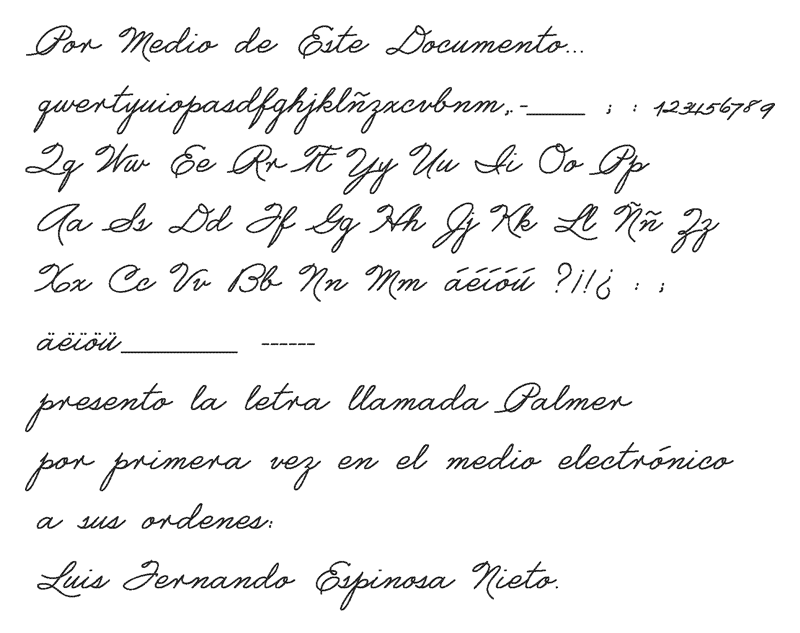
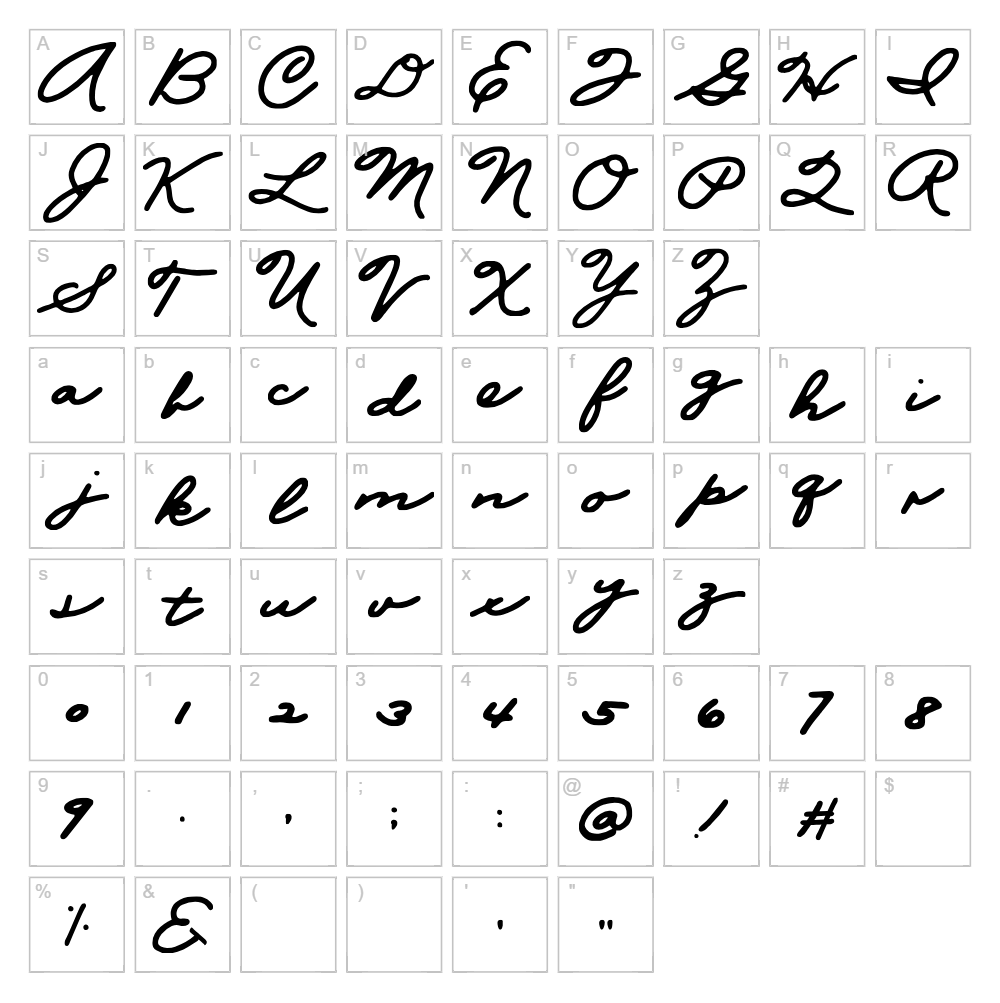
Palmer is a graceful script font designed by fespi that captures the elegance of traditional penmanship with a modern twist. The font features smooth, connected letterforms with flowing strokes that evoke the look of hand-written calligraphy without sacrificing legibility. Palmer's balanced weight and refined curves make it an excellent choice for designers seeking a sophisticated yet approachable typeface. The design maintains the character of classic handwriting while remaining versatile enough for contemporary creative projects.
Best Uses for Palmer
Palmer excels in educational materials, greeting cards, and personal branding projects where a warm, handwritten aesthetic is desired. This script font is particularly effective for Cricut vinyl decals, custom t-shirt designs, and DIY crafting applications that benefit from its elegant, flowing letterforms. It also works beautifully for invitations, scrapbooking, and social media graphics where a personal, artistic touch enhances the overall design.
What Fonts Pair Well With Palmer?
Palmer pairs exceptionally well with clean, geometric sans-serif fonts that provide visual contrast and balance. Consider pairing it with Poppins or Montserrat from Google Fonts for a modern combination, or choose Playfair Display for a more refined, editorial approach that complements Palmer's elegant character.
License & Commercial Use
Palmer is free for personal use projects. For commercial applications, review the license terms with fespi, as some uses may require permission or attribution. When commercial use is permitted, you may use Palmer for logo design, printed materials, digital publications, web design, mobile applications, and merchandise production. Always credit fespi as the font designer when required by the license. Reselling or redistributing the Palmer font files is strictly prohibited under all circumstances.
Frequently Asked Questions
Is Palmer free for commercial use?
Palmer is designated as free for personal use. Commercial licensing should be confirmed directly with fespi before using the font in any business-related projects, products, or services.
What file formats does Palmer come in?
Palmer is typically available in standard font formats including TTF (TrueType) and OTF (OpenType), which are compatible with Windows, Mac, and most design applications including Cricut Design Space.
What fonts pair well with Palmer?
Palmer pairs beautifully with sans-serif fonts like Poppins and Montserrat, or serif fonts like Playfair Display. For detailed pairing suggestions and examples, see the section above on font pairings.
Can I use Palmer for Cricut projects?
Yes, Palmer works wonderfully with Cricut Design Space for creating vinyl decals, t-shirt designs, and other crafting projects. The font's clear letterforms translate well to cutting, making it ideal for personalized gifts and decorative items.
How to Install Palmer
- Download the Palmer font file from VectorDad or the source website.
- Unzip the downloaded folder to access the font files.
- Double-click the Palmer font file (TTF or OTF) to open the font preview window.
- Click the Install button to add Palmer to your system font library.
- Restart your design applications, and Palmer will be available in your font menu across all programs.
Use Palmer With VectorDad Tools
Create stunning word art with Palmer using the VectorDad Word Art Generator, perfect for designing custom Cricut projects and digital graphics. For curved text effects and circular lettering designs, try the Curved Text Generator to maximize Palmer's elegant script style in unique compositions.


